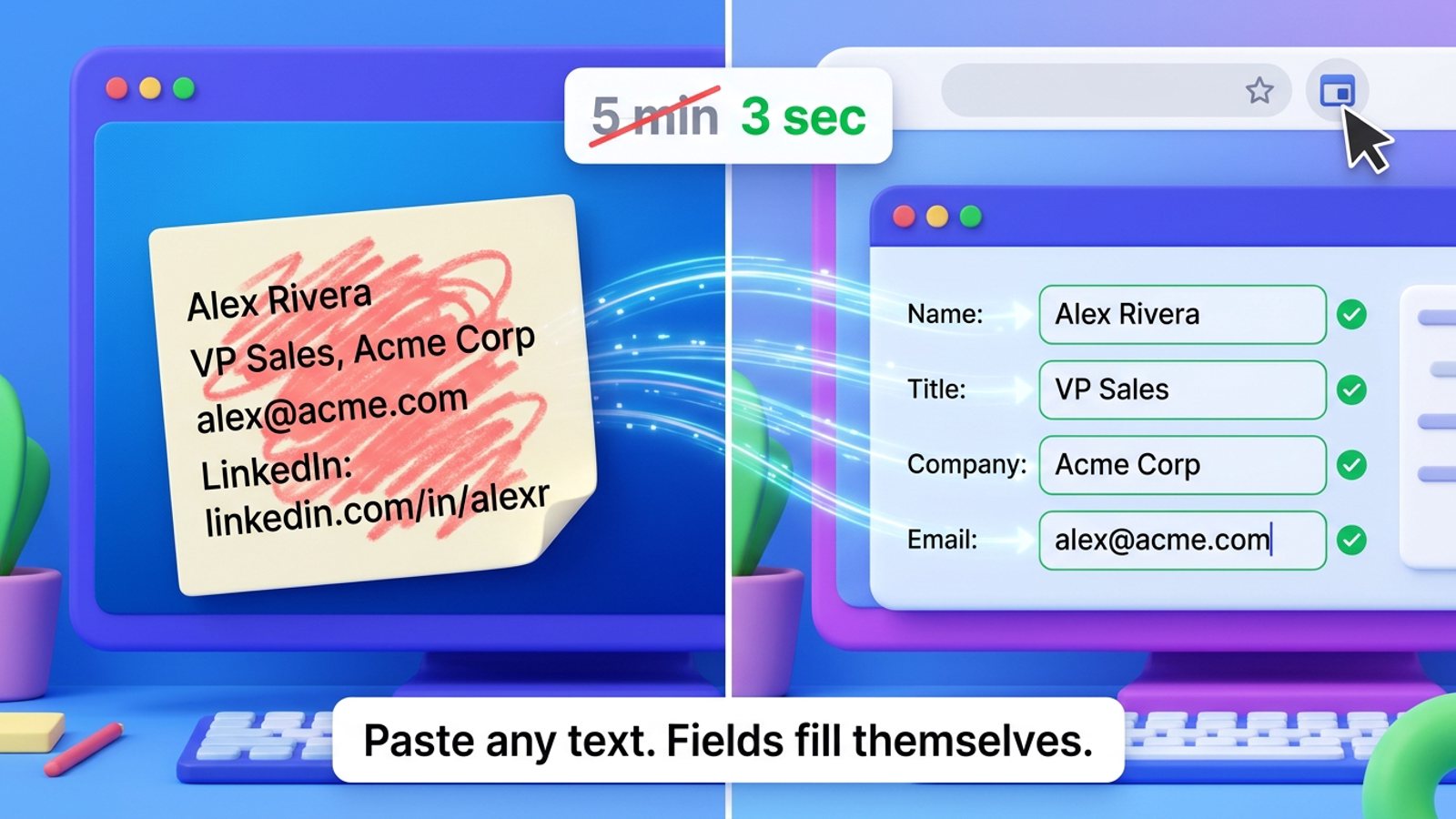
For an SDR working from a LinkedIn bio or email signature, the best AI Salesforce form filler is one built around pasted text. Of the tools we compared, SmartFill is our pick: paste the raw text, click once, and the Salesforce form fills — no setup, no lead database built. The trade-off is honest: it's desktop Chrome only and doesn't integrate with other CRMs.
An SDR's day is full of half-structured lead data. A prospect replies, you open their LinkedIn, you copy their title, company and email out of a signature block, and then you type it all into a Salesforce Lead record field by field. The AI Salesforce form filler removes that typing step. Here's how the main options compare for that exact job.
Install SmartFill Free and fill your next lead record from the bio you already have open.
How does an AI Salesforce form filler actually work?
An AI form filler reads the text you give it, works out which piece is a name, a company, a title or an email, and writes each one into the matching field on the Salesforce form in front of you. The difference between tools is where the text comes from: some read a pasted bio or signature, others replay your own saved snippets, and others only capture data from a web form you built.
That distinction matters more than any feature list. If your source is a messy LinkedIn profile, a filler that only replays stored templates won't help. If your source is a website form, a paste-based filler isn't the right tool either.
The tool that wins for SDRs is the one that reads the messy text already on your screen — not the one with the longest feature list.
Why is pasting messy lead data the SDR's real bottleneck?
Duplicates and typos originate in manual data entry, and duplicates enter Salesforce from web forms, imports and manual entry alike, according to Plauti (2025). Every field you retype by hand is a chance to mistype a company name, paste the wrong phone number, or create a record that already exists.
Say you run outbound for a small software company. A prospect sends a two-line email with a signature: name, title, company, direct line, and a LinkedIn URL. To log that lead properly you'd normally retype five or six fields. With a paste-based filler, you copy the whole signature block, paste it once, and review what landed.
Our recommendation: before you shop for a filler, count how many leads a day you type in by hand. That number tells you whether a free tier covers you or whether unlimited fills is the cheaper buy.
What is the best AI Salesforce form filler for SDRs?
Of the tools we compared, SmartFill is our pick for SDRs who fill Salesforce from pasted text. It's a Chrome extension that uses AI to populate Salesforce forms from any copied text — email signatures, LinkedIn bios, unstructured snippets — with no setup or configuration. The owner confirms it fills any Salesforce object, from Leads and Contacts to Cases and custom objects, and that there's no limit to how many fields it fills at once.
The workflow is four steps:
- Install the extension in one click — a 10-second install with no sign-up required.
- Open Salesforce and your source text in separate tabs.
- Copy the lead details, even if they're messy.
- Click the SmartFill icon and watch the form fill automatically.
On privacy, the product states that text is processed in real time and not stored, and that no lead database is built. That's the claim to check against any extension you install — the Chrome Web Store's limited-use policy requires extensions to collect only the data needed for their disclosed single purpose (Chrome for Developers).
The honest limits: it's desktop Chrome only, and it does not integrate with other CRMs. If your team runs HubSpot or Pipedrive alongside Salesforce, this isn't the tool for those records.
How do the alternatives compare for filling Salesforce forms?
Each option below solves a different part of the lead-data problem. SmartFill goes first because it's our pick for pasted-text fills — the SDR's core case — but several of these are the better choice for other jobs.
| Option | Best for | Key features | Price / free option | Watch-outs |
|---|---|---|---|---|
| SmartFill (Our pick) | Pasting bios and signatures into Salesforce | AI fills from any text, all objects, no setup | Free: 5 fills, then 3/day; Pro $9.99/mo | Desktop Chrome only; no other CRMs |
| Manual copy-paste | A handful of leads a day | Works anywhere, any edition | Free | Slow; source of typos and duplicates |
| Salesforce Web-to-Lead | Inbound leads from your own website | Built-in, creates Lead records | Built into Salesforce | 500/24h cap, Lead only, no dedupe |
| Jotform for Salesforce | Designed web forms with sync | Drag-and-drop builder, AppExchange install | Free form builder | Inbound only, not paste-based |
| Magical | Reusing your own saved snippets | Text expansion, 10,000,000+ apps claimed | Free Chrome extension | Fills from stored templates, not pasted bios |
SmartFill is made by the team behind this blog. Prices for other tools are as of November 2026 and can change.
SmartFill is the only option in this list built around reading unstructured text you paste. It's the direct choice when the lead's details exist as a bio or signature and you need them in a Salesforce record now.
Manual copy-paste costs nothing and works in any browser or Salesforce edition. If you're logging three leads a day, it may genuinely be enough — Plauti's point about manual entry as a duplicate source is a caution, not a disqualifier at low volume.
Salesforce Web-to-Lead is built in and creates Lead records from a website form you embed. FormAssembly (2023) notes it caps at 500 submissions per 24 hours, doesn't support file uploads, has no field validation and no deduplication, and writes only to the Lead object. If you mainly need inbound website capture, Web-to-Lead is the more direct choice.
Jotform for Salesforce offers a free drag-and-drop form builder installed via AppExchange, with submissions syncing into Salesforce (Jotform). It's the better pick if you want designed forms with file uploads and payments. It doesn't help an SDR who already has the lead's details sitting in an email tab.
Magical is a Chrome text expander that states it works on 10,000,000+ apps including Salesforce, and autofills contact info into CRMs (Magical). Its Chrome Web Store listing showed 200K users and a 3.1 rating from 3.5K ratings, last updated 4 April 2026. It fills from what you've stored or typed — templates and shortcuts — rather than reading a messy pasted bio. Its privacy disclosure lists handling of personally identifiable information, location, web history, user activity and website content.
Can an AI filler handle Leads, Contacts, Cases and custom objects?
Yes — SmartFill's owner confirms it fills every Salesforce object type, including Leads, Contacts, Cases and custom objects, with no cap on fields per fill. That's a meaningful difference from Web-to-Lead and Jotform, which the sources describe as writing to the Lead object.
For an SDR this matters at the handoff stage. When a lead converts, or when you're logging a support question against a Contact, you're no longer on the Lead form — and a tool limited to Lead records stops being useful.
Will it work from a LinkedIn bio or an email signature?
That's SmartFill's core use case: it works with messy, unstructured data like email signatures and LinkedIn bios. You don't parse anything by hand — copy the block of text and let the extension map it to fields.
A worked example: a prospect's LinkedIn bio reads "Jordan Ellis · Head of Ops at Northwind Logistics · Leeds · 6 yrs in freight tech." A paste-based filler picks out the name, title and company and drops them into the matching Lead fields. You review, add the email from the thread, and save. The four-minute form fill becomes a three-second click.
Is a free AI form filler good enough, or do you need to pay?
For most SDRs, start free and upgrade when the daily cap bites. SmartFill's free plan gives 5 fills to start, then 3 per day forever; Pro is $9.99/month for unlimited fills, as of November 2026, and prices can change. If you're logging more than three leads a day from pasted text, Pro pays for itself in the first morning.
Other free options exist but solve different problems. Web-to-Lead is built into Salesforce at no separate fee (Thunderbit). Jotform's Salesforce page offers a free form builder (Jotform). Several Chrome fillers in the store have free tiers or trials — Tilly lists a 60-credit free trial with Pro at $19/month or $190/year (Chrome Web Store, 2026), and FormPlane lists a free tier with Pro at $10/month (Chrome Web Store). Those are general form fillers, not Salesforce-focused paste tools.
Source: Chrome Web Store listings
What should you check before installing any Salesforce form filler?
Four things, in this order: what it reads, what it stores, which objects it fills, and which browsers it supports.
- Check the source it reads. Pasted text, stored templates, or web forms — pick the one that matches your daily work.
- Read the privacy disclosure. Look for whether data is stored and whether a database is built.
- Confirm the object coverage. Lead-only tools won't help on Contacts, Cases or custom objects.
- Confirm the platform. SmartFill is desktop Chrome only; if your team works on other browsers, plan around that.
Our recommendation: install on one rep's machine first, run it against ten real leads, and compare the records it produces against what you'd have typed. That test tells you more than any comparison table.
Ready to stop retyping signatures? Install SmartFill Free and fill your next Salesforce record from the text you already have.
Sources
- Prevent Duplicate Data in Salesforce (Trailhead)
- How to deduplicate in Salesforce (Plauti, 2025-09-21)
- Lead Management in Sales Cloud (Prezi, 2025-04-25)
- How to set up a Salesforce Web-to-Lead form (Thunderbit, updated 2026-07-13)
- How to Build Salesforce Forms Without Code (FormAssembly, 2023-11-18)
- Web to Lead Forms for Salesforce (Jotform)
- Magical: Text Expander & Autofill (Magical)
- Chrome Web Store limited-use policy (Chrome for Developers)
- Chrome Web Store disclosure requirements (Chrome for Developers)
- Tilly listing (Chrome Web Store, 2026-06-06)
- FormPlane listing (Chrome Web Store)