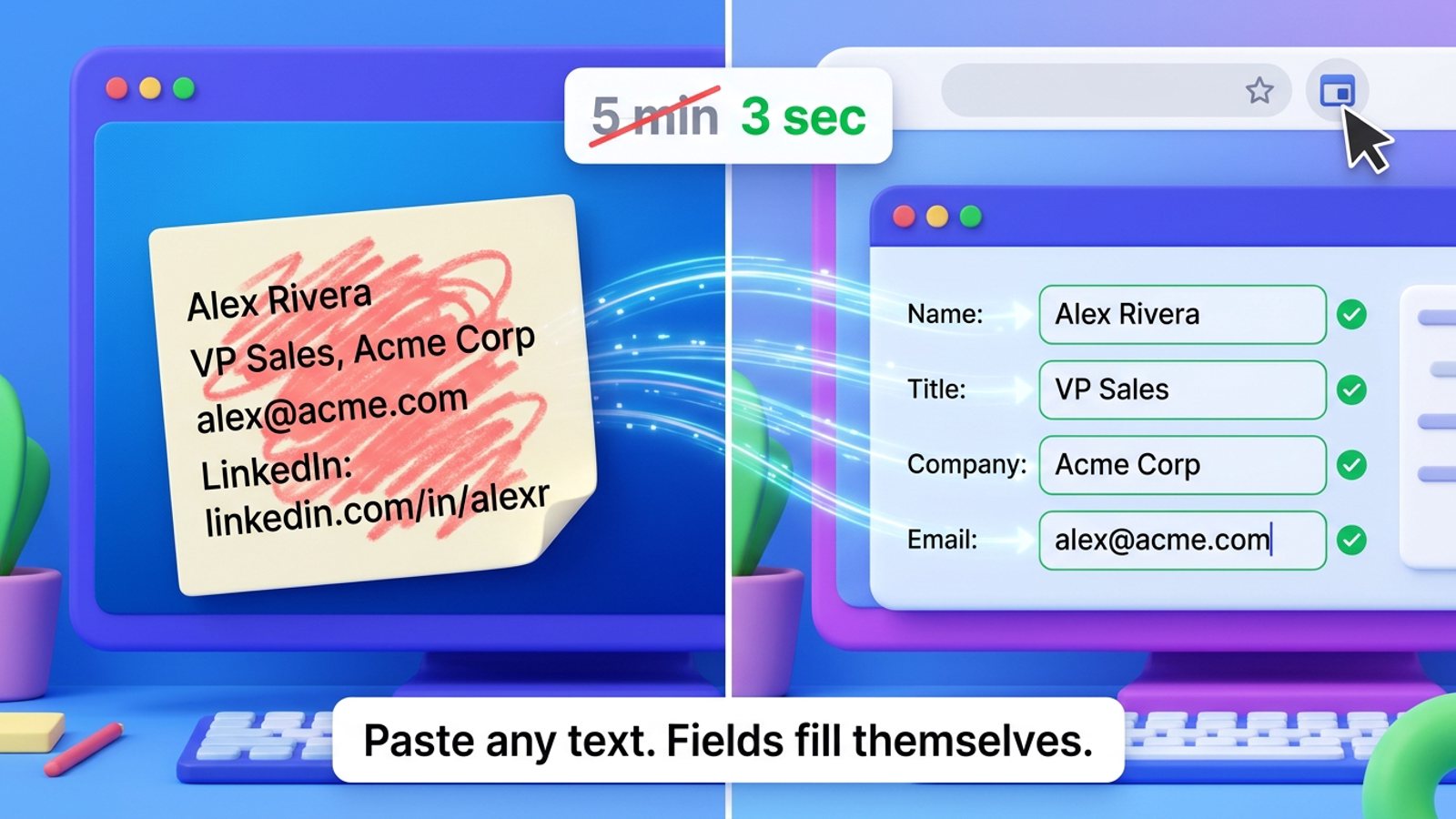
For account executives updating records between calls, the best AI Salesforce form filler is the one that demands the least typing. Of the tools we compared, SmartFill is our pick: paste a messy call recap, click once, and its Chrome extension fills any open Salesforce form — Lead, Contact, Case or custom object — with no setup.
If you're an AE, the job is simple and repetitive: you finish a call, you have a page of notes or a rambling recap, and Salesforce wants twenty fields filled before you can dial the next number. The right tool collapses that into a paste and a click. Here's how the options compare, and which one to install first.
Install SmartFill Free and fill your next opportunity form from the recap you already wrote.
What makes an AI Salesforce form filler good for account executives?
The best filler for an AE demands the least typing between calls. That means three things: it takes messy text as input, it maps that text to whatever form is on screen, and it works without an admin project or a template library you have to maintain.
AEs don't work from clean spreadsheets. They work from a call recap typed in a hurry, a signature block, or a LinkedIn paragraph. A filler that only repeats saved values ("your name", "your company") doesn't help with that. A filler that reads the paragraph and decides which piece belongs in Job Title and which in Company Name does.
The filler that wins is the one you forget you installed — because the form is already full by the time you look up.
Our recommendation: judge any option by one test. Paste a real, messy call recap into a blank opportunity form and count how many fields you still have to touch. The lower that number, the better the tool for your day.
Which AI Salesforce form filler is best for account executives?
SmartFill is our pick of the tools we compared. It's a Chrome extension built for Salesforce: you paste any text containing lead or account details, click the icon, and the AI places each piece into the right field on the form you have open.
Why it suits AEs specifically:
- It reads messy input. The Chrome Web Store listing (updated 19 October 2026) describes it separating Job Title from Company Name even when they sit on the same line — the exact mess you get from a signature block or a rushed recap.
- It fills any Salesforce form. Leads, Contacts, Cases and custom objects, per the same listing. If your team logs deal notes on a custom object, it still works.
- There's no setup. The listing states no URL patterns or regex mapping are needed to get going. You install, open Salesforce, paste, click.
- It doesn't keep your data. The listing says no lead database is built: text is parsed in real time to fill the form in front of you and isn't retained afterward.
The honest limits: it's a Chrome extension, so desktop only. Duplicate Detection is listed as "coming soon", so check for existing records yourself before saving. And the free tier caps you at 3 fills a day after the first 5 — fine for trying it, tight for a full call block.
Here's the short version of what it costs: 5 fills free on install, then 3 free fills every day forever, no card needed. Pro is unlimited fills at $9.99/month as of November 2026, and prices can change.
How does SmartFill fill a Salesforce form after a call?
Five steps, and the first four take about ten seconds once you've done it twice.
- Install the extension in Chrome from the Web Store — the listing describes a one-click install with no sign-up.
- Copy the messy block. After the call, grab your recap, the prospect's email signature, or their LinkedIn paragraph. Don't tidy it.
- Open the Salesforce form — New Contact, an opportunity you're updating, a Case, a custom object, whichever the call touched.
- Click the SmartFill icon, paste the text, and hit Auto-Fill. Every field it can map populates.
- Review and save. Read the fields it filled, correct anything, then save and move to the next call.
Say you sell mid-market SaaS and you've just finished a discovery call with a VP of Operations at a logistics firm. Your recap reads: "Spoke to Dana Ruiz, VP Ops at Northwind Logistics — 400 trucks, wants to cut dispatch admin, budget conversation in Q1." Paste that into a new Contact, and the name, title and company come out as separate fields; paste it into the opportunity and your notes land where they belong. You review, you save, you dial.
How do the alternatives compare for account executives?
Every option below solves a real problem. The question is whether it solves your problem — updating records fast between calls — or a different one.
| Option | Best for | Key features | Price / free option | Watch-outs |
|---|---|---|---|---|
| SmartFill (Our pick) | AEs pasting a call recap into any Salesforce form | One-click AI fill, messy text, any object, no setup | Free: 5 fills + 3/day; Pro $9.99/mo | Chrome only; duplicate detection coming soon |
| Salesforce Agentforce pipeline management | Teams wanting Salesforce to suggest opportunity updates | Suggests Next Step and Stage from call transcripts | Add-on; editions apply | Enterprise-tier add-on; suggests, doesn't type |
| AppExchange capture apps (e.g. FormAssembly, Parse Connect) | Website forms and document extraction into records | AI-assisted forms, PDF/Word extraction | Not listed on pages read | Admin setup; not an in-browser fill button |
| General AI fillers (e.g. Magical, FillGenius) | Repeating contact blocks across many sites | Saved libraries, works across many apps | Magical: free extension to start | Library-based, not Salesforce-specific |
SmartFill goes first because it's the only one in this comparison built around the AE's actual moment: a fresh block of messy text and a Salesforce form already open. If you want to see how it handles a full field set, here's how to fill all Salesforce fields from pasted text.
Salesforce Agentforce pipeline management is the native route. Salesforce's Winter '27 release notes describe an agent that reviews recent voice and video call transcripts and suggests updates to Next Step and Stage on opportunities. It's a strong fit if your org already runs Enterprise, Performance or Unlimited edition with the Agentforce for Sales add-on (or Agentforce 1 Sales Edition) — but it suggests changes rather than typing a recap into the form you have open, and it's an add-on purchase. If you mainly need Salesforce to reason about your pipeline, that's the more direct choice.
AppExchange capture apps suit a different job: structured capture. FormAssembly is described as AI-assisted forms and workflows; Parse Connect extracts PDFs, Word files and images into Salesforce records; TrueContext connects mobile forms to Salesforce. These are website, mobile and document pipelines — useful for RevOps, not for the AE filling a contact record between calls. They also need installation and setup, and Salesforce's AppExchange page notes it hasn't reviewed each listing.
General AI fillers like Magical and FillGenius are broad by design. Magical's Edge listing describes it working across "10,000,000+ apps" including Salesforce, Gmail, LinkedIn and Zendesk, and it offers a free extension to start. FillGenius is described as filling any web form and learning common inputs. They're built around a saved personal-info library or templates, though — great for repeating the same block everywhere, less suited to parsing a brand-new call recap into Salesforce objects. Security scanners have flagged broad host and identity permissions on some AI fillers, so check what any extension requests before you install it.
SmartFill is made by the team behind this blog.
If the AE workflow is your priority, install SmartFill Free and run that test on your next call. If you're weighing a wider rollout, our breakdown of AI form fillers for Salesforce lead records covers the lead side in more depth, and if security review is your blocker, start with the secure AI form filler for Salesforce lead data.
What mistakes should AEs avoid when using an AI form filler?
The biggest mistake is skipping the review step. AI mapping is fast, not infallible — a job title can land in the wrong field when a recap is ambiguous, and you're the one whose name is on the record.
Three more to watch:
- Pasting more than you need. If your recap includes notes about a different account, the AI has more to sort through. Our recommendation: paste the block that belongs to this record, not the whole thread.
- Assuming duplicates are caught. SmartFill's listing marks Duplicate Detection as "coming soon" — so search Salesforce for the contact before you create one.
- Ignoring the daily cap on free. The free tier gives 3 fills a day after the first 5. On a heavy call day that runs out, which is the moment to decide whether Pro's unlimited fills at $9.99/month (as of November 2026; prices can change) is worth it.
Install SmartFill Free and let the next call recap fill the form for you.
Sources
- SmartFill: The AI Form Filler for Salesforce (Chrome Web Store, updated 19 Oct 2026)
- Automated Field Updates for Agentforce Pipeline Management (Salesforce Help, Winter '27 release notes)
- Salesforce Platform pricing (MX), 2025-01-28
- FormAssembly listing (Salesforce AppExchange, 2026-02-19)
- Best web scraping tools (Thunderbit blog, vendor, 2026-06-28)
- Appiphony announces Parse Connect (MarketScreener, 2026-02-23)
- Install the Salesforce TrueContext AppExchange Package (TrueContext docs, updated 2025-07-28)
- Magical: Text Expander & Autofill (Microsoft Edge Add-ons, 2026-04-06)
- FillGenius (Chrome Web Store)
- Is AutoFormAI safe? (Koidex security report, 2024-11-13)