Yes — you can automate Salesforce forms with AI for free, within limits. SmartFill's free tier gives you 5 fills to start, then 3 fills a day forever, and Salesforce's own Web-to-Lead and Data Import Wizard cost nothing extra on supported editions. The catch is volume: heavy daily entry needs a paid tier or a built-in tool.
If you're a solo founder or a junior SDR watching every subscription line, free automation is real — it just comes in three shapes. Some tools cost nothing forever but only do one job. Some cost effort instead of money. And some are free up to a daily cap, then ask for a small monthly fee.
Install SmartFill Free and you'll know within a few records whether the free cap fits your day.
What does "free" actually mean for Salesforce form automation?
Free splits into three buckets, and knowing which one you're in stops you wasting an afternoon. The first is built-in Salesforce features — Web-to-Lead, the Data Import Wizard and Flow screen flows — which come with the platform rather than as a separate purchase. The second is manual copy-paste, which costs time instead of money. The third is free-tier AI Chrome extensions, which do a set number of fills before a paywall.
Salesforce's own guidance for locked-down record fields is to enter the customer's data manually or use the lookup search to pick a validated ID, per Salesforce Help (published 29 January 2026). The platform deliberately doesn't hand you a shortcut, so any shortcut you get comes from a tool built on top.
Can a free AI Salesforce form filler really fill a record for you?
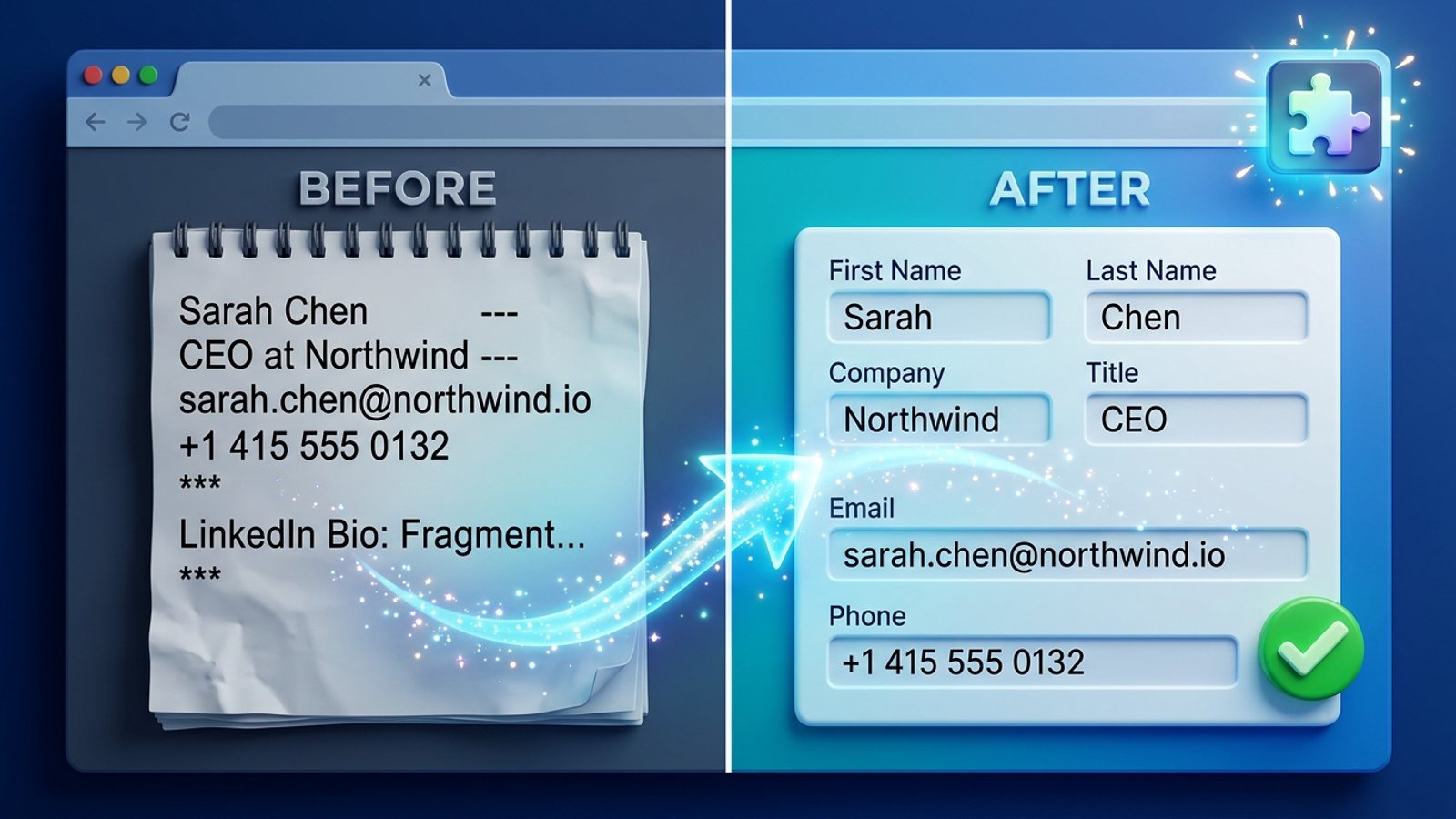
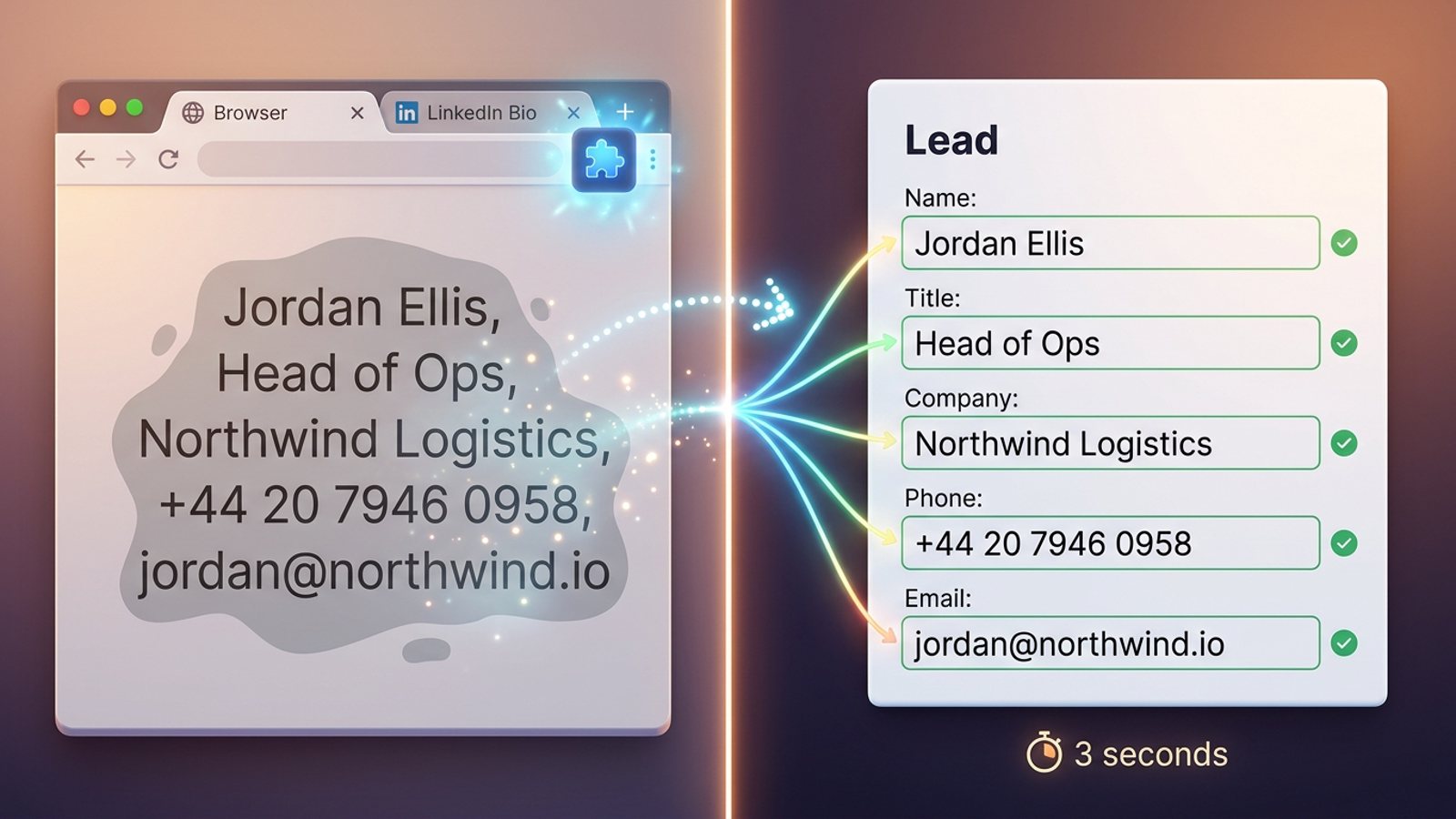
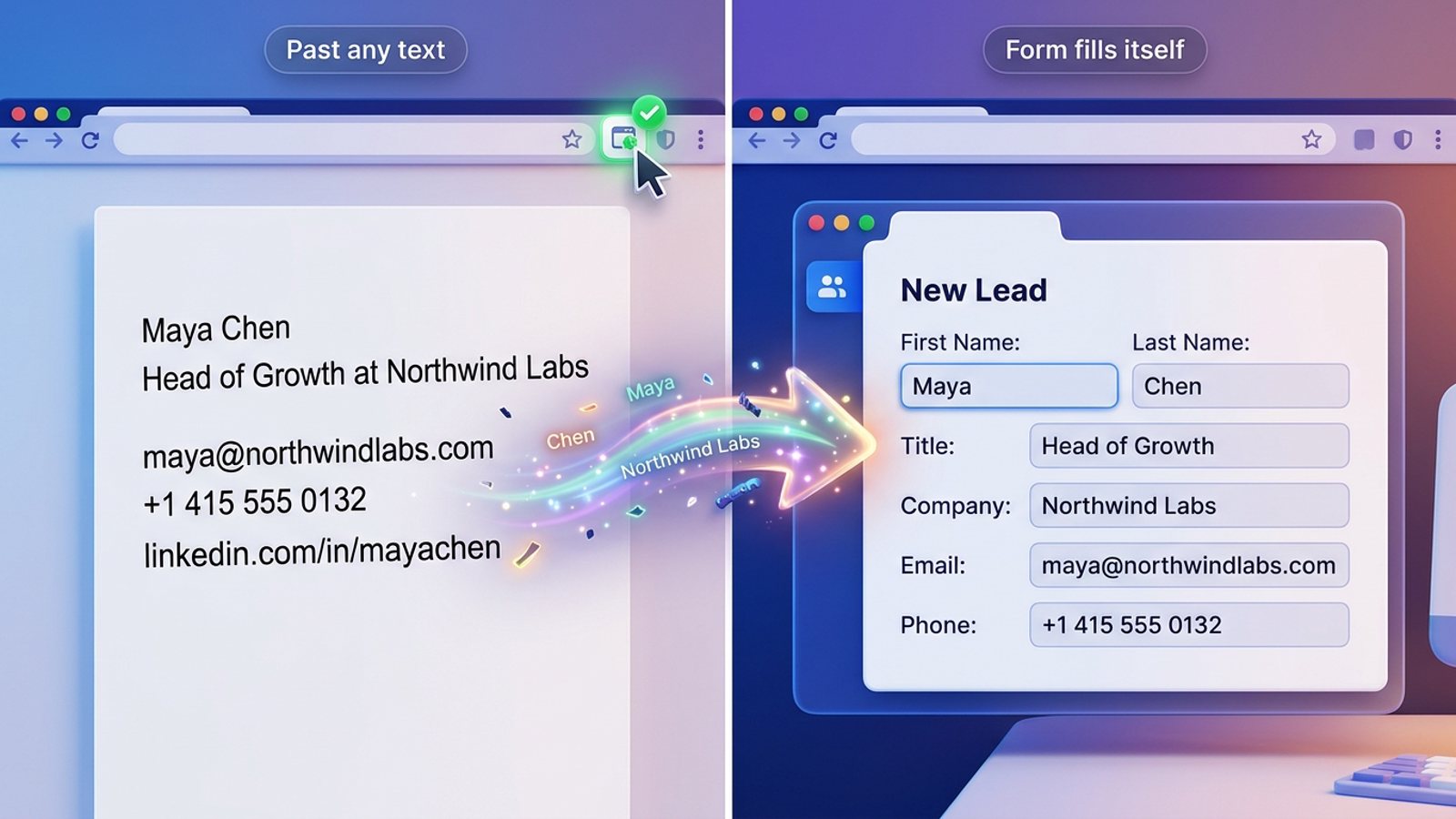
Yes. A free AI form filler for Salesforce reads the text you paste — an email signature, a LinkedIn bio, a messy intro line — and maps it onto the Salesforce field labels in front of you. You review, you save. No CSV, no admin setup, no import wizard.
SmartFill works this way. You install the Chrome extension in one click, open Salesforce and your source text in separate tabs, copy the lead details even if they're messy, then click the SmartFill icon and watch the form populate. It fills Salesforce objects of every kind, and there's no limit to how many fields it can fill at once.
The free plan is 5 fills to start, then 3 fills per day forever. Pro is unlimited at $9.99/month, as of November 2026 — prices can change.
Why doesn't Chrome's free autofill just work on Salesforce?
Because Salesforce switches it off on purpose. Salesforce suppresses browser autocomplete on internal record fields for contacts, accounts and support data — a deliberate data-integrity and data-leakage choice, not a bug, according to Salesforce Help (published 29 January 2026). So the free autofill you already have in Chrome simply doesn't offer suggestions there.
It gets worse on Lightning. A community write-up reports that in Lightning lightning:input components the autocomplete attribute is ignored, and picking a suggestion can throw a Salesforce error (Atlassian community wiki, no date). A vendor blog argues Chrome autofill was built for static HTML forms, so Lightning Web Component fields that need JavaScript events are where it fails — and estimates a 10–30-field workflow still takes 5–10 minutes by hand (QuickForm vendor blog, 9 June 2026).
An independent Salesforce blog states browser autofill from Chrome is not currently available in Lightning and points readers to a Salesforce IdeaExchange request for it (Infallibletechie, no date).
The free autofill you already own is the one tool Salesforce has deliberately blocked from helping you.
Which free Salesforce tools are built in, and what do they cost you?
Three built-in routes cost no separate charge, but each does one narrow job. None of them fills the record open on your screen — that distinction matters when you're choosing.
Salesforce Web-to-Lead
Best for capturing leads from your own website. An admin enables it in Setup, optionally turns on reCAPTCHA, then generates an HTML form snippet to embed (Act-On Connect help, updated 4 August 2026). Salesforce's own troubleshooting article walks the same path: Setup → Quick Find "Web-to-Lead" → Enable Web-to-Lead → Create Web-to-Lead Form → pick fields (Salesforce Help, published 28 September 2026).
The limits are real. Act-On's help page puts Web-to-Lead at 500 submissions per day and notes it only creates Lead records. A vendor blog adds that it has no file uploads, no field validation and no deduplication (FormAssembly vendor blog, 18 November 2023).
Salesforce Data Import Wizard
Best for bulk lists from a CSV. It's a browser-based importer in Setup that does insert, update and upsert on leads, accounts, contacts and custom objects, with guided field mapping and matching options, up to 50,000 records per run (Clientell glossary, 21 October 2026). Salesforce's import-limits page confirms 50,000 lead records per import and a 100 MB file cap with each record ≤400 KB (Salesforce Help, 19 November 2026).
The catch is the CSV. Lead records need at least Last Name, Company and Email (SimpleVerifier, 8 November 2026). The Wizard also doesn't cover opportunities, cases, campaigns, contracts, assets or products — those need Data Loader (Clientell, 21 October 2026).
Salesforce Flow screen flows
Best for standardising a repeatable data-entry screen. Screen flows can be embedded in Lightning pages and run guided input screens with date pickers, picklists and address, email and phone inputs (open-exam-prep.com study guide, 2 January 2026). The limitation is who builds it: someone with Flow Builder access has to configure it first, which is setup effort rather than zero-config (Avonni, no date).
How do free AI fillers compare with the built-in options?
Here's the comparison, with SmartFill first because it's the one this blog is built around.
| Option | Best for | Key features | Price / free option | Watch-outs |
|---|---|---|---|---|
| SmartFill (Our pick) | Filling a record you have open | Fills from pasted messy text; any Salesforce object | 5 fills, then 3/day free; Pro $9.99/mo | Desktop Chrome only |
| Salesforce Web-to-Lead | Website lead capture | Native HTML snippet; Lead object only | Bundled with Salesforce | 500/day cap; no validation or dedupe |
| Data Import Wizard | Bulk CSV lists | Guided mapping; up to 50,000 records | Bundled with Salesforce | Needs a clean CSV; limited objects |
| Chrome built-in autofill | Simple static web forms | Free, already installed | Free with Chrome | Suppressed on Salesforce record fields |
| Manual copy-paste | One-off records you must check closely | Zero tools, full control | Free in money | Slow: vendor estimate 5–10 min per workflow |
Our pick is SmartFill of the tools we compared, because it's the only one in this table that fills the Salesforce form already open in front of you from text you paste — no CSV, no admin, no website form. SmartFill is made by the team behind this blog.
The other options aren't worse, they're different. If you mainly need to capture leads from your own website, Web-to-Lead is the more direct choice, and it's built in. If you're importing a purchased list of 2,000 contacts, the Data Import Wizard is the right tool and it costs nothing extra.
Install SmartFill Free and test it against your own lead sources.
Is 3 free fills a day enough for an SDR?
For a junior SDR logging a handful of inbound leads, often yes. For anyone working a list of 40 LinkedIn profiles in an afternoon, no — you'll hit the cap before lunch.
Do the maths on your own week. If you log three records a day, the free tier covers you indefinitely and you never pay. If you log fifteen, you're past the cap by mid-morning, and the question becomes whether $9.99/month is worth it. Compare that with the vendor estimate of 5–10 minutes per 10–30-field workflow by hand (QuickForm vendor blog, 9 June 2026): even a conservative reading puts a month of manual entry well above the cost of Pro.
What's the catch with paid per-seat AI add-ons?
Enterprise AI and automation add-ons are generally licensed per user or per seat, so the cost scales with your team rather than your volume. For a five-person sales team, that model can be painful; for a solo founder, it's simply the wrong shape.
What you can compare confidently is the shape of the deal: a flat monthly fee per person versus a free tier with a daily cap versus a bundled Salesforce feature.
If you want the wider field, see our roundup of the best AI Salesforce form fillers for sales teams in 2026, and if you're specifically weighing free tools, the best free Salesforce form filler for solo sellers goes deeper.
Does a free AI filler keep your lead data private?
That depends on the tool, and it's the question worth asking before you paste a prospect's email into anything. SmartFill processes text in real time and doesn't store it, and no lead database is built from what you paste — that's stated in the product facts, not inferred.
For any other tool, read its own policy. A free tier is still a data relationship, and "free" doesn't tell you where the text goes.
How do you set up free Salesforce form automation, step by step?
Pick the route by the task in front of you, then follow the steps for it.
- Match the tool to the job. One record open in front of you → an AI filler or manual entry. A website capture → Web-to-Lead. A list → Data Import Wizard.
- Set up Web-to-Lead in Setup → Quick Find "Web-to-Lead" → tick Enable Web-to-Lead and save → Create Web-to-Lead Form → select fields → generate the HTML snippet → embed it on your site (Salesforce Help, 28 September 2026).
- Set up the Data Import Wizard by preparing a CSV with at least Last Name, Company and Email → Setup → search "Data Import Wizard" → Launch Wizard → pick the object and add/update mode → upload → map columns → Start Import (Clientell, 21 October 2026; SimpleVerifier, 8 November 2026).
- Fill a single record with an AI filler by pasting your lead text, letting the extension map it to the Salesforce field labels, then reviewing and saving.
- Upgrade only when the cap bites. On SmartFill that's Pro at $9.99/month, as of November 2026 — prices can change.
If you're still deciding whether an assistant-style tool suits your workflow at all, our post on whether you can automate Salesforce forms with an AI assistant covers that ground.
Sources
- Autocomplete Suggestions Not Appearing on Internal Salesforce Record Fields — Salesforce Help, 29 January 2026
- Disable Browser Autofill / Auto-Completion for Fields in Salesforce — Salesforce Help, 14 November 2024
- Auto-fill from your browser in Salesforce Lightning — Infallibletechie, no date
- Browser Autocomplete / AutoFill Issue — Atlassian community wiki, no date
- Best Chrome Extension to Autofill Salesforce Forms — QuickForm vendor blog, 9 June 2026
- Creating New Leads in Salesforce from Form Submissions — Act-On Connect help, updated 4 August 2026
- Troubleshooting a Non-Functional Web-to-Lead Form — Salesforce Help, 28 September 2026
- Import Limits — Salesforce Help, 19 November 2026
- Salesforce Data Import Wizard: Steps, Limits and Objects — Clientell, 21 October 2026
- Salesforce Lead Import CSV Formatter — SimpleVerifier, 8 November 2026
- Flow | Dynamic Components — Avonni Components docs, 11 August 2026
- Salesforce Data Entry Tools Without Code — Avonni, no date
- Screen Flows & Guided User Interactions — open-exam-prep.com, 2 January 2026
- FormAssembly Salesforce forms article — vendor blog, 18 November 2023
- Fill It Out — Chrome Web Store, no date
- FormPlane — Chrome Web Store, no date
- FillApp — cAImpare directory, 29 November 2025
- Fill Genius — The Daily Workflow directory, 28 September 2026