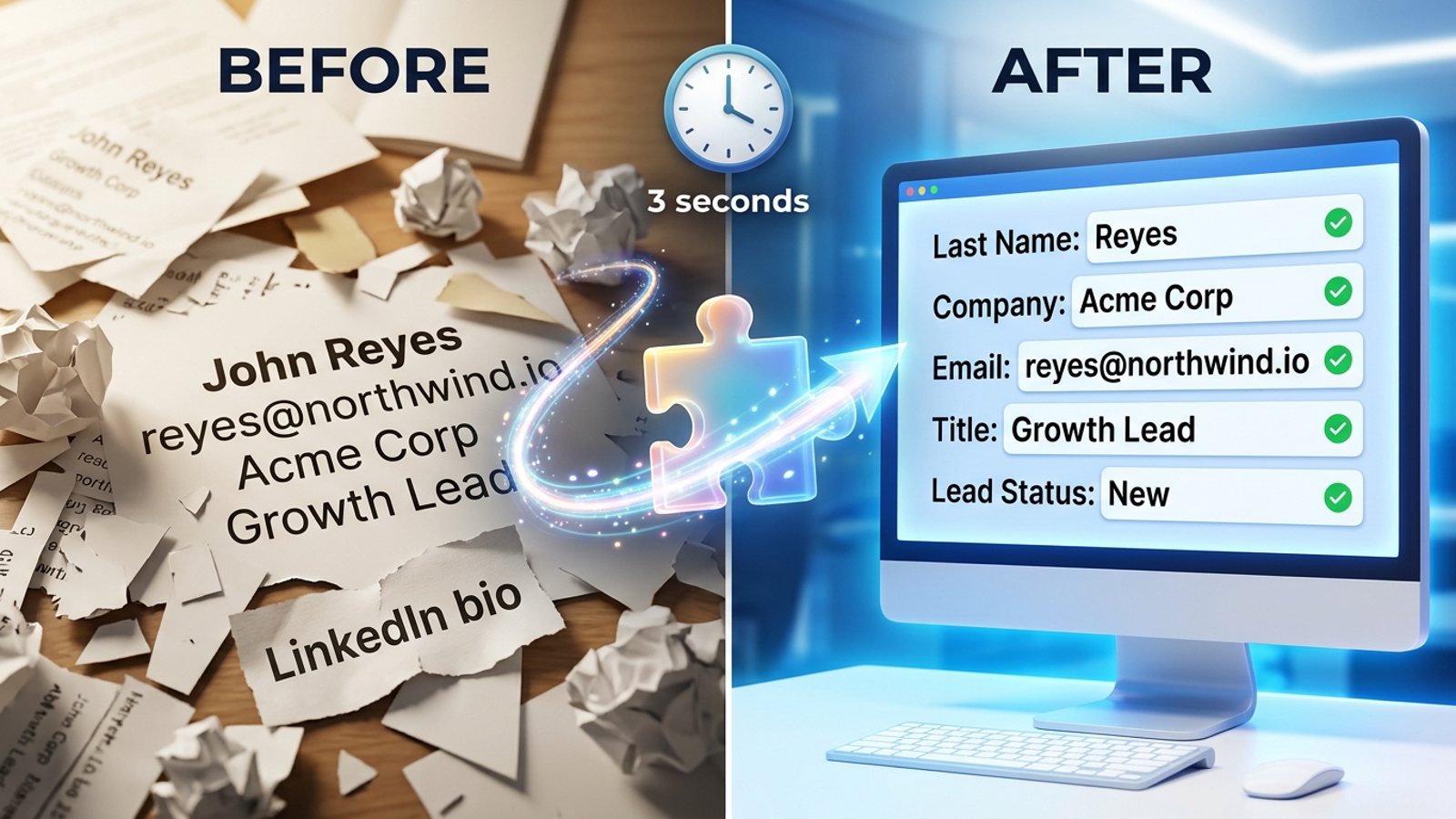
If you're paying out of pocket, the best Salesforce form filler budget pick is one that fills records from pasted text without a per-seat suite contract. SmartFill does that for $9.99/month with unlimited fills — or free at 3 fills a day — as of November 2026, prices can change. It's desktop Chrome only.
Install SmartFill Free and see it fill your first Salesforce record from a copied email signature.
How much should an account executive actually pay to stop typing?
Less than most autofill suites suggest. For a single rep, the realistic budget is $0 to about $10 a month. Anything above that is usually paying for team admin, snippet libraries or seats you don't need.
You close deals; every minute retyping a prospect's title, company and phone into Salesforce is a minute not on a call. The tools that fix this fall into three price bands:
- Free: manual copy-paste, Chrome's own autofill, Salesforce Quick Create, and the free tiers of AI fillers.
- Around $3–$10 a month: solo plans from text expanders and AI fillers.
- Per-seat business tiers: $6.99/user/mo and up, often billed annually, often quote-only at the top end.
What is the best Salesforce form filler for account executives on a budget?
SmartFill is our pick of the tools we compared, because it's the only one here that both parses messy text into Salesforce fields and costs under $10 a month for unlimited use.
It's a Chrome extension. You copy the lead text — an email signature, a LinkedIn About section, a paragraph someone dashed off — open the Salesforce form, click the SmartFill icon and the fields populate. The Chrome Web Store listing (updated 19 Oct 2026) says it separates Job Title from Company Name even when they sit on the same line, and that no URL patterns or regex mapping are needed to get going.
Pricing, from the product facts: the free plan gives 5 fills on install, then 3 fills every day forever, with no signup and no credit card. Pro is unlimited fills for $9.99/month, with AI and API costs included so you never handle an API key yourself (as of November 2026, prices can change).
On privacy, the listing states: "We don't build a database of your leads. Your text is parsed in real time to fill the form in front of you and isn't retained by SmartFill afterward."
How does SmartFill compare with other budget options?
Here's the comparison of the tools in this article. Prices for other tools are as of November 2026 and can change.
| Option | Best for | Key features | Price / free option | Watch-outs |
|---|---|---|---|---|
| SmartFill (Our pick) | AEs pasting messy lead text into Salesforce | AI fills Lead, Contact, Case, custom objects; no setup; text not stored | Free: 5 fills, then 3/day; Pro $9.99/mo unlimited | Desktop Chrome only |
| Manual copy-paste | Reps who won't install anything | No tool, no learning curve | Free (costs your time) | One field at a time; vendor material calls manual entry a top cause of typos and duplicates |
| Chrome autofill | Static HTML forms elsewhere on the web | Built into Chrome | Free | Reportedly can't fire the events Lightning fields need (vendor claim, QuickForm, 2026) |
| Text Blaze | Reusable snippets and boilerplate | Text expansion, templates, Salesforce integration | Free; Pro $2.99/mo yearly; Business $6.99/user/mo yearly | Expands text you write; doesn't parse a lead blurb into fields |
| Magical | Teams wanting expansion plus CRM autofill | Text expansion, form autofill, named Salesforce integration | Free tier; team plans quote-only on vendor pages (checked 4 Oct 2026) | No self-serve price for the team tier |
SmartFill is made by the team behind this blog.
A few honest notes on the table. If you mainly need reusable email templates and snippets you trigger by typing, Text Blaze is the more direct choice — its free tier covers core expansion, and one review puts the free cap at 20 snippets of 2,500 characters each (QuickFiller, 2026). If you want text expansion and form autofill in one tool and your manager is paying, Magical is worth a quote; a vendor listing claims 950,000 users and names Salesforce among its integrations (Microsoft Edge Add-ons, 2026). Pricing on Magical is inconsistent across sources: the vendor's own pages list Core, Advanced and Enterprise as "on request" (checked 4 Oct 2026), while MoreAI.tools lists Solo at $6.50/user/mo and Team at $10 (2026). Treat both as reported figures.
For the deeper head-to-head, see what the best Salesforce form filler extension for Chrome looks like when you score on setup time as well as price.
Why doesn't Chrome's built-in autofill do the job on Salesforce?
Because Salesforce Lightning fields are rendered by JavaScript, and Chrome's autofill was built for static HTML forms. A vendor blog (QuickForm, 2026) reports that Lightning Web Component inputs need JavaScript events Chrome doesn't fire, so a 10–30-field workflow can still take 5–10 minutes. That's a vendor claim, not an independent test — but it matches what most reps see: Chrome fills your name and address on a shopping site, then leaves a Salesforce Lead form blank.
Salesforce's own Quick Create has the same gap from the other direction. It opens a fast New Lead or Contact form from the global "+", but the fields are still empty and you still type them. Quick Create shortens the path to the form, not the typing.
What does a month of each option cost a single rep?
Here's the published monthly rate for one seat, using the figures in this article. Every number is as of November 2026 and prices can change.
Read that chart carefully: SmartFill Pro at $9.99/month is a monthly charge with unlimited fills. Text Blaze Pro at $2.99/mo and Business at $6.99/user/mo are billed yearly (Text Blaze plans page, re-confirmed 17 Nov 2026). So the honest comparison is: Text Blaze is cheaper per month if you only need snippets, and SmartFill is the one that fills the Salesforce record for you.
For a worked example: say you're an AE logging 12 new leads a week from email signatures and LinkedIn. That's roughly 50 a month. SmartFill's free tier (3 a day, about 90 a month) covers it at zero cost. Go past that and Pro at $9.99/month is the whole bill — no seat minimum, no annual commitment described in the product facts.
Is the free plan enough, or should you pay?
Start free. Three fills a day is a real allowance, not a trial, and the product facts describe it as 3 fills per day forever with no signup and no credit card.
Pay for Pro when one of these is true:
- You source in bursts. A conference or a list-building afternoon blows past 3 fills in an hour.
- You log more than leads. Cases and custom objects count too — SmartFill fills Lead, Contact, Case and custom object forms out of the box per the Chrome Web Store listing.
- You want Page Rules. Power users can save a rule for a specific Salesforce page so one icon click fills from the clipboard (Chrome Web Store listing, 19 Oct 2026).
How do you set it up without a learning curve?
Five steps, and the first one takes about 10 seconds.
- Install the extension from the Chrome Web Store — SmartFill runs as a Chrome browser extension.
- Copy the messy lead text — email signature, LinkedIn About, a dashed-off paragraph.
- Open Salesforce and click "New Lead" (or Contact, Case or your custom object).
- Click the SmartFill icon, paste, hit Auto-Fill and review every field before saving.
- Optional: save a Page Rule for that Salesforce page so the next fill is one click from the clipboard.
There's no configuration step and no field mapping to build — the listing says no URL patterns or regex mapping are required to get going. If you want the full technique for filling a record from a pasted profile, the guide to filling Salesforce forms without typing walks through it.
Install SmartFill Free — it takes a 10-second install and no sign-up.
What should you check before you trust any filler with lead data?
Check what the tool says it stores. That's the question your manager will ask, and it's the one that matters more than price.
SmartFill's listing states that text is parsed in real time to fill the form in front of you and isn't retained afterward, and that no database of your leads is built. The Chrome Web Store disclosure for the extension lists personally identifiable information as handled data, not sold to third parties (listing updated 19 Oct 2026). There are no security certifications listed in the product facts — if your company requires a specific compliance standard, that's a conversation to have internally before you install anything.
Sources
- SmartFill: The AI Form Filler for Salesforce (Chrome Web Store, updated 19 Oct 2026)
- Autofill Salesforce Chrome extension (QuickForm, 2026-06-09; vendor)
- Plans (Text Blaze)
- TextBlaze pricing (artificialintelligences.com, 2026-10-24; re-confirmed 17 Nov 2026)
- Text expander Chrome (Text Blaze blog, 2026-04-27; vendor)
- Chrome text expanders compared (QuickFiller, 2026-08-03)
- Magical: Pricing, Plans and Alternatives (Everything Xiaomi, undated; vendor pages checked 4 Oct 2026)
- Magical — MoreAI.tools (2026-05-21)
- Clipboard History Pro vs Text Blaze vs Magical (Clipboard Extension, undated)
- Magical text expander listing (Microsoft Edge Add-ons, 2026-04-07; vendor listing)
- Salesforce Sales Cloud pricing in 2026 (PromptLab, 2026-10-05; third-party)
- Salesforce web-to-lead integration (Thunderbit blog, 2026-06-28; vendor)