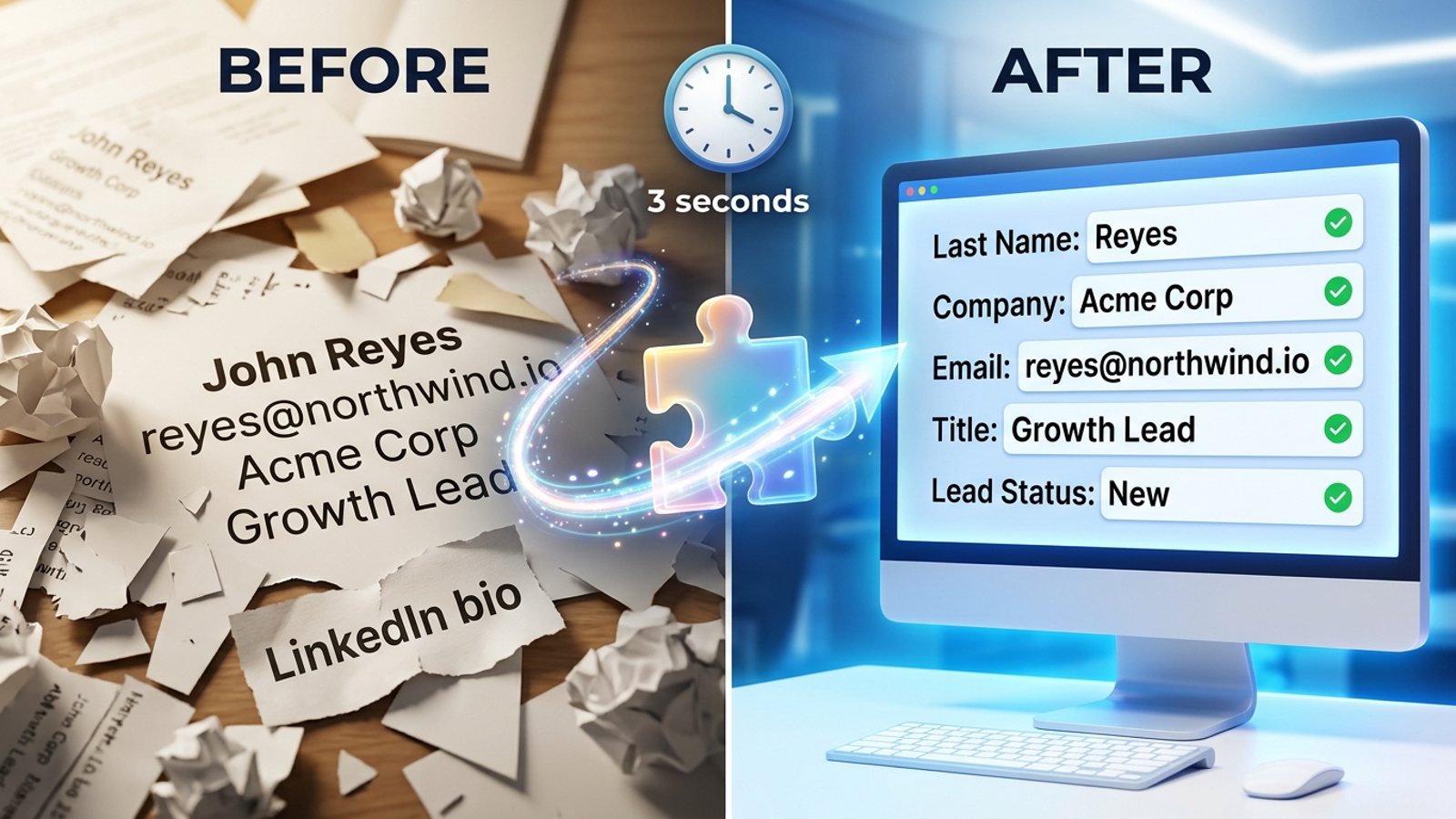
The best Salesforce form filler extension for Chrome depends on your input. If your lead data arrives as messy text — an email signature, a LinkedIn bio, a free-form note — SmartFill is our pick: paste the text and it fills the Salesforce form for you. If you mainly need reusable snippets, Text Blaze or Magical suit better.
Ready to stop typing? Install SmartFill Free and fill your next Salesforce lead from the text you already copied.
Why doesn't Chrome autofill work on Salesforce Lightning forms?
Because Chrome's autofill was built for static HTML forms, and Salesforce Lightning fields are rendered and managed by JavaScript that Chrome's scanner wasn't designed to handle. QuickForm's 2026 vendor blog reports that a 10–30-field Salesforce workflow can still take 5–10 minutes even with autofill switched on, and that Chrome's direct DOM writes don't trigger the JavaScript events LWC inputs require.
That gap is exactly why a dedicated salesforce form filler extension exists. You need something that understands the form as Salesforce renders it, not as a plain HTML page.
What should a good Salesforce form filler extension do?
It should take the lead data you already have and put it in the right fields without you retyping it. In practice, the tools we compared split into three jobs:
- Paste-to-fill: you hand over unstructured text and AI maps it to fields.
- Snippet expansion: you type a shortcut and a saved template expands.
- Profile autofill: saved contact details fill standard form fields.
Only the first type solves the messy-lead-text problem most SDRs and AEs actually have.
How does SmartFill fill a Salesforce form from messy text?
You copy whatever text holds the lead details, click the extension, and the form populates. Here's the whole workflow:
- Install the extension — one click from the Chrome Web Store, roughly 10 seconds, no sign-up.
- Open Salesforce and your source text in separate tabs.
- Copy the lead details — an email signature, a LinkedIn bio, a free-form note, even if it's messy.
- Click the SmartFill icon and watch the Salesforce form fill automatically.
- Review the populated fields and save.
That's it. No field mapping, no configuration screens, no API key. Say you run a two-person sales team and a prospect replies with a signature block plus a line about their company size — you paste the whole reply and the Lead form fills.
Does SmartFill fill every Salesforce object and field?
Yes — per the product facts, it fills everything: Leads, Contacts, Accounts, Cases and custom objects, with unlimited fields per form. The owner confirms there's no cap on how many fields it can fill at once.
It works with Salesforce Classic and Lightning, because it runs as a Chrome extension in the browser. It is desktop only — a Chrome extension, not a mobile app.
Is it safe to paste lead data into a Chrome extension?
It depends on the extension — check permissions and privacy terms before you paste anything. Security reviewers flag extensions that request broad host permissions across all websites plus runtime code execution as medium-risk, because that combination widens the surface for script injection and data exposure (Koidex reports on FillApp, 2025, and C3 Autofill, 2025).
With SmartFill, the product facts state that the information sent to the AI is not saved — text is processed in real time and no lead database is built. The Chrome Web Store also requires publishers to disclose data collection, so read that section on any listing before installing.
Which Salesforce form filler extension is best? The options compared
Here's how the tools we compared stack up. SmartFill goes first because it's our pick — this blog is made by its team, so weigh that as you read.
| Option | Best for | Key features | Price / free option | Watch-outs |
|---|---|---|---|---|
| SmartFill (Our pick) | Pasting messy lead text into Salesforce | AI fill from any copied text, any object, unlimited fields | Free: 5 fills, then 3/day; Pro $9.99/mo | Desktop Chrome only |
| Salesforce built-in | Admins who want native tools | Document AI SmartFill from documents; Quick Create forms | Included in some editions | Admin setup; not paste-and-fill for reps |
| Text Blaze | Reusable snippets and templates | Snippet expansion, logic, forms, Salesforce integration | Free tier: 20 snippets; paid from $2.99/mo yearly | Learning curve on advanced features |
| Magical | Autofill from saved contact/CRM data | Form autofill, named Salesforce integration | Free tier; Advanced is quote-only | No self-serve Advanced price |
| Chrome built-in autofill | Static HTML forms | Saved addresses and cards | Free with Chrome | Struggles with Lightning fields |
SmartFill is the most direct fit when your input is unstructured text and your output is a populated Salesforce record. It's also the only option here that needs no setup at all — install and paste. Install SmartFill Free to try it on your next lead.
Salesforce's own Document AI SmartFill (Summer '26 release) lets users upload documents to populate record fields, configurable for any object in Developer, Enterprise, Performance and Unlimited editions, per Salesforce's release notes. It's genuinely useful — but it's an admin-side setup task, not a rep pasting an email signature. Building a "Quick Lead" entry form with third-party components (Avonni's tutorial) still means clicking New and typing fields.
Text Blaze is the stronger choice if you mainly need boilerplate replies and templates. QuickFiller's 2026 comparison lists a free tier of 20 snippets at 2,500 characters each, with paid plans from $2.99/month billed yearly ($3.49 monthly), and Text Blaze's own blog markets free-forever core expansion with Salesforce among its integrations. If you mainly need snippet expansion, Text Blaze is the more direct choice — the trade-off is a learning curve on logic and forms, and no copy history.
Magical differentiates on form autofill from contact and CRM data, per a third-party comparison, and its Edge listing (April 2026) names Salesforce among its integrations and reports 950,000 users across 100,000+ companies. Its Advanced plan is quote/contact-sales only with no published self-serve price as of October 2026, and a third-party 2026 comparison claims the company has changed direction — treat that as a claim, not a vendor statement.
Chrome's built-in autofill is free and fine for static HTML forms, but as QuickForm's 2026 vendor blog puts it, Lightning Web Component inputs need JavaScript events Chrome doesn't fire.
SmartFill is made by the team behind this blog.
How much do these extensions cost?
Prices vary widely, and free tiers are common. As of November 2026, prices can change:
- SmartFill: free plan with 5 fills to start, then 3 per day forever; Pro is $9.99/month for unlimited fills, with AI and API costs included.
- Text Blaze: free tier of 20 snippets; paid from $2.99/month billed yearly.
- Magical: free tier; Advanced is quote-only.
- FillGenius: freemium from $9/month, per Toolstory (updated October 2026).
- AutoFill Pro: free plan with up to 10 fills per day, per its Chrome Web Store listing.
- Easy Autofill: a one-time $9.50 premium payment, per its vendor listing.
If cost is your main constraint, AutoFill Pro's free tier is generous on volume — but it's a general autofill tool, not built around Salesforce lead text.
Will AI filling create more duplicate leads?
Manual entry is a bigger duplicate risk than automated filling. Traction Complete (2025) notes duplicates are more likely when reps key records by hand, and Plauti (2025) explains duplicates enter Salesforce from web forms, imports and manual entry — causing reps to call the same lead twice and automations to fire on stale records.
SmartFill's product facts list duplicate detection as coming soon, so it isn't a dedupe tool today. Our recommendation: run Salesforce's own duplicate rules alongside any filler and review before you save.
For a closer look at which filler suits pipeline-heavy SDR teams, see What is the best AI Salesforce form filler for SDRs?
Stop copy-pasting lead data one field at a time — Install SmartFill Free and fill your next Salesforce record from the text you already have.
Sources
- How to autofill Salesforce records and forms in Chrome (QuickForm, 2026-06-09)
- Salesforce Summer '26 Release Notes: Enrich Records from Documents with SmartFill (Salesforce, undated)
- Build a "Quick Lead" Entry Form (Avonni Components, undated)
- Chrome Text Expanders Compared (QuickFiller, 2026-08-03)
- 5 Best Free Text Expanders for Chrome in 2026 (Text Blaze blog, vendor, 2026-04-27)
- Clipboard History Pro vs Text Blaze vs Magical (Clipboard Extension, undated)
- Magical: Text Expander & Autofill (Microsoft Edge Add-ons, 2026-04-07)
- Text Blaze vs Magical (NexoPad, 2026-10-19)
- Is FillApp safe? (Koidex, 2025-06-04)
- Is C3 Autofill safe? (Koidex, 2025-01-03)
- RapidFill privacy policy (updated 2026-03-16)
- AutoFill Pro (Socket, 2026-07-29)
- FillGenius (Toolstory, updated 2026-10-03)
- Easy Autofill listing (Chrome Web Store, undated)
- How to deduplicate in Salesforce (Plauti, 2025-09-21)
- Duplicate rules vs duplicate resolution (Traction Complete, 2025-01-03)