Titan AI Studio is a prompt-to-build environment for creating Salesforce-connected forms and portals, with plans that Titan's pricing page lists from $250 per month (as of October 2025, prices can change). If your real job is filling an existing lead or contact form from messy text, the lighter alternatives are SmartFill, Magical, Text Blaze, Salesforce's own Quick Create and inline editing, or Dataloader.io for bulk work.
An AI form filler for Salesforce solves a different problem from a form builder. One creates forms; the other fills the one already open in front of you. Knowing which job you have decides the tool.
What is Titan AI Studio, and who is it actually for?
Titan AI Studio generates Salesforce-connected forms and portals from a single prompt, then lets you refine the result in Titan's drag-and-drop builder. Titan describes it as living inside a "governed Salesforce-connected environment" (Titan blog, June 2026).
That makes it a strong fit for a specific buyer: an ops or RevOps team that needs to build something — a multi-page intake form, a portal, conditional logic, payment steps. Titan's own framing is that AI Studio makes the platform "more accessible to business leaders, operations teams, RevOps teams, IT stakeholders," while stressing that serious Salesforce work "still needs structure, expertise, and control," with governance, permissions and maintainability remaining requirements (Titan blog, July 2026).
So the question behind titan ai studio alternatives is usually one of two things. Either you want the same build-it capability for less money, or — far more often for sales reps — you never needed a builder in the first place. You needed the Lead record in front of you filled in.
How much does Titan AI Studio cost?
Titan's pricing page lists AI Studio Starter starting at $250 per month, with higher tiers at $450–$1,000/mo and up, and Enterprise+ adding AI Builder, complex automations, API Hub, HIPAA/PIPEDA/GDPR coverage, an MSA, a DPA and legal review (Titan pricing page, October 2025 — prices can change). A third-party price tracker reading Titan/FormTitan's own pricing page lists Starter at $250/mo, Scale at $1,200/mo and Enterprise+ at $2,000/mo, checked 15 October 2026 (Specifiction, October 2026).
Source: Titan pricing page
Read those two sources side by side and the picture is consistent: the entry point sits in the hundreds per month, and the ceiling is well above it. Whether that's expensive depends entirely on what you're buying. For a governed portal with legal review attached, it may be cheap. For filling in a lead's job title and company from an email signature twenty times a day, it's a lot of money for a job that takes seconds.
What should you compare instead of Titan AI Studio?
Compare on two things: time-to-first-fill and how many fields the tool will handle without setup. That's where the gap between a builder and a filler shows up fastest.
Time to first fill
A builder starts with a project: describe the form, generate it, refine fields, set conditional logic, publish, connect. Titan's own prompt-to-survey guide describes exactly that iterative loop — refine the prompt to define audience, trigger, conditional logic and the Salesforce action, then refine the generated form (Titan blog, September 2026).
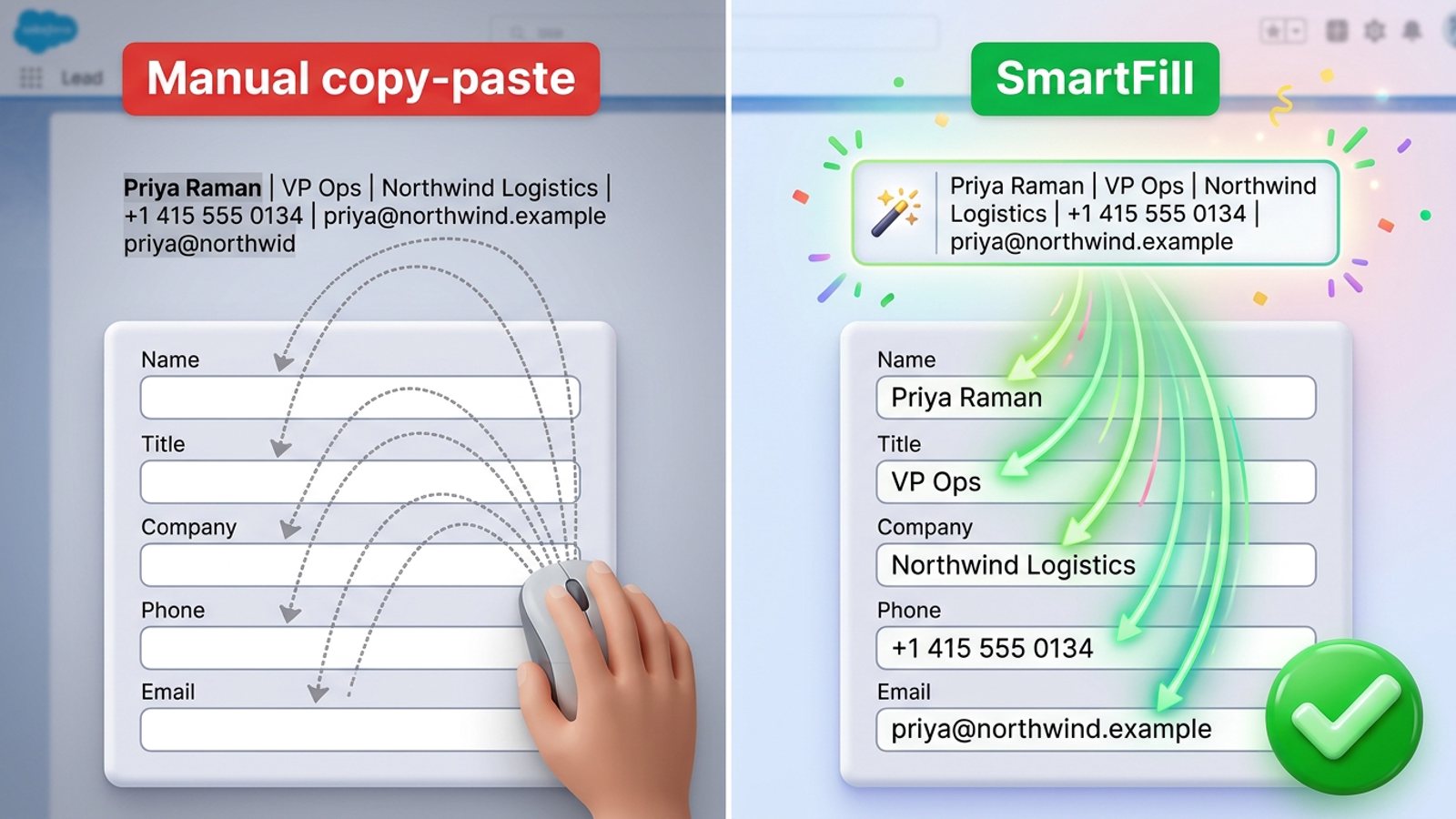
A filler starts with a click. SmartFill's flow is: install the Chrome extension, open Salesforce and your source text in separate tabs, copy the lead details even if messy, click the SmartFill icon. The form fills. No configuration, no sign-up, about a 10-second install.
Field capacity
Titan describes AI Studio being used to pre-fill Salesforce forms with existing CRM data, including deciding which fields are editable versus read-only and adding conditional logic (Titan blog, July 2026). That's a designed experience, not a paste-and-go fill.
SmartFill, by contrast, fills unlimited fields from whatever text you paste — email signature, LinkedIn bio, call notes — across any Salesforce object, on anything that runs in a Chrome browser.
Which alternatives to Titan AI Studio are worth comparing?
Here are the options we compared, with SmartFill first because it's our product — and because it's the most direct answer to "fill the form that's already open."
| Option | Best for | Key features | Price / free option | Watch-outs |
|---|---|---|---|---|
| SmartFill (Our pick) | Filling open Salesforce forms from pasted text | AI fills any Salesforce object from messy text; unlimited fields; no setup | Free: 5 fills, then 3/day. Pro $9.99/mo | Desktop Chrome only |
| Titan AI Studio | Building Salesforce-connected forms and portals | Prompt-to-build, drag-and-drop builder, governance tiers | From $250/mo (Oct 2025) | A build project, not a quick fill |
| Magical | Cross-app text expansion and autofill | Works across 10M+ apps; label fields once, reuse | Free extension; Core individual-only | Per-field labelling; no scheduler or webhooks |
| Text Blaze | Chrome-first snippet expansion | Snippet shortcuts in the browser | Plans not confirmed here | Pre-saved templates only |
| Salesforce Quick Create + inline editing | Zero-cost native record entry | Native record creation and field edits | Included with Salesforce | Entirely manual |
| Dataloader.io | Bulk load and export jobs | Bulk data tooling for Salesforce objects | Not confirmed here | Not a form filler |
SmartFill is made by the team behind this blog.
Here's the honest read on each. If you mainly need to build a Salesforce-connected form or portal — multi-page, conditional, governed — Titan AI Studio is the more direct choice, and its governance and legal tiers are things a lightweight extension doesn't attempt. If you mainly need text expansion across many apps, Magical is the broader tool: it works on "10,000,000+ apps" including Salesforce without integrations or APIs (Chrome Web Store listing, updated April 2026), and its documented flow is to label each field once from the source tab and reuse those labels (Magical Help Center, October 2024). The catch is that labelling: it's up-front work per form, and a third-party review notes Magical has "no scheduler, no webhooks and no multi-step logic" (AISO Tools, undated). Its Chrome listing shows a 3.1 average from 3.5K ratings (April 2026), and its Core plan is individual-only with no member seats (Magical Help Center, February 2026).
Text Blaze is a Chrome-first text expander that positions itself against other expanders (Text Blaze blog, April 2026). Snippets are powerful when you type the same blocks repeatedly — but you pre-save the templates, so it doesn't read arbitrary pasted text and decide which Salesforce field each value belongs in.
Salesforce Quick Create and inline editing cost nothing extra and are the honest baseline: native record creation and field edits with no third-party extension. They're also entirely manual — you still type or paste every field yourself.
Dataloader.io is bulk data tooling for Salesforce objects, suited to admin-style load and export jobs. It isn't a point-and-click in-page fill, so it's a different category rather than a competitor.
If you want the fastest path from pasted lead text to a filled record, install SmartFill free and time your next ten records against your old routine.
Why do sales reps pick a filler over a builder?
Because the record is already open, and the data is already in the clipboard. A rep who just finished a call has the notes in one tab and the Lead in another. The work between them is transcription.
Say you run a two-person sales team and each rep creates fifteen Lead records a day from email signatures and LinkedIn profiles. At four minutes of copy-paste per record, that's an hour a day each — five hours a week per rep — spent moving text from one box to another. A filler collapses that to a click. A builder doesn't address it at all, because the form already exists.
That's the whole argument for a dedicated Salesforce form filler. It does one job, on the forms you already use, without a project plan.
Is it safe to paste lead data into a browser extension?
It depends on the extension, and the differences are real. Some store a personal-information library on your device — AutoFormAI states all data is stored on the device (Chrome Web Store listing, November 2025); FillGenius asks you to "store your data once" (Chrome Web Store listing). Others send text to an AI provider you supply a key for: AI Cowork for Salesforce requires your own OpenAI or Google Gemini API key, stored locally in the browser (Chrome Web Store listing, updated June 2026). Two independent scanners rated AutoFormAI "Risky" on their safety scales, flagging broad host permissions and identity/authentication permissions (Koidex, November 2024; Extenshi, November 2025) — and Extenshi notes its score reflects automated static analysis and is one signal only.
SmartFill's position is narrower: the text you paste is processed in real time and not stored, and no lead database is built. Our recommendation: whatever tool you choose, read its privacy page and check what it does with the text after the fill. This is a data-handling question, not legal advice, and the rules that apply to your lead data vary by place.
If you're ready to stop copy-pasting lead data into Salesforce, install SmartFill free and fill your next record in seconds.
Sources
- Generate Salesforce-connected forms and portals in seconds with a single prompt — Titan DXP, 2026-06-01
- How AI-first tools like Titan are reshaping the Salesforce ecosystem — Titan DXP, 2026-07-15
- TITAN Pricing — Titan DXP, 2025-10-26
- FormTitan pricing — Specifiction, 2026-10-14
- Pre-filling Salesforce forms with existing CRM data using AI — Titan DXP, 2026-07-01
- Prompt-to-Survey with Titan AI Studio — Titan DXP, 2026-09-08
- Magical: Text Expander & Autofill — Chrome Web Store, updated 2026-04-04
- Autofill forms, web apps and databases — Magical Help Center, 2024-10-20
- Core plan: everything you need to know — Magical Help Center, 2026-02-03
- Magical review 2026 — AISO Tools, no date
- Best text expander for Chrome — Text Blaze, 2026-04-27
- Magical CRM integration guide — Gushwork, 2026-10-28
- AI Cowork for Salesforce — Chrome Web Store, updated 2026-06-09
- FillGenius — Chrome Web Store, no date
- AutoFormAI — Chrome Web Store, 2025-11-15
- AutoFormAI security report — Koidex, 2024-11-13
- AutoFormAI catalogue entry — Extenshi, 2025-11-15