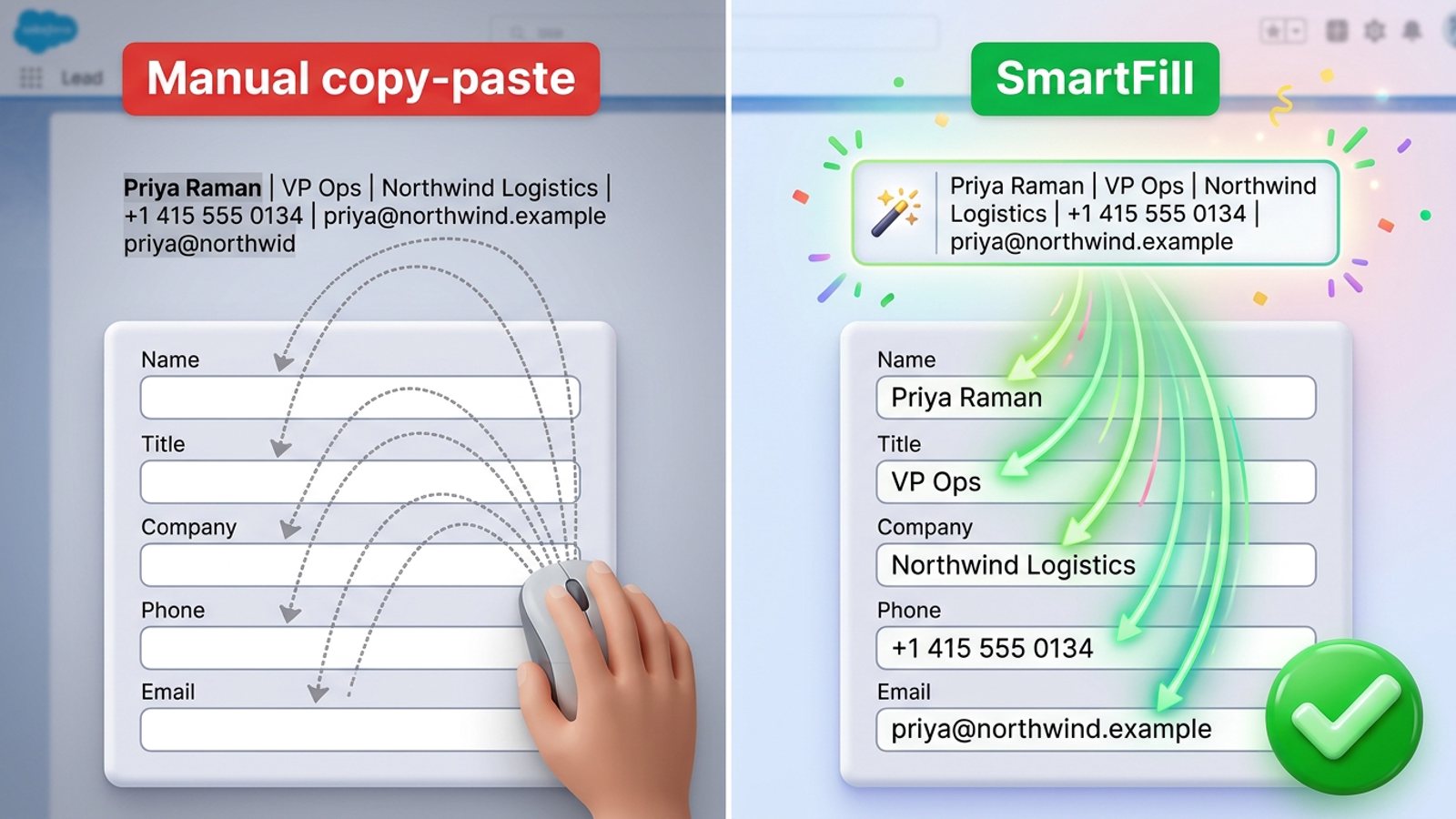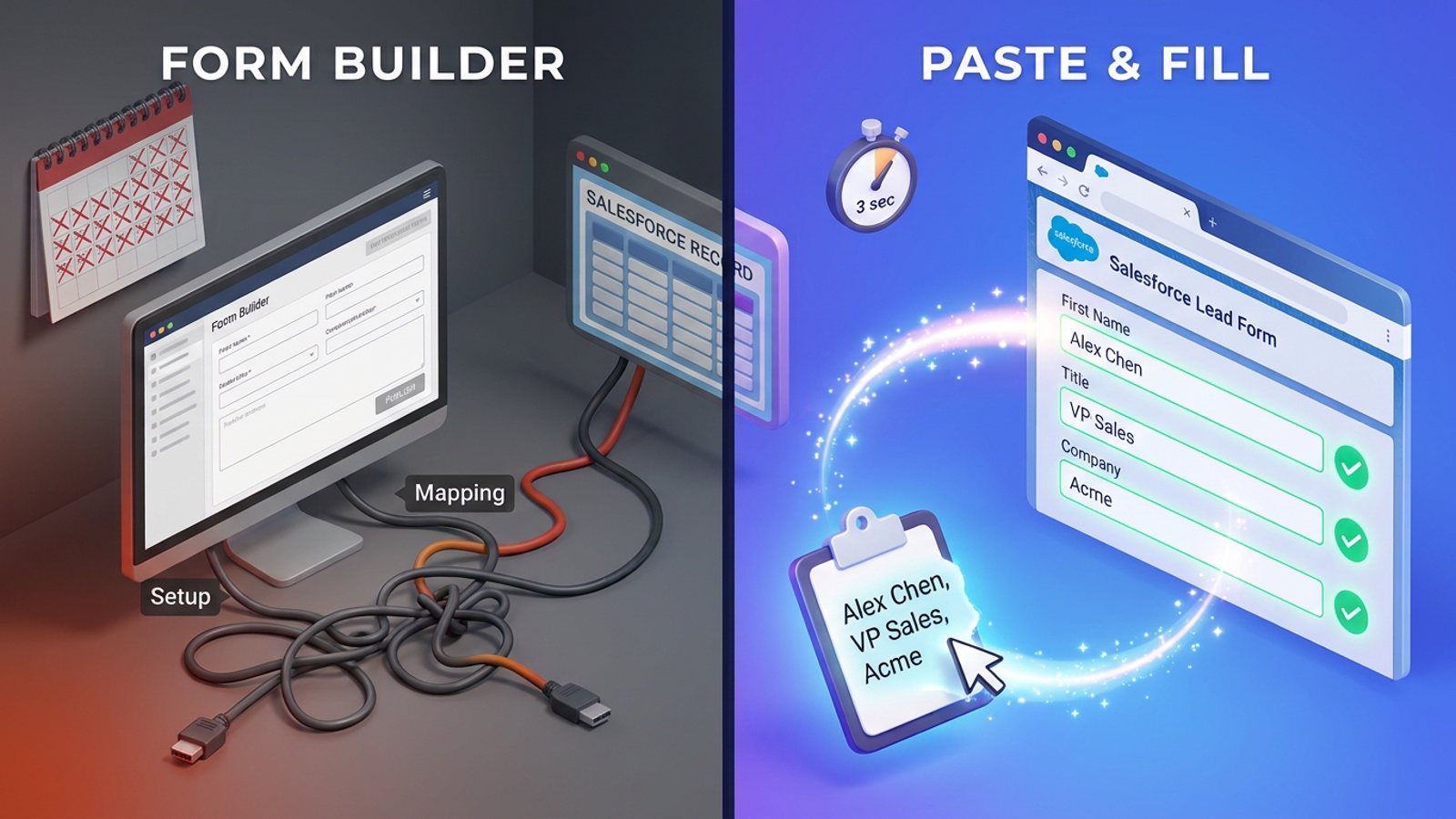
If you want to build and host public Salesforce-connected forms, the main formassembly alternatives salesforce teams pick are Formstack, Jotform and Typeform. If you actually just need to fill in an existing Salesforce record from messy lead data, none of those is built for it — a paste-and-fill extension like SmartFill is the direct fit.
Most people searching for FormAssembly alternatives are comparing two different jobs without realising it. One is collecting data from the outside world. The other is getting a lead you already have into Salesforce without typing it out field by field. Decide which one you have before you compare prices, because the cheapest tool for one job is the wrong tool for the other.
What is FormAssembly actually for?
FormAssembly is a form builder with a Salesforce connector that pushes submissions into Salesforce by creating, updating or looking up records, no code needed, according to FormAssembly's own documentation (2025, updated 2026). You choose the object action, set match criteria such as Email equals the form email, define what happens on no match, one match or multiple matches, and map each form field to a Salesforce field. A separate Prefill Connector pulls existing Salesforce data into the form when it opens.
That's powerful, and it's also the setup work people describe as "heavy." FormAssembly's own docs note new connectors are disabled by default, the product doesn't auto-save, and Salesforce limits FormAssembly to five active connections per user — a detail that appears in the FAQ of that same page.
Why do sales reps find FormAssembly too heavy for quick record entry?
Because it was built to publish forms, not to fill one in. If a rep has a lead's email signature in one tab and an empty Salesforce lead in another, FormAssembly gives them nothing to click — there's no form to submit, because the record already exists and the data is already in their clipboard.
Software Advice reviewers praise the Salesforce integration and value for basic forms, but call it "expensive if you wish to have enterprise options and security," and note prices have gone up. That's a fair summary of a product doing a big job. It's just not the job most reps have at 4pm on a Tuesday.
FormAssembly solves the outside-in problem — getting a stranger's data into Salesforce. It doesn't solve the inside-out problem of a lead you already have in a messy email.
What are the best FormAssembly alternatives for Salesforce forms?
Here are the tools worth comparing, starting with our pick for the record-entry job — scoped honestly, because it does not replace FormAssembly's form-building features.
| Option | Best for | Key features | Price / free option | Watch-outs |
|---|---|---|---|---|
| SmartFill (Our pick) | Filling an existing record from pasted text | AI fills any Salesforce form from messy text; no setup | Free: 5 fills, then 3/day; Pro $9.99/mo | Desktop Chrome only; doesn't build forms |
| Formstack Forms | No-code form building with workflows | Drag-and-drop builder; Salesforce-native tier | $83/mo annual ($99 monthly); Salesforce tier custom | Per builder user; Salesforce tier not self-serve |
| Jotform | Budget-conscious form building | Salesforce integration on all plans | Plan pricing varies; up to 50% nonprofit discount | Integration limits scale with plan |
| Typeform | Branded conversational forms | Native one-way Salesforce sync | Salesforce sync only on Growth Flow, $379/mo | Expensive tier; one-way sync only |
| Salesforce Quick Create | Zero-cost manual entry | Built into your licence | Included | Manual field-by-field typing |
| Chrome autofill | Simple static forms | Free, built in | Free | Struggles with Lightning fields |
SmartFill — our pick for filling records, not building forms
SmartFill is a Chrome extension that uses AI to fill Salesforce forms from any pasted text. You copy a lead's email signature, LinkedIn bio or email thread — messy is fine — click the extension, and the open Salesforce form fills in. It handles any Salesforce object and unlimited fields, works in any Salesforce interface that runs in Chrome, and processes text in real time without storing it.
It is not a form builder. It won't host a public intake form, and it won't replace FormAssembly's connectors, prefill or compliance certifications. What it does is collapse a four-minute form fill into a three-second click for the record-entry work FormAssembly was never designed for.
Install SmartFill free and fill your next Salesforce lead from the text you already have.
Formstack Forms — the closest like-for-like swap
Formstack's official pricing page lists Forms at $83/month billed annually ($99 monthly) for one builder user, 25 forms and 1,000 submissions per form, and Suite at $250/month annual ($299 monthly) for three builder users. There's a separate "Salesforce Solutions" tier priced only as custom. A pricing write-up confirms the self-serve plans are billed per builder user, not per respondent, and that Salesforce Solutions requires a call (votefirst.app, 2026).
If you mainly need a drag-and-drop builder with workflows and a Salesforce-native option, Formstack is the more direct choice than FormAssembly for many teams. Just budget for the custom quote.
Jotform — Salesforce integration across every plan
Jotform support states the Salesforce integration is available on all Jotform plans, with limits varying by plan, and that Jotform offers up to 50% nonprofit discount (2024). Jotform's own Enterprise for Salesforce document pitches itself as a no-code alternative to Salesforce's native form tools, arguing those tools each require a different level of technical expertise.
If cost at entry is your deciding factor, Jotform is worth a serious look. It's still a form builder, so it solves the intake job, not the fill-this-record job.
Typeform — the branded option, at a price
A pricing breakdown checked in November 2026 says Typeform's Growth Flow is the only plan where Salesforce integration appears, and a separate write-up lists that tier at $379/month ($266/month billed annually) after a 14-day credit-card trial, with 10,000 responses per month and 5 users. Paid plans start at $39/month. An integration directory notes the sync is one-way, uses OAuth 2.0 and REST API v3, and typically takes about 20 minutes to set up.
If you need a beautiful conversational form and the budget is there, Typeform earns its place. For a rep logging a lead, it's the wrong shape entirely.
SmartFill is made by the team behind this blog.
Is there a free alternative to FormAssembly?
Yes, in two different senses. FormAssembly has no free plan and its cheapest plan is cited at $59/month (Paperform, 2026 — vendor comparison content). Among form builders, Jotform's Salesforce integration is available on all plans per Jotform support (2024). Typeform has a free tier, but Salesforce sync sits on the paid Growth Flow plan.
For record entry specifically, Salesforce's own Quick Create and inline editing cost nothing beyond your licence, and Chrome's built-in autofill is free. Both are manual — you still type or click through each field.
Do these tools fill an existing Salesforce record, or only create new ones?
FormAssembly can update and look up records through its connector, so it's not purely create-only. But it does that from a form submission — someone has to fill in the published form first. Formstack, Jotform and Typeform all follow the same pattern: a respondent submits, a record is created or updated.
None of them is designed to populate the record already open on a rep's screen. That's the gap. If you want to see how that job gets done without typing, read our guide to filling Salesforce forms without typing.
Does Chrome autofill work on Salesforce Lightning?
Not reliably. Chrome's built-in autofill was built for static HTML forms, and Salesforce Lightning Web Component fields are JavaScript-managed, so a 10–30-field workflow can still take 5–10 minutes manually, according to a vendor blog (QuickForm, 2026 — treat as a vendor claim). That matches what most reps experience: autofill fills your name and address, then gives up on the picklists and lookups.
Can I just paste messy lead text into a Salesforce form instead of building one?
Yes — that's exactly the workflow SmartFill handles. Here's the technique, whether or not you use a tool:
- Capture the raw text. Copy the whole email signature, LinkedIn blurb or thread. Don't clean it up first; the mess is the point.
- Open the Salesforce record you need to fill, in a separate tab.
- Identify the fields you need. Name, title, company, email, phone — and any custom fields your team tracks.
- Map each piece of text to a field. Manually, this is where the four minutes go. With an AI filler, the mapping happens on click.
- Check the picklists and lookups. These are where manual entry and basic autofill fail most often.
Step 4 is the whole game. Our recommendation: time yourself doing it manually once, honestly. If it takes four minutes and you log twenty leads a day, that's over an hour gone.
For a closer look at how this plays out for quota-carrying reps, see our breakdown of the best AI Salesforce form fillers for SDRs.
Which should you actually pick?
Pick by job, not by feature list:
- You need a public form that creates Salesforce records → FormAssembly if you need deep multi-object connectors and compliance certifications; Formstack or Jotform if you want lighter setup and lower entry cost; Typeform if brand experience matters more than budget.
- You need to fill an existing record from messy text → SmartFill, or Salesforce's native tools if you're willing to type.
- You need both → they're not mutually exclusive. Plenty of teams run a form builder for inbound and a filler for everything else.
The right question isn't "which tool is best" — it's "which job do I have in front of me right now."
If it's the second one, install SmartFill free and test it on the next lead in your inbox.
Sources
- How to Connect Forms to Salesforce with FormAssembly (FormAssembly, 2025)
- FormAssembly Pricing & Plans (Vendr, no date)
- FormAssembly vs 123FormBuilder (Paperform, 2026)
- FormAssembly reviews (Software Advice, no date)
- Formstack Pricing (Formstack, no date)
- Formstack pricing 2026 (votefirst.app, 2026)
- Formstack Pricing Explained (Noca, 2026)
- Is Salesforce integration available with all plans? (Jotform Q&A, 2024)
- Jotform Enterprise for Salesforce vs native forms (Jotform, no date)
- Typeform Growth Flow and add-ons (Consultants In-A-Box, 2026)
- Typeform Pricing 2026 (Noca, 2026)
- Salesforce to Typeform Integration (IntegrateStack, 2026)
- Autofill Salesforce Chrome extension (QuickForm, 2026)
- Magical text expander CRM integration guide (Gushwork, 2026)