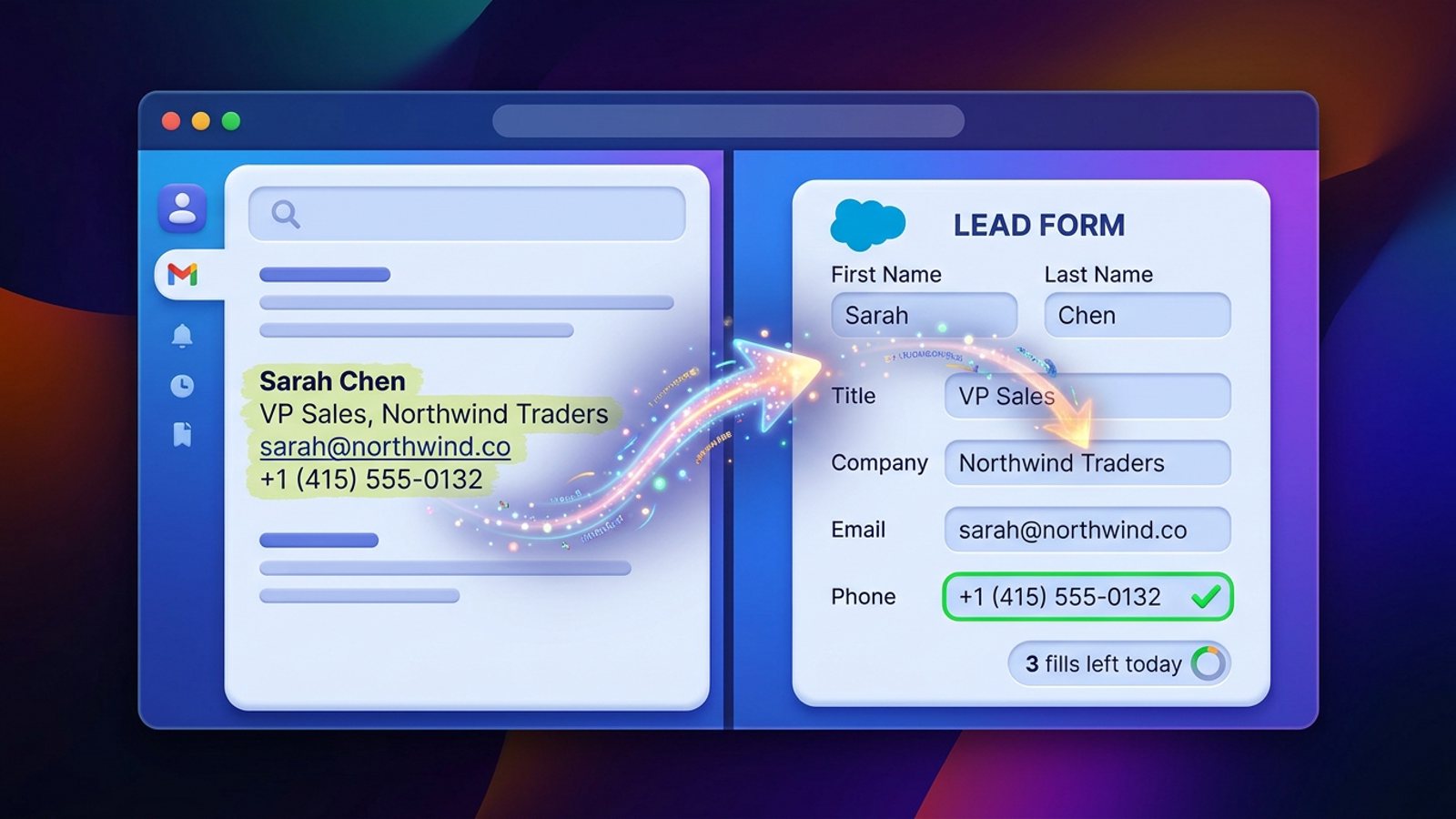
If your job is filling Salesforce fields from lead data, yes — SmartFill's free plan covers it: 5 fills to start, then 3 per day forever, no sign-up. FormAssembly is an enterprise form builder, and third-party comparisons in our research (Paperform, June 2026; ToolGPA, November 2026) report it has no free plan, only a 14-day trial.
Install SmartFill Free and fill your next Salesforce lead from the text already sitting in your clipboard.
Does FormAssembly have a free plan?
No — every third-party source that addresses it reports no free plan, only a 14-day trial. Paperform's comparisons (June 2026) state "no free plan (14-day trial only)", and ToolGPA (November 2026) says FormAssembly "publishes no price and no free plan."
That matters if you're an SDR or a founder who just wants a lead's email, phone and company in the right boxes by the end of the day. A 14-day trial is a sales conversation, not a free tool.
What does FormAssembly actually cost?
FormAssembly sells through demo and quote, according to Paperform (September 2026) and ToolGPA (November 2026), so the honest answer is that no public list price exists to quote as fact. What third parties estimate varies widely:
- Paperform (June 2026) cites an "Atlas Explorer" entry tier at $59/month with 1 standard user and 3 workflows, plus a 14-day trial.
- Vendr, a contract estimator, reports a median FormAssembly contract of $12,525/year, with a range of $6,356–$19,968 (no date on the page).
- Paperform (September 2026) also notes seats are capped at 1, 3, 5 and 5 standard users across the tiers, and that unlimited workflows, single-signer eSignature and the analytics suite are add-ons on Explorer.
None of those numbers come from FormAssembly itself. Vendr is a third-party estimator, Paperform sells a competing form builder, and SaaSworthy's pricing page carries a disclaimer that its data was last updated in September 2023 — old data. Our recommendation: if you do want FormAssembly, get a written quote for your actual seat count before you budget anything.
Do you need a form builder just to fill a Salesforce record?
No. A form builder creates a new web form that people fill in, and routes the submissions into Salesforce. If the lead data already exists — in an email signature, a LinkedIn bio, your call notes — you don't need a form at all. You need the record form in front of you populated.
That's the gap the filler category targets. The SmartFill Chrome Web Store listing (October 2026) describes the manual loop it removes: open Salesforce, hit New Lead, then paste First name, Last name, Email, Phone, Title and Company one field at a time. No independent timing study exists for that loop in the material we checked — but anyone who has done it twenty times in a morning knows the shape of it.
A form builder asks you to design a form; a filler asks you to paste a paragraph. Pick the one that matches the work actually in front of you.
What is the best free FormAssembly alternative for filling Salesforce?
SmartFill is our pick of the tools we compared for one-click Salesforce filling, because it's free to start and needs no setup. Install the extension, open Salesforce and your source text in two tabs, copy the messy text, click the SmartFill icon — the form populates and you review before saving. It fills Lead, Contact, Case and custom-object forms, and the listing states pasted text is processed in real time and not retained, with no lead database built.
The free plan is 5 fills to start, then 3 per day forever, with no sign-up. Pro is unlimited at $9.99/month as of November 2026, and prices can change. The honest limit: it's a desktop Chrome extension, so there's no mobile or Safari version.
Here's the comparison across the options we looked at.
| Option | Best for | Key features | Price / free option | Watch-outs |
|---|---|---|---|---|
| SmartFill — Our pick | Filling an open Salesforce record from pasted text | AI fills from messy text; Lead/Contact/Case/custom objects; no setup | Free: 5 fills, then 3/day; Pro $9.99/mo (Nov 2026) | Desktop Chrome only |
| FormAssembly | Regulated web forms with e-sign and document generation | Salesforce Connector, lookups, duplicate handling, conditional rules | No free plan per third parties; 14-day trial; quote-only | You build the form; price by quote |
| Salesforce Web-to-Lead / Flow | Teams with an admin and a website form or automation need | Native record creation and field population | No separate tool fee reported (verify for your edition) | Requires admin setup; not a filler |
| Chrome built-in autofill | Your own name and address on standard forms | Browser-level saved values | Free with Chrome | Built for your details, not lead data |
| QuickFields | Reusing values you type often | Up to 25 saved fields, right-click insert, Chrome Sync | Free | You pre-save every value; no parsing |
If you mainly need validated public forms with compliance paperwork behind them, FormAssembly is the more direct choice — that's what it's built for. If you need a record filled from a paragraph you just copied, SmartFill is the shorter path.
SmartFill is made by the team behind this blog.
Install SmartFill Free — 5 fills to start, then 3 a day, no sign-up.
Can Salesforce's own tools do it for free?
Partly — Salesforce Web-to-Lead and Flow can create and populate records without a separate tool fee, but they need admin setup and a data source. A lead-enrichment guide (CUFinder, July 2026) describes wiring enrichment APIs into a Flow to fill missing lead fields on creation, plus routing on the filled fields. That's real automation, and it's the right answer for a repeatable website-to-CRM pipeline.
It is not the right answer for "I have this one lead's details in a paragraph and I need them in Salesforce now." Flow needs someone to build it, and Web-to-Lead needs a form on a site. Neither reads a pasted email signature.
How do you fill a Salesforce form for free, step by step?
Start with the free tier and see whether 3 fills a day covers your volume. Here's the routine:
- Find the lead's text. An email signature, a LinkedIn bio, a call note, a forwarded intro — anything with the details in it.
- Open the Salesforce record. New Lead, New Contact or New Case, in Classic or Lightning — both work in Chrome.
- Copy the text as it is. Don't tidy it first; messy input is the point.
- Click the SmartFill icon. The fields populate for you to check.
- Review and save. Confirm the picklists and lookups landed where you expected, then save the record.
If you'd rather stay in the form-builder world, the equivalent path is a FormAssembly trial and a quote conversation — Paperform (June 2026) documents the 14-day trial.
The same paste-and-fill routine works whether the source is a messy email signature or a LinkedIn profile you paste in — the input changes, the steps don't.
What about the other free browser add-ons?
They're real, they're free, and they solve narrower problems than you probably have. QuickFields is a snippet library: up to 25 saved fields, inserted by right-click into any input, data in Chrome Sync, no server (Chrome Web Store listing). Its model is pre-saved static or dynamic values — the listing describes no AI parsing of pasted text, so you'd configure every field yourself.
Planner Autofill fills Salesforce Lightning combo boxes from structured label/value input; its listing shows 2 ratings and 9 users. A "_SalesForce - Auto Fill Some fields Addon" exists for recurring field updates, last updated July 2024, with no ratings on its listing. And Chrome's own autofill is built for your name, address and card details — not for a lead you just met.
The pattern: pre-saved values only insert what you configured in advance. If your lead data changes every single time — and it does — you want something that reads the text, not something that replays a template.
Is SmartFill private enough for lead data?
SmartFill states that pasted text is processed in real time and not retained, and that it does not build a lead database. That's the claim on its Chrome Web Store listing (October 2026). If your team has data-handling rules, read the listing yourself and check it against your own policy before rolling it out — and note this isn't legal advice; data rules vary by place.
For a fuller look at the security question, our post on the best secure AI form filler for Salesforce lead data goes deeper.
Sources
- FormAssembly vs Google Forms (Paperform, 2026-06-03)
- FormAssembly vs Tally (Paperform, 2026-09-21)
- 123FormBuilder vs FormAssembly (Paperform, 2026-06-03)
- FormAssembly review (ToolGPA, 2026-11-11)
- FormAssembly Software Pricing & Plans 2026 (Vendr, no date)
- FormAssembly Pricing (SaaSworthy, 2026-10-16)
- The Road to Dreamforce (FormAssembly, 2025-10-13)
- FormAssembly Awards, Reviews, and Compliance Certifications (FormAssembly, 2026-07-16)
- FormAssembly AppExchange listing (Salesforce AppExchange, 2026-02-19)
- SmartFill Chrome Web Store listing (Chrome Web Store, 2026-10-19)
- Salesforce Lead Enrichment: A Practical Setup Guide (CUFinder, 2026-07-02)
- QuickFields – Right-Click Autofill & Custom Form Filler (Chrome Web Store, no date)
- Planner Autofill (Chrome Web Store, no date)
- _SalesForce - Auto Fill Some fields Addon (Chrome Web Store, no date)