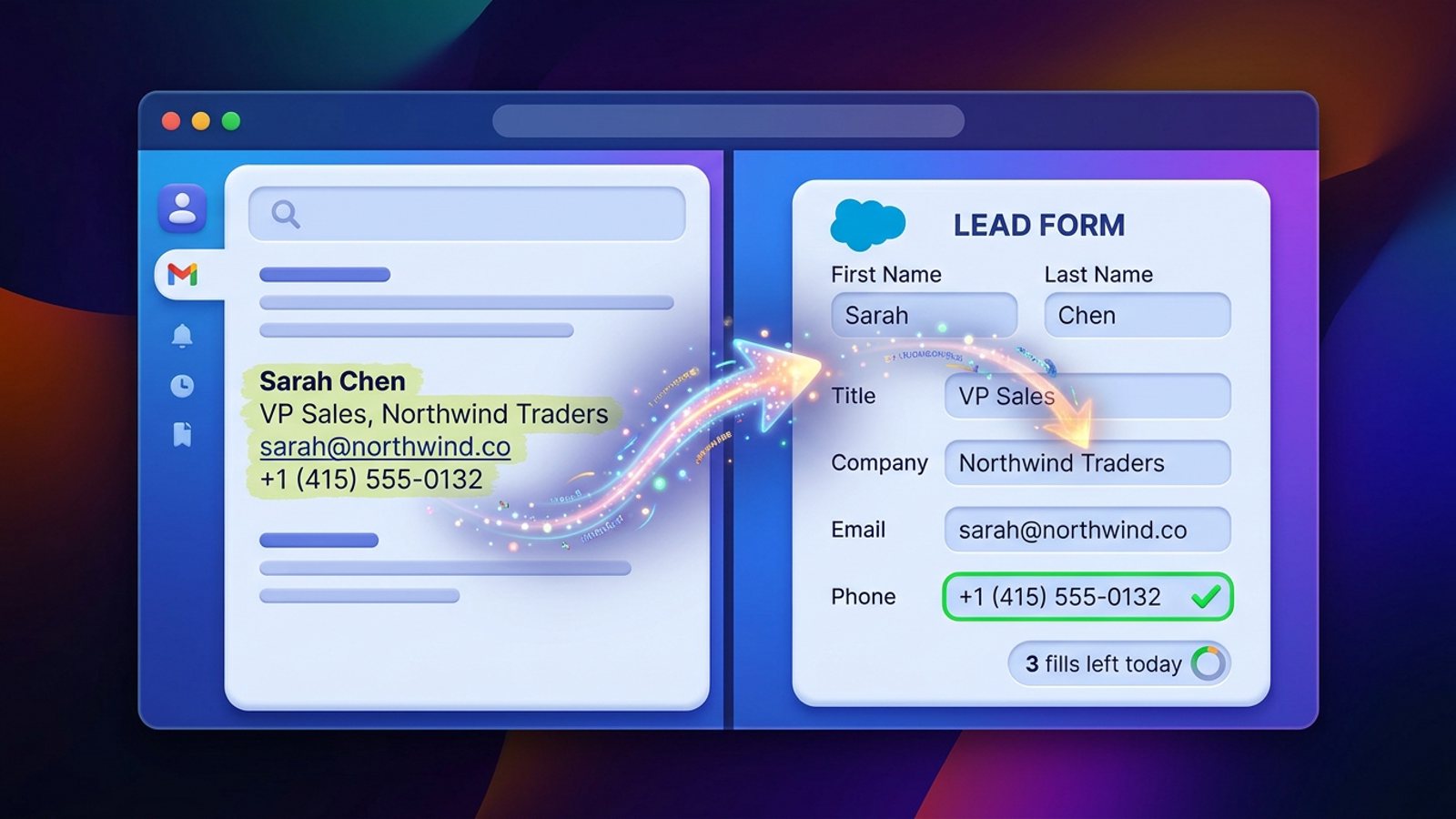
Yes — but "free" needs a caveat. SmartFill is a free AutoFormAI alternative for Salesforce: 5 free fills to start, then 3 fills per day forever, with unlimited fills on Pro at $9.99/month as of November 2026 (prices can change). Its free tier is a daily allowance, not unlimited. Salesforce Web-to-Lead and Chrome's own autofill are also free, but they solve different jobs.
Install SmartFill free and try five fills before you decide anything.
What does "free alternative to AutoFormAI" actually mean?
It means a tool that fills Salesforce forms from your lead data without a subscription — or with a free tier you can live on. The honest answer is that "free" comes in three shapes: a daily allowance (SmartFill), a built-in Salesforce feature (Web-to-Lead), and browser autofill. Each one is free in a different sense, and only one of them is built to fill a Salesforce record form from messy pasted text.
Is AutoFormAI free?
AutoFormAI's Product Hunt listing has a "Free Options" field, which confirms it is offered in some free or freemium form. Beyond that, the public record is thin. Its Chrome Web Store listing, as collected in November 2025, shows no plan names or prices. Two directories disagree outright: AlternativeTo (November 2024) reads "Freemium (Pay once)", while SaaSHub lists "freemium $1.99 / Usage". Neither is official.
So if you want to know what AutoFormAI costs, check AutoFormAI's own site. We won't quote a number the vendor hasn't published.
What is the best free AutoFormAI alternative for Salesforce?
SmartFill is our pick of the tools we compared, because it is built for exactly one job: filling Salesforce forms from pasted text. You copy a messy email signature, a LinkedIn bio or a forwarded thread, click the extension, and the form populates. No setup, no configuration, no mapping screen.
The free plan is real but limited: 5 fills to start, then 3 per day forever. For a founder logging a handful of leads a day, that may be enough. For an SDR logging thirty, it won't be — and that's the honest trade-off.
How the free plan compares to Pro
| Free | Pro | |
|---|---|---|
| First fills | 5 | Unlimited |
| After that | 3 per day | Unlimited |
| Price | $0 | $9.99/mo |
| Expires? | No | — |
The free plan does not expire — you keep 3 fills a day indefinitely. Pro simply removes the ceiling.
How does SmartFill compare with the other free options?
Here is the comparison table, with SmartFill first because it is the most direct fit for filling Salesforce record forms from lead data.
| Option | Best for | Key features | Price | Watch-outs |
|---|---|---|---|---|
| SmartFill (Our pick) | Filling Salesforce forms from messy text | AI fill from pasted text, any object, no setup | Free: 5 then 3/day; Pro $9.99/mo | Desktop Chrome only |
| AutoFormAI | Filling general web forms from a personal info library | One-click fill, local data library | Free/freemium options listed | Official plans not published |
| Salesforce Web-to-Lead | Website visitors becoming Leads | Built-in, posts straight to Leads | Free in Salesforce | Lead records only; 500/day cap |
| Chrome autofill | Static HTML forms with saved details | Built into Chrome | Free | Vendor claim: fails on Lightning |
| Manual copy-paste | One-off records needing full control | Total control | Free | Slow and error-prone |
A few notes on the table. SmartFill works on Lead, Contact, Case and custom-object forms, and on anything that runs in a Chrome browser, per the owner. Its one honest limit is that it is a desktop Chrome extension — no mobile, no other browser.
AutoFormAI's strength is breadth: it fills web forms generally, using a personal information library you build yourself. If your main need is filling non-Salesforce forms from your own saved details, AutoFormAI is the more direct choice. If your job is turning a messy lead email into a Salesforce record in seconds, SmartFill is built for that.
Web-to-Lead is free and built into every Salesforce org — no integration, no middleware, per a September 2026 Medium write-up. But it only creates Lead records, has a daily cap of 500 leads per 24 hours, and its reCAPTCHA is off by default until an admin adds keys, per a September 2026 Ninja Forms vendor blog. It also only captures what a visitor types into a published form; it does not fill an existing record from pasted text.
Chrome's built-in autofill is free but, according to a June 2026 QuickForm vendor blog, it fails on Salesforce because Lightning Web Component inputs require JavaScript events Chrome doesn't fire — leaving a 10–30-field form at 5–10 minutes. That's a vendor claim, not independently verified in our sources, but it matches what most reps report anecdotally.
SmartFill is made by the team behind this blog.
Try SmartFill's free plan — five fills, no sign-up required.
How do you set up a free Salesforce form filler in 10 minutes?
Start with the tool that needs no setup at all, then add the built-in options if they fit your workflow.
- Install the extension. Add SmartFill to Chrome in one click — no account, no configuration.
- Open two tabs. Salesforce in one, your source text in the other.
- Copy the messy text. An email signature, a LinkedIn bio, a forwarded thread — leave it as-is.
- Click the SmartFill icon. Watch the Salesforce form populate. That's your first of five free fills.
- Add Web-to-Lead if you capture website leads. In Setup, enable Web-to-Lead, then Create Web-to-Lead Form, pick your Lead fields and a return URL, per a June 2026 Thunderbit guide.
- Turn on reCAPTCHA in that same setup screen if spam becomes a problem.
Does the free plan store my lead data?
No. SmartFill states it does not build a database of leads; pasted text is parsed in real time to fill the form and is not retained afterward, per its Chrome Web Store listing (updated October 2026). That matters if you're pasting prospect details you'd rather not have sitting in a third-party library.
AutoFormAI takes a different approach: it states all user data is stored locally on the device, "ensuring complete privacy", per its Chrome Web Store listing (November 2025). Different architecture, same instinct — keep lead data close.
The free tier question isn't really about price. It's about whether the tool fits the one job you do fifty times a week.
Is a free tier enough for a sales team?
It depends entirely on volume. Three fills a day is roughly fifteen a week — fine for a founder doing their own outreach, thin for an SDR logging every LinkedIn lead.
Do the arithmetic before you commit. If your team logs twenty leads a day each, the free allowance covers a fraction. At $9.99/month as of November 2026 (prices can change), Pro is usually less than the value of the twenty minutes it saves in the first week. But if you log two leads a day, stay free and don't think about it again.
If you're weighing whether any filler beats typing, our breakdown of whether a Salesforce form filler is worth it vs copy-pasting walks through that math. And if you want the wider field, see the best AI Salesforce form fillers for sales teams in 2026.
What are the mistakes to avoid when choosing a free filler?
The first is assuming "free" means unlimited. Almost nothing is. SmartFill's free plan is a daily allowance and we say so plainly; treat any tool's free tier as a trial with a ceiling until you've read the plan page yourself.
The second is picking a general web-form filler for a Salesforce-specific job. A tool built to fill contact forms across the web may handle Salesforce, but the field mapping and Lightning quirks are where the time goes.
The third is trusting a directory's price. The AutoFormAI listings we checked disagree with each other, and neither is official. Always confirm on the vendor's own site.
Install SmartFill Free and see how far five fills get you.
Sources
- SmartFill – The AI Form Filler (Chrome Web Store, updated October 19, 2026)
- AutoFormAI (Chrome Web Store, 2025-11-15)
- AutoFormAI (Product Hunt, 2024-11-20)
- AutoFormAI (AlternativeTo, 2024-11-24)
- AutoFormAI (SaaSHub, no date)
- AutoFormAI security profile (Koidex, 2024-11-13)
- Google Forms vs Salesforce Web-to-Lead (Medium / Dented Feels, 2026-09-10)
- How to set up Salesforce Web to Lead (Thunderbit, updated 2026-06-09)
- Web to Lead Salesforce vs. Ninja Forms CRM Add-On (Ninja Forms, 2026-09-06)
- Best Chrome Extension to Autofill Salesforce Forms (QuickForm, 2026-06-09)