Yes. For a small sales team, the cheapest route depends on the job: Salesforce Web-to-Lead is included in your Sales Cloud or Service Cloud subscription, and SmartFill Pro costs $9.99/month as of November 2026 (prices can change) for unlimited AI form fills. Titan AI Studio's own pricing depends on the plan you negotiate, so compare a quote against what you actually need.
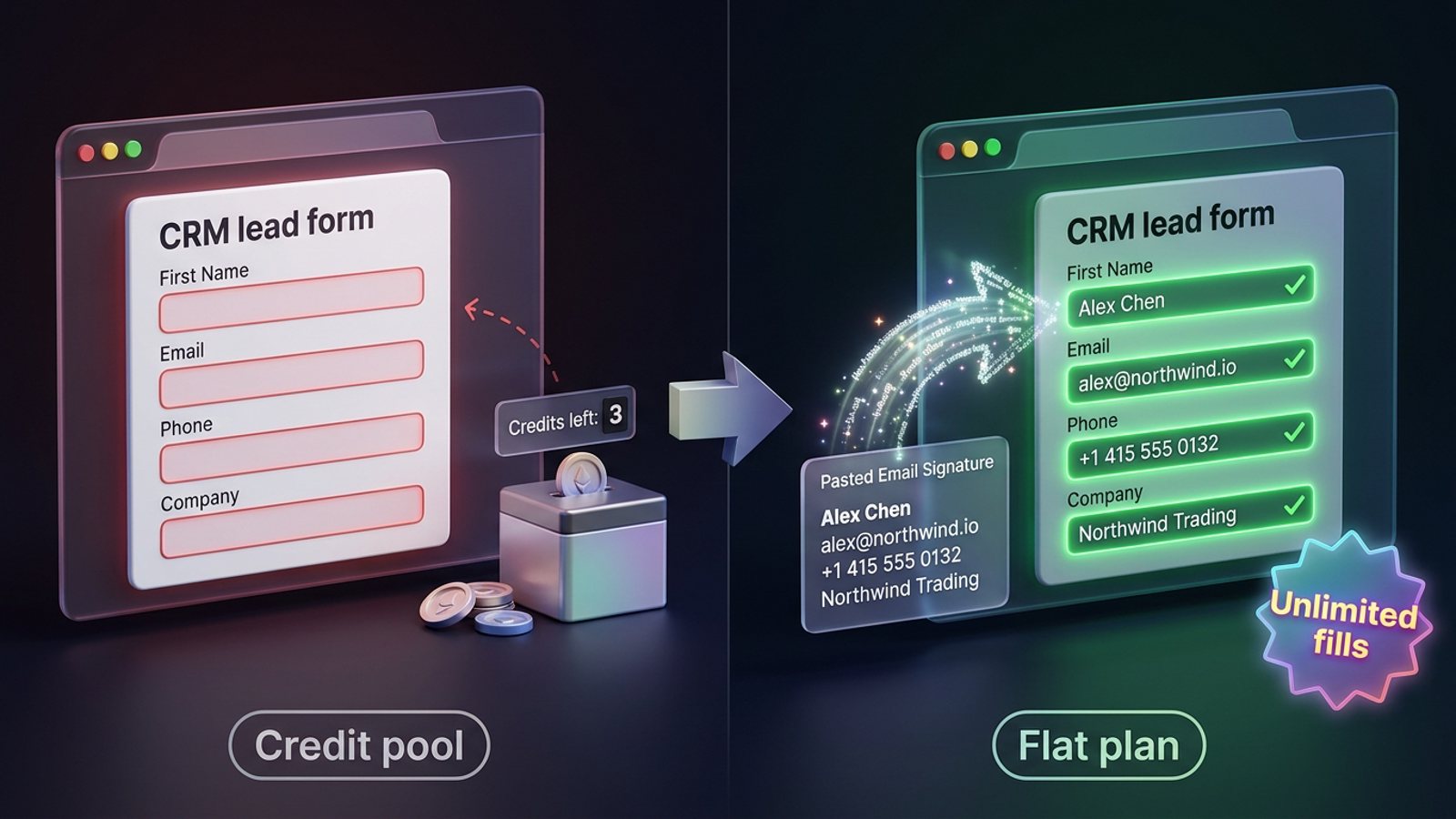
If you're weighing a titan ai studio cheaper alternative for a two-to-ten person sales team, the honest answer is that you're comparing two different products. Titan AI Studio builds Salesforce-connected forms and portals from a prompt. If what you actually need is to get lead data into a Salesforce form that's already on your screen, you're paying for a builder when you need a filler.
Here's how to tell which one you need — and what each option really costs.
What does Titan AI Studio actually cost?
Titan's own pricing page, dated October 26, 2025, lists AI Studio tiers starting at $250/month for Starter, with Growth at $450–$1,000/month and higher tiers adding enterprise controls. Third-party directories read later — Specifiction on October 14, 2026 and PCNMobile, date not given — cite ranges from $250 up to $1,200–$2,000/month depending on tier. Titan's own page is a partial render and those directory figures conflict with each other, so treat all of them as indicative rather than a confirmed list.
What Titan does say clearly: AI Studio is included "at no extra cost" within form pricing, and pricing rises as more users need access (Titan DXP Salesforce forms page, September 22, 2025). That means the number that matters for your team is the quote you get, not a list price on a blog.
What is Titan AI Studio actually good at?
Titan AI Studio generates Salesforce-connected forms and portals from a single prompt, then refines them with a drag-and-drop builder. It understands Salesforce objects, fields and relationships, and Titan says it does not access sensitive Salesforce record data (Titan DXP blog, June 1, 2026).
That's a real capability. If your team needs branded intake forms or customer portals that create and update Salesforce records in real time without middleware, Titan is built for exactly that job.
What the research does not show is Titan filling an existing on-screen Salesforce form from pasted text. Titan's published description is about building forms, not filling them. So if your SDRs are pasting email signatures and LinkedIn bios into Salesforce Lead records all day, Titan may be solving a problem you don't have.
What's the cheapest way to fill Salesforce forms from lead text?
For filling a Salesforce form you already have open, the cheapest paid option in this comparison is SmartFill Pro at $9.99/month as of November 2026, prices can change. The free tier gives you 5 fills at install, then 3 per day forever, which is often enough to test whether it fits your workflow before you pay anything.
SmartFill is an AI form filler for Salesforce that uses AI to populate forms from any pasted text. It handles messy data — email signatures, LinkedIn bios, forwarded intros — without you parsing it by hand. It works on Lead, Contact, Case and custom-object forms, needs no setup, and processes text in real time without building a lead database (SmartFill Chrome Web Store listing, updated October 19, 2026).
Our recommendation: run the free tier for a week against your real lead flow. If you hit the 3-per-day ceiling, that's your signal you need Pro.
Install SmartFill Free and see how it handles your messiest lead email first.
Is Salesforce Web-to-Lead really free?
Yes — Web-to-Lead is included in Sales Cloud and Service Cloud subscriptions at no additional cost (CloudAmp's guide, hosted on Salesforce AppExchange, date not given). It captures website visitor inquiries straight into Salesforce as Leads with native integration and no third-party connector.
But "free" comes with strings worth knowing before you rely on it:
- 500-lead cap. Web-to-Lead captures up to 500 leads per 24-hour period, after which requests are queued (CloudAmp guide).
- Developer work. You'll need someone to format and validate the generated HTML — Salesforce does not support customizations to your form code.
- Thin features. CloudAmp's guide notes limited validation, conditional logic, multi-page forms, file uploads and branding.
- No built-in dedupe. Duplicate rules can help, but Web-to-Lead can't check against existing records on its own.
Setup runs through Setup → Quick Find "Web-to-Lead" → create form, then select fields and embed the generated HTML (Greytrix, September 10, 2025). It's available in Group, Professional, Enterprise, Performance, Unlimited and Developer Editions (Webkul, updated January 23, 2025).
If you're capturing website inquiries, Web-to-Lead is the cheapest honest answer. If you're filling forms from lead text a rep already has, it doesn't help at all.
Can Salesforce Flow fill a form from pasted text?
Not natively. Flow is Salesforce's built-in no-code automation tool — it creates and updates records, routes data, and builds dynamic screen flows where users enter data (Salto.io, October 24, 2024). Its Create Records element can upsert, creating or updating depending on whether a field value exists (Salesforce Help, release 252).
But Flow screens can't parse pasted CSV or free text without extra components. Avonni Components' CSV Parser, for example, lets users upload a CSV, map columns to Salesforce fields and pass parsed records downstream, capped at 10,000 rows (Avonni docs, November 2, 2026). That's a real option — and it's built into Salesforce, so no separate tool cost.
The trade-off is admin skill. Someone on your team has to build and maintain the flow, and messy unstructured text like an email signature still isn't something Flow handles out of the box.
How do the cheaper options compare?
Here's the comparison of the tools covered in this research. SmartFill goes first because it's the one this blog is about.
| Option | Best for | Key features | Price / free option | Watch-outs |
|---|---|---|---|---|
| SmartFill (Our pick) | Filling existing Salesforce forms from pasted text | AI parsing, any object, zero setup | Free: 5 fills then 3/day; Pro $9.99/mo | Desktop Chrome only |
| Titan AI Studio | Building Salesforce-connected forms and portals | Prompt-to-form, drag-and-drop builder | Plan-dependent; indicative tiers from ~$250/mo | Priced for form building, not filling |
| Salesforce Web-to-Lead | Website inquiry capture | Native, no connector | Included in Sales/Service Cloud | 500/day cap, developer work |
| Salesforce Flow | Automating record creation and routing | No-code, upsert, screen flows | Built into Salesforce | Setup skill; no native text parsing |
| FillGenius | One-click autofill of web forms generally | Stored-data autofill | Free tier 5 credits; Pro ~$9/mo | 3.4/5 on Chrome Web Store; price reports conflict |
| Tally | Free branded forms with payments | Conditional logic, webhooks | Free plan; Pro $29/mo | No native Salesforce integration |
SmartFill is our pick of the tools we compared for the specific job of filling a Salesforce form from messy lead text — it's the narrowest tool here, and that's the point. It doesn't build forms, capture website leads, or automate record routing. It fills the form in front of you, which is what most small sales teams actually spend their time on.
Titan AI Studio is the right choice if you need to build Salesforce-connected portals and branded forms — that's its core job, and it does it with a prompt-driven builder. If you mainly need a form builder, Titan is the more direct choice; just get a quote first.
Web-to-Lead suits teams capturing website inquiries. Flow suits teams with an admin who wants automation inside Salesforce. FillGenius is a general-purpose autofill extension — note its Chrome Web Store rating of 3.4 from 5 ratings (June 9, 2026) and conflicting price reports of $9/month versus $14/month across directories. Tally's free plan is generous for form building, but it has no native Salesforce integration (Tally help centre, September 8, 2026).
SmartFill is made by the team behind this blog.
What's the cheapest per-month option for a 2–10 person team?
For a small team whose bottleneck is Salesforce data entry from lead text, SmartFill Pro at $9.99/month as of November 2026 (prices can change) is the lowest paid entry point in this comparison — and the free tier may cover you entirely if you're filling fewer than 3 forms a day.
If your bottleneck is website lead capture, Web-to-Lead costs nothing extra on top of your Salesforce subscription. If it's building customer-facing forms and portals, Titan AI Studio is the right tool and the cost is whatever plan you negotiate.
How do I decide which one to buy?
Work through these steps in order — each one rules options in or out.
- Audit the job. Are you filling a Salesforce form that's already open from lead text, or building new Salesforce-connected forms and portals? These are different purchases.
- If filling existing forms from lead text: try SmartFill free (5 fills, then 3/day) and upgrade to Pro at $9.99/month if you need unlimited.
- If capturing website inquiries: set up Web-to-Lead (Setup → Web-to-Lead → Create Form → embed HTML) and watch the 500/day cap.
- If automating record creation and routing: build a Salesforce Flow with the Create Records element for upsert.
- If building branded forms with payments: evaluate Tally's free plan or Pro at $29/month, but note there's no native Salesforce sync.
- If you need Salesforce-connected portals: request a Titan AI Studio quote and compare it against your actual seat count.
For a wider view of the field, see our roundup of the best AI Salesforce form fillers for sales teams in 2026, and if you're specifically comparing Titan, our guide to the best alternatives to Titan AI Studio for Salesforce forms goes deeper.
The cheapest tool is the one that does your actual job — not the one with the lowest list price on a category you don't need.
Ready to stop copy-pasting? Install SmartFill Free — 5 fills to start, then 3 a day forever, no sign-up required.
Sources
- SmartFill Chrome Web Store listing (Google, updated October 19, 2026)
- Generate Salesforce-Connected Forms and Portals in Seconds with a Single Prompt (Titan DXP blog, June 1, 2026)
- Forms That Speak Salesforce (Titan DXP, September 22, 2025)
- TITAN Pricing (Titan DXP, October 26, 2025)
- FormTitan Pricing in 2026 (Specifiction, October 14, 2026)
- FormTitan pricing (PCNMobile, date not given)
- CloudAmp's Ultimate Guide to Salesforce Web-to-Lead Forms (Salesforce AppExchange, date not given)
- How to use Salesforce Web-to-Lead in BigCommerce (Webkul, updated January 23, 2025)
- Configuring Lead Management in Salesforce (Greytrix, September 10, 2025)
- The Power of Salesforce Flows (Salto.io, October 24, 2024)
- Create or Update Records with Create Records Element (Salesforce Help, release 252)
- CSV Parser | Flow Screen (Avonni Components docs, November 2, 2026)
- Tally: a free Formstack alternative (Tally help centre, September 8, 2026)
- FillGenius Chrome Web Store listing (Google, June 9, 2026)
- FillGenius pricing (EffectHub, August 22, 2026)
- FillGenius (TaskBoosters, updated August 8, 2026)