For a small RevOps team with no budget, the best cheap Salesforce form filler is SmartFill: it gives 5 free fills on install, then 3 free fills a day forever with no card, and Pro is $9.99/month for unlimited fills (as of November 2026, prices can change) — billed per install, not per seat. The free built-in options still leave someone typing every field.
Install SmartFill free and run your first messy email signature through a New Lead form before you decide anything else.
How do you pick a cheap Salesforce form filler when the budget is zero?
Start by separating tools that type the record from tools that only open the form. A small RevOps team's real cost isn't the licence — it's the minutes a rep spends copying First Name, Last Name, Email, Phone, Title and Company "one field at a time," which is exactly the loop the SmartFill listing describes as the manual baseline.
So the test is simple. Take one lead source your team handles every day — an email signature, a LinkedIn About section, a pasted paragraph from a contact form — and ask each tool to turn it into a saved Salesforce record. Anything that still needs a human to split Job Title from Company Name has not solved your problem.
Why doesn't Chrome autofill work on Salesforce forms?
Because Salesforce doesn't render its record layouts the way Chrome autofill expects. A QuickForm vendor blog (June 2026) explains that Chrome autofill was built for static HTML forms, while Salesforce Lightning Web Component fields are rendered by JavaScript — so a 10–30-field workflow can still take 5–10 minutes.
Salesforce Help (published January 2026) adds a second layer: Salesforce generally sets autocomplete="off" on text inputs in internal record layouts. That's a deliberate data-integrity choice, because records are usually entered by an agent on behalf of a customer.
The result: Chrome autofill is free and already installed, and it's the right tool for your own name and address on ordinary websites. It is not a Salesforce autofill extension for lead records.
What's the best free Salesforce form filler for a small RevOps team?
Of the tools we compared, SmartFill is our pick for a no-budget RevOps team because its free tier is a real working allowance, not a trial. The Chrome Web Store listing (updated 19 October 2026) confirms 5 free fills on install, then 3 free fills every day "forever," with no signup and no credit card.
That daily allowance matters more than it sounds. Three fills a day covers a light user — a founder or a rep who logs a handful of leads. If your team creates twenty records a day from pasted text, you'll hit the ceiling by mid-morning, and that's the moment to look at Pro.
SmartFill is made by the team behind this blog.
What does SmartFill actually do with messy lead data?
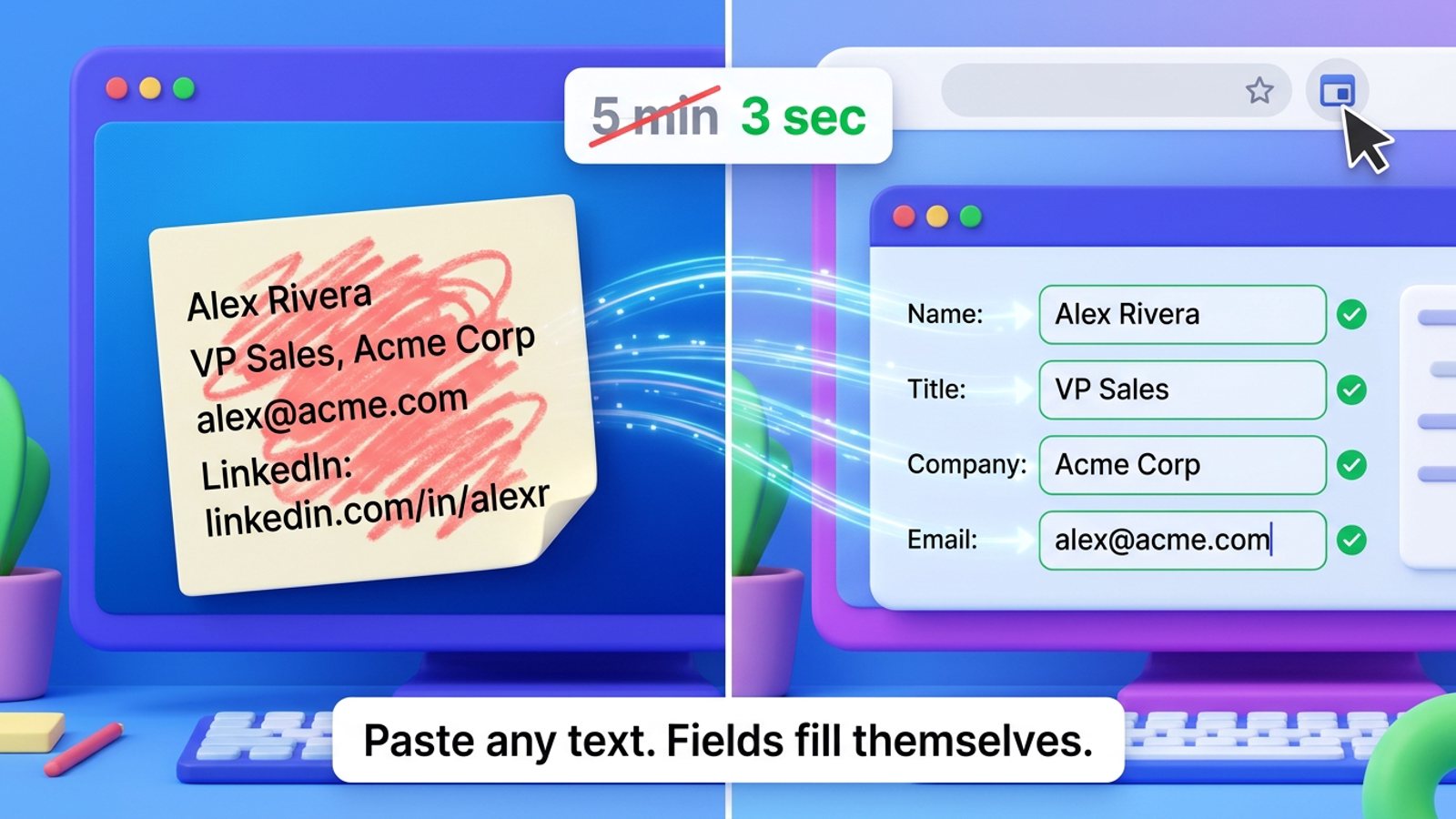
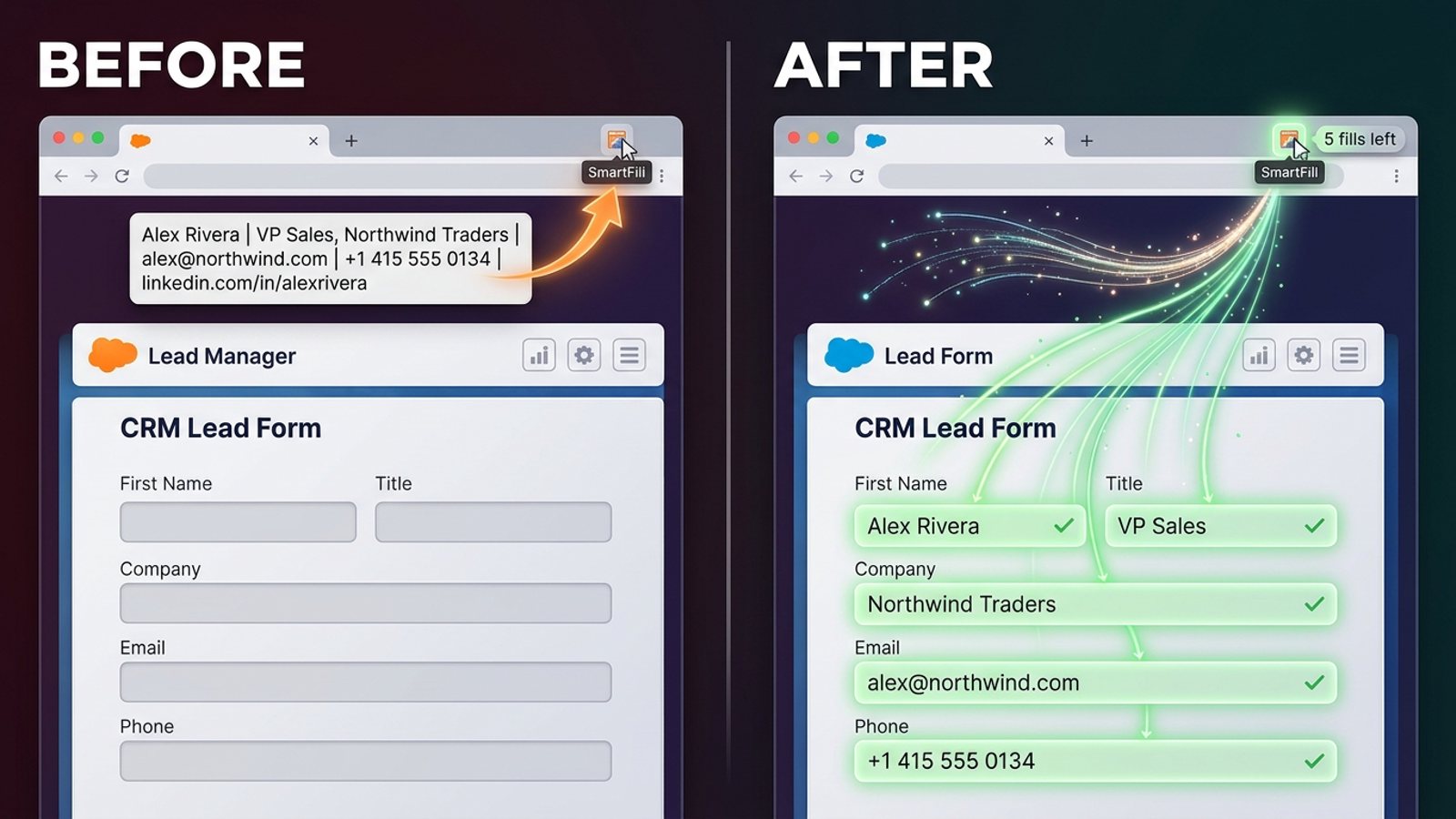
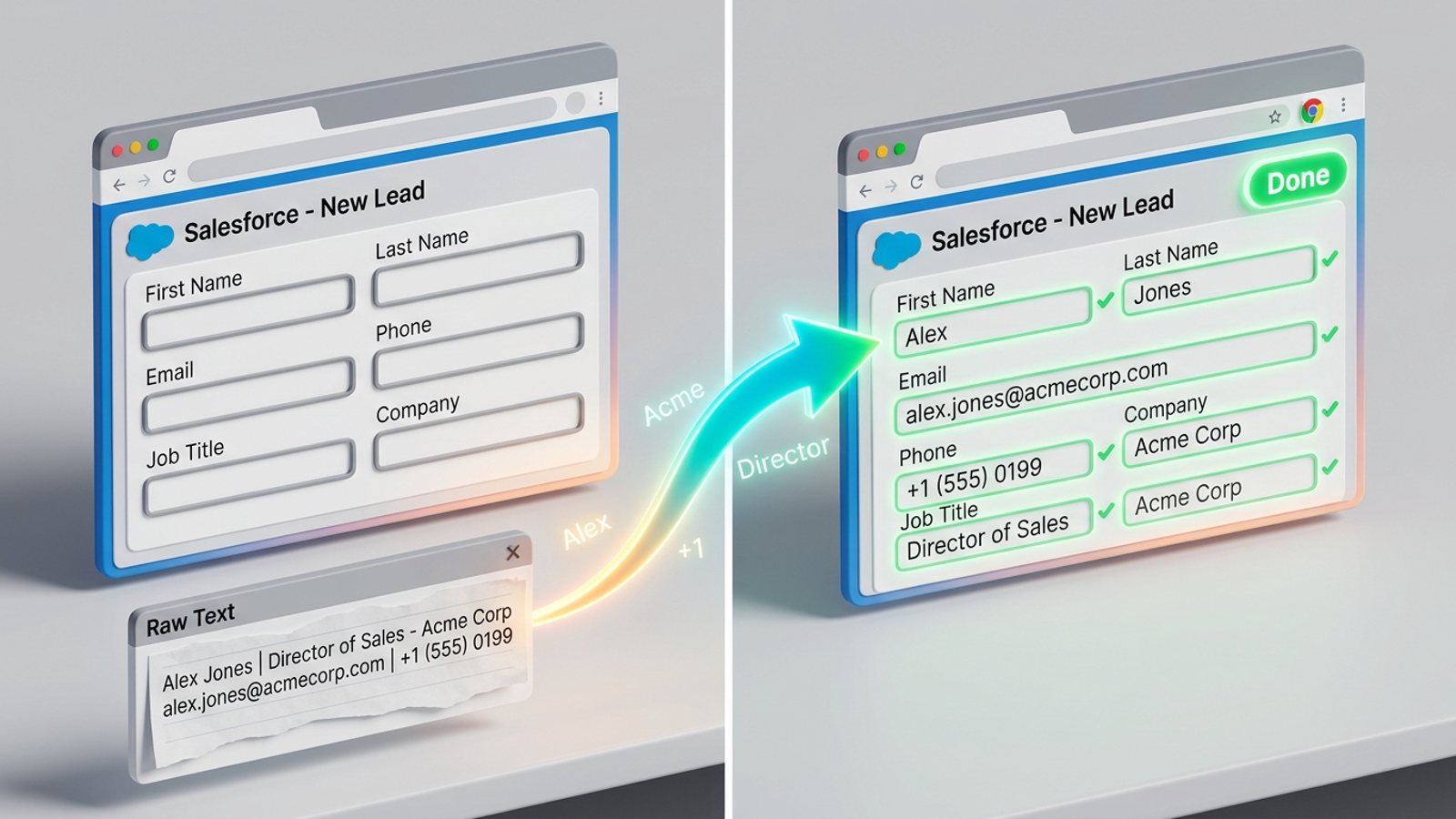
It reads unstructured text — an email signature, a LinkedIn About, a dashed-off paragraph — and puts the right values in the right Salesforce fields, separating Job Title from Company Name when they sit on the same line. According to the same listing, it fills Leads, Contacts, Cases and custom objects, with no URL patterns or regex mapping needed to start.
The setup is genuinely zero: install the extension, open Salesforce and your source text in separate tabs, copy the text, click the SmartFill icon. No configuration, no field mapping exercise.
On privacy — the thing a RevOps lead gets asked about — the listing states "We don't build a database of your leads," and pasted text is parsed in real time for the form in front of you and not retained afterward. The store disclosure lists personally identifiable information handling and states data is not sold to third parties.
What does it cost, and is it per seat?
Free is free. Pro is $9.99/month for unlimited fills with all AI and API costs included — you never touch or pay for an API key directly (as of November 2026, prices can change). The Chrome Web Store listing confirms the unlimited Pro plan.
The pricing model is the quiet advantage for a small team. Most snippet tools quote per user per month, so four seats multiply the bill. Compare that against a per-install price and the maths changes fast.
What are the free alternatives, and where do they fall short?
Three zero-cost options come up again and again: manual copy-paste, Chrome autofill and Salesforce Quick Create. All three are free. None of them types the record for you.
Manual copy-paste is the honest baseline: zero cost, zero procurement, and the rep reads the source text so bad data gets caught. But it means copying six fields one at a time, and a Thunderbit vendor blog (June 2026) describes manual data entry as "a leading cause of typos, duplicates, and missing fields."
Salesforce Quick Create is included with your licence and shortens the path to a new record — it opens the right form or logs a templated task. It doesn't fill the fields inside that form. True field pre-population needs custom Lightning components built by a developer, per Salesforce's LWC documentation.
Chrome autofill we covered above: free, already there, and built for static HTML rather than Lightning.
Which tools did we compare — and which should you pick?
Here's the comparison, with SmartFill first because it's our pick of the tools we compared for a Salesforce-first, no-budget team.
| Option | Best for | Key features | Price / free option | Watch-outs |
|---|---|---|---|---|
| SmartFill (Our pick) | Salesforce records from pasted text | AI fills any Salesforce form; messy data; no setup | Free: 5 fills, then 3/day forever. Pro $9.99/mo | Desktop Chrome only |
| Manual copy-paste | Two or three records a day | Zero tools, zero procurement | Free | Typos, duplicates, missing fields |
| Chrome autofill | Personal details on ordinary sites | Already installed | Free with Chrome | Built for static HTML, not Lightning |
| Salesforce Quick Create | Opening the right record form | Native, one-click record creation | Included with licence | Doesn't fill fields; prefill needs a dev |
| Text Blaze | Templated snippets and forms | Snippets, conditional logic, Data Blaze | Free $0 forever; Pro $2.99/mo yearly | Free plan caps snippets and sharing |
| Magical | Replaying saved text blocks | Text expansion, basic automations | Free tier; paid team plans per seat | AI metered on free; new leads still typed first |
Text Blaze's free plan is $0 forever with no credit card, limited snippets and sharing, plus Autopilot and Data Blaze access. Pro is $2.99/month billed yearly or $3.49 monthly, and Business is $6.99 per user per month billed yearly ($8.39 monthly), per its plans page and AppBreakup's check on 13 November 2026. A 2024 vendor-forum post reported secondhand by ToolGPA put the free ceiling at 20 active snippets. If you mainly need templated snippets with conditional logic at the lowest paid entry point, Text Blaze is the more direct choice.
Magical's free tier covers text expansions and basic automations, with AI features metered and team sharing and SSO in paid tiers, according to a TypeFire blog (February 2026). Third-party listings put team plans somewhere between roughly $6.50 and $25 per user per month, but those aggregator figures conflict with each other — check Magical's own pricing page before you budget. Its real limitation for you: it replays data you already saved, so a brand-new lead in an email signature still has to be typed into it first.
The cheapest tool is the one that removes the typing, not the one with the lowest sticker price.
How do you roll this out with no budget approval?
Run it as a measurement exercise, not a purchase.
- Count the problem. Track how many Salesforce records your team creates from pasted text in a week, and time two of them by hand.
- Test what's already free. Try Chrome autofill and Salesforce Quick Create first — they cost nothing and you'll see exactly where they stop.
- Read the privacy disclosure. Before installing any extension, check its Chrome Web Store disclosure against Chrome's limited-use policy: single purpose, data not sold, PII handling stated.
- Pilot with one rep. Paste a messy email signature into a New Lead form and verify field placement.
- Compare the daily allowance to your volume. 3 free fills a day covers a light user; past that, Pro at $9.99/month for unlimited fills (as of November 2026, prices can change) is the decision point.
- Only then price per-seat suites against the number of seats you actually need.
- Write your own dedupe step into the process — Salesforce's duplicate rules warn at save, and duplicates come from web forms, imports and manual entry, per Trailhead and Plauti (2025).
If you're weighing whether the whole exercise is worth it, our breakdown of whether a Salesforce form filler beats copy-pasting does the maths. And if your team is small enough that one person does everything, the founders-with-no-ops-team guide covers the same trade-offs from that angle.
Ready to stop typing? Install SmartFill Free — it's a 10-second install with no sign-up, and the free plan keeps working after the first five fills.
Sources
- SmartFill: The AI Form Filler for Salesforce (Chrome Web Store, updated 19 Oct 2026)
- Autofill Salesforce Chrome Extension (QuickForm, 2026-06-09)
- Browser autocomplete on Salesforce record fields (Salesforce Help, 2026-01-28/29)
- How to create a record in Lightning Experience (Salesforce Dictionary, 16 Jun 2026)
- Create a Record (Salesforce Developers, LWC docs, undated)
- Quick Create (tettra.site / Act On It, undated)
- Duplicate management module (Trailhead, undated)
- How to deduplicate in Salesforce (Plauti, 2025-09-21)
- Salesforce web-to-lead integration (Thunderbit vendor blog, 2026-06-28)
- Chrome Web Store program policies — limited use (Chrome for Developers, undated)
- Text Blaze plans (Text Blaze, undated)
- Text Blaze pricing (ToolGPA, 2026-10-08)
- Text Blaze pricing (AppBreakup, checked 13 Nov 2026)
- Text Blaze price/platforms (MEFMobile, citing blaze.today 27 Sept 2026)
- Magical vs TypeFire (TypeFire blog, 2026-02-25)
- Magical pricing listing (MoreAI.tools, verified 21 Jun 2026)
- Magical listing (AI Listing Jungle, 2026-07-12)
- Salesforce pricing for small business (AppExchange-hosted PDF, undated)