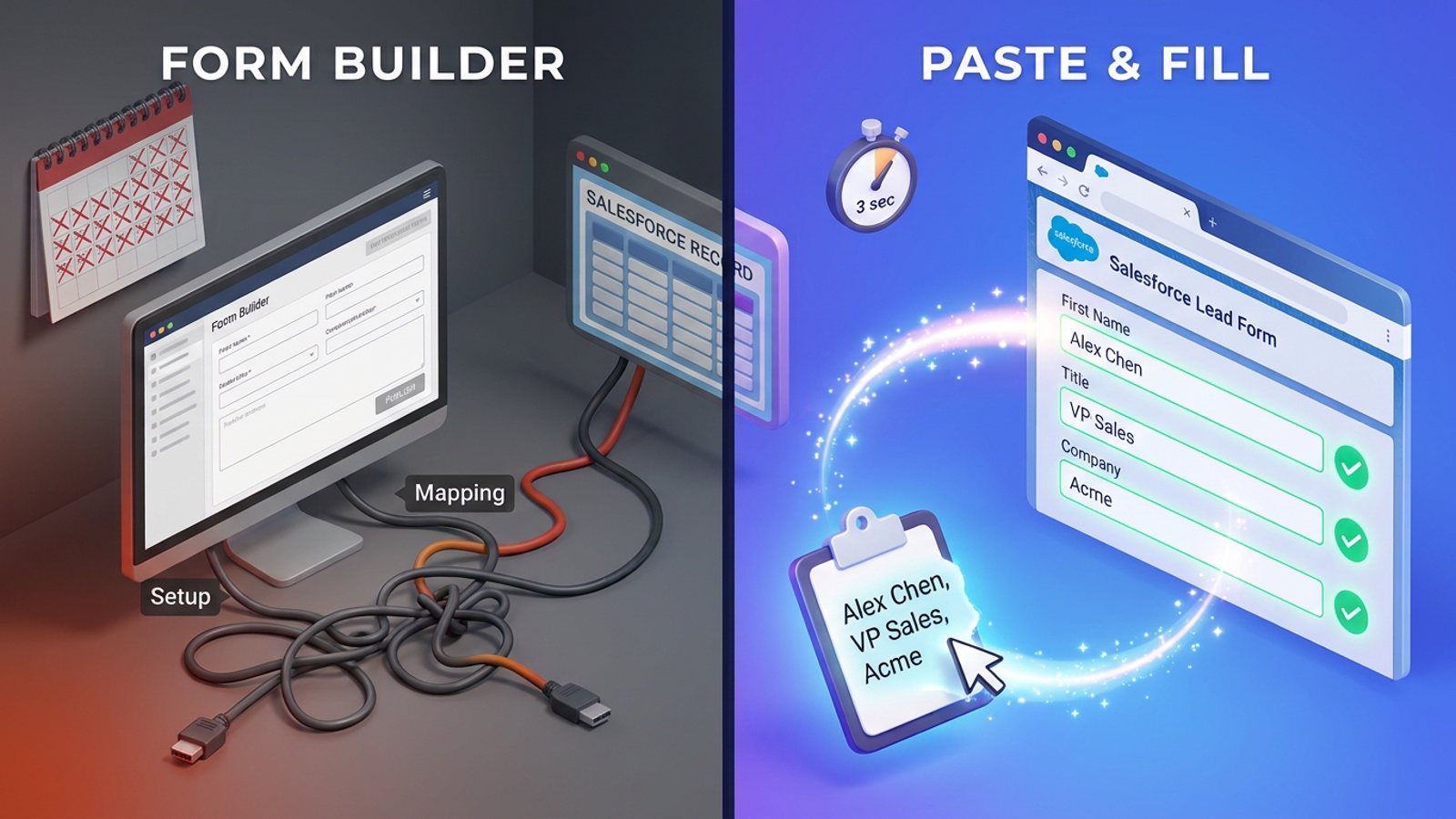
FormAssembly is built for structured form submissions, not for a rep with messy lead text in a browser tab. If you're searching for formassembly alternatives for sdrs, the better fits are Salesforce's built-in Web-to-Lead, a form builder like Typeform or Jotform, or an AI form filler that pastes straight into a Salesforce record — SmartFill does that in about 3 seconds per lead.
Why isn't FormAssembly a good fit for an SDR logging leads?
Because FormAssembly is built around forms that other people submit, not around a rep typing up a lead they just found. Its Salesforce integration is configured through a visual "Connector Timeline" that fires when a form is submitted, or a Prefill Connector that runs when a form opens — both assume a structured form exists and someone is filling it in.
That's the right tool for marketing intake, event sign-ups or a customer support form. It's the wrong tool for the SDR who has a LinkedIn profile copied to the clipboard and a Salesforce Lead page open in the next tab.
The cost compounds the mismatch. Paperform's comparison, verified 22 September 2026, states FormAssembly's cheapest plan is $59/month with no free plan and a 14-day trial. Vendr, a pricing intelligence marketplace, reports a median buyer contract of $12,525/year, with Team tiers commonly $399–$599/month and Premier at $699–$999/month. Those are third-party estimates, not FormAssembly's own published price page, and they disagree with each other — but neither points to a cheap seat for one rep.
There's also a ceiling worth knowing: FormAssembly's own blog reports a Salesforce limit of five active connections per user, and its connector requires a Salesforce account plus the Salesforce Add-on.
What should an SDR use instead of FormAssembly?
The right alternative depends on one question: who is holding the data? If a prospect is typing it into a web form, you need a form builder. If you're the one holding it — in a LinkedIn tab, an email thread, a signature — you need something that fills the record for you.
Here's the honest breakdown of the options we compared.
| Option | Best for | Key features | Price / free option | Watch-outs |
|---|---|---|---|---|
| SmartFill (Our pick) | Pasting messy lead text into Salesforce | AI fills any Salesforce form from pasted text; no setup | Free: 5 fills, then 3/day; Pro $9.99/mo | Desktop Chrome only |
| Salesforce Web-to-Lead | Website lead capture | Built-in HTML form tied to Lead object | Included in most editions | No logic, no validation, can't update |
| Typeform | Branded prospect-facing forms | Native Salesforce integration | ~$50/mo+ per Fillout | No lookup fields or file uploads |
| Jotform | No-code form building | Native Salesforce integration | ~$50/mo+ per Fillout | Errors reportedly not flagged |
| Manual copy-paste | Very low volume | None needed | Free | ~2–3 min per lead |
Prices for other tools are as of November 2026 and can change. The "~$50/month" figures come from Fillout's 2024 blog, updated March 2026, which states it's hard to use Jotform, Typeform or Formstack's Salesforce integrations without paying at least that.
SmartFill is made by the team behind this blog. It's a Chrome extension that takes any text you paste — an email signature, a LinkedIn bio, a messy forwarded thread — and fills the Salesforce form for you. No field mapping, no connector timeline, no admin ticket. You can install SmartFill free and try it on the next lead in your clipboard.
How do you log a lead from LinkedIn into Salesforce fast?
Copy the profile text, open the Lead record, and let something else do the typing. That's the whole technique, and it works whether the text is tidy or not.
- Copy the raw text — select the LinkedIn profile section, or the whole email including the signature. Don't clean it up first; that's the step you're trying to delete.
- Open a new Lead in Salesforce and leave it on screen.
- Paste into a filler — either type the fields yourself, or use an AI form filler for Salesforce that reads the text and matches it to fields.
- Check the two fields that matter — name and company. Everything else is usually right, but those two are what your reporting hangs on.
- Save and move on.
With SmartFill, steps 3 and 4 collapse: install the extension in one click, keep Salesforce and your source text in separate tabs, copy the lead details, click the SmartFill icon and watch the form populate. The product facts confirm it fills any Salesforce object — leads, contacts, accounts, custom objects — and there's no limit to how many fields it can fill at once.
Say you're an SDR working a list of 40 names. At 2–3 minutes each, manual entry eats 80–120 minutes of your day. At a few seconds per record, the same list is a coffee break. That gap is the entire argument for a Salesforce form filler over a form builder.
Is Salesforce Web-to-Lead a free FormAssembly alternative?
Yes, for website capture — it's included in most Salesforce editions (Pro Suite, Enterprise, Unlimited) at no extra cost beyond the base CRM licence, according to FormAssembly's May 2026 comparison. You generate it from Quick Settings: search "web-to-lead," click Create Form, pick your fields, set a post-submission URL, and hit Generate, as Fillout's guide describes.
But be clear about what it is. Web-to-Lead produces a basic HTML form with essentially no design customisation, form logic or input validation, and it only creates new leads. It's a front door for strangers, not a shortcut for a rep. If your problem is "prospects can't reach us," it's the cheapest fix you'll find. If your problem is "I have 30 LinkedIn tabs open," it does nothing for you.
Are Typeform or Jotform better than FormAssembly for SDRs?
Not for rep-side logging — they're form builders too, just friendlier ones. Both have native Salesforce integrations, and Jotform markets a dedicated "Jotform Enterprise for Salesforce" product positioned as a no-code alternative to Salesforce's native form tools.
The catch is the same as FormAssembly's: someone has to fill in the form. Fillout's 2026 guide also flags that Typeform's integration doesn't support lookup fields or file uploads and doesn't automatically push new responses — you need a refresh — and that Jotform's integration reportedly doesn't flag or alert on errors. If you mainly need branded, prospect-facing forms with a Salesforce connection, Typeform is the more direct choice. If you want a no-code builder with an enterprise Salesforce pitch, Jotform is.
Neither replaces the copy-paste you're trying to kill.
How does SmartFill handle messy lead data that form builders can't?
It reads the text the way a person would. A signature that says "Priya Raman | VP Ops, Northwind Logistics | +44 20 7946 0912 | priya@northwind.example" is not a structured form submission — but it contains a name, a title, a company, a phone and an email, and that's what gets matched to fields.
Three things make it practical for SDR work:
- No setup. Install the extension, no sign-up required, no configuration, no admin to map fields for you.
- Any Salesforce form. Leads, contacts, accounts, custom objects — anything running in Chrome, Classic or Lightning, since it's a browser extension.
- Privacy by design. Text is processed in real time and not stored, and no lead database is built. Nothing sent to the AI is saved.
That last point matters more than most reps realise. Fillify's Chrome Web Store listing (June 2026) discloses that it handles personally identifiable information, user activity and website content — a reminder to read the disclosure on any AI form filler before you paste a prospect's details into it.
What's the cheapest way to stop typing leads into Salesforce?
For pure cost, manual copy-paste is free — and at very low volume it's fine. It just doesn't scale: simular.ai's August 2026 workflow page estimates 2–3 minutes per lead, and that's a vendor estimate, not a benchmark.
The next rung up is a free tier. SmartFill's free plan gives you 5 fills to start and then 3 per day forever, which covers a rep testing the workflow without a card. Pro is $9.99/month for unlimited fills as of November 2026, and prices can change. Compare that to the third-party FormAssembly estimates above and the gap is stark — but they're solving different problems, so pick by job, not by price tag.
If you want the fuller comparison across every option, our breakdown of the best alternatives to FormAssembly for Salesforce forms covers the wider field, and if you're weighing whether any filler pays for itself, we've done that maths on whether a Salesforce form filler is worth it vs copy-pasting lead data.
The fastest lead log isn't the one with the fewest clicks — it's the one where you never retype a single field.
Ready to stop pasting field by field? Install SmartFill free and fill your next Salesforce lead from the text already in your clipboard.
Sources
- How to Connect Forms to Salesforce with FormAssembly — FormAssembly, 2025-07-28 / updated 2026-05-20
- Connecting to Salesforce — FormAssembly Help, no date
- FormAssembly Software Pricing & Plans 2026 — Vendr, no date
- 123FormBuilder vs FormAssembly — Paperform, verified 2026-09-22
- FormAssembly vs Tally — Paperform, 2026-09-21
- FormAssembly vs. Salesforce Web-to-Lead — FormAssembly, 2026-05-31
- Creating Salesforce lead forms: AppExchange vs Zapier or Make — Fillout, 2024-04-27 / updated 2026-03-23
- Jotform Enterprise for Salesforce vs Salesforce native forms — Jotform, no date
- How to Sync LinkedIn Leads to Salesforce — simular.ai, 2026-08-18
- AI Auto Form Filler — Chrome Web Store, 2026-10-25
- Fillify - AI Form Filler — Chrome Web Store, 2026-06-10