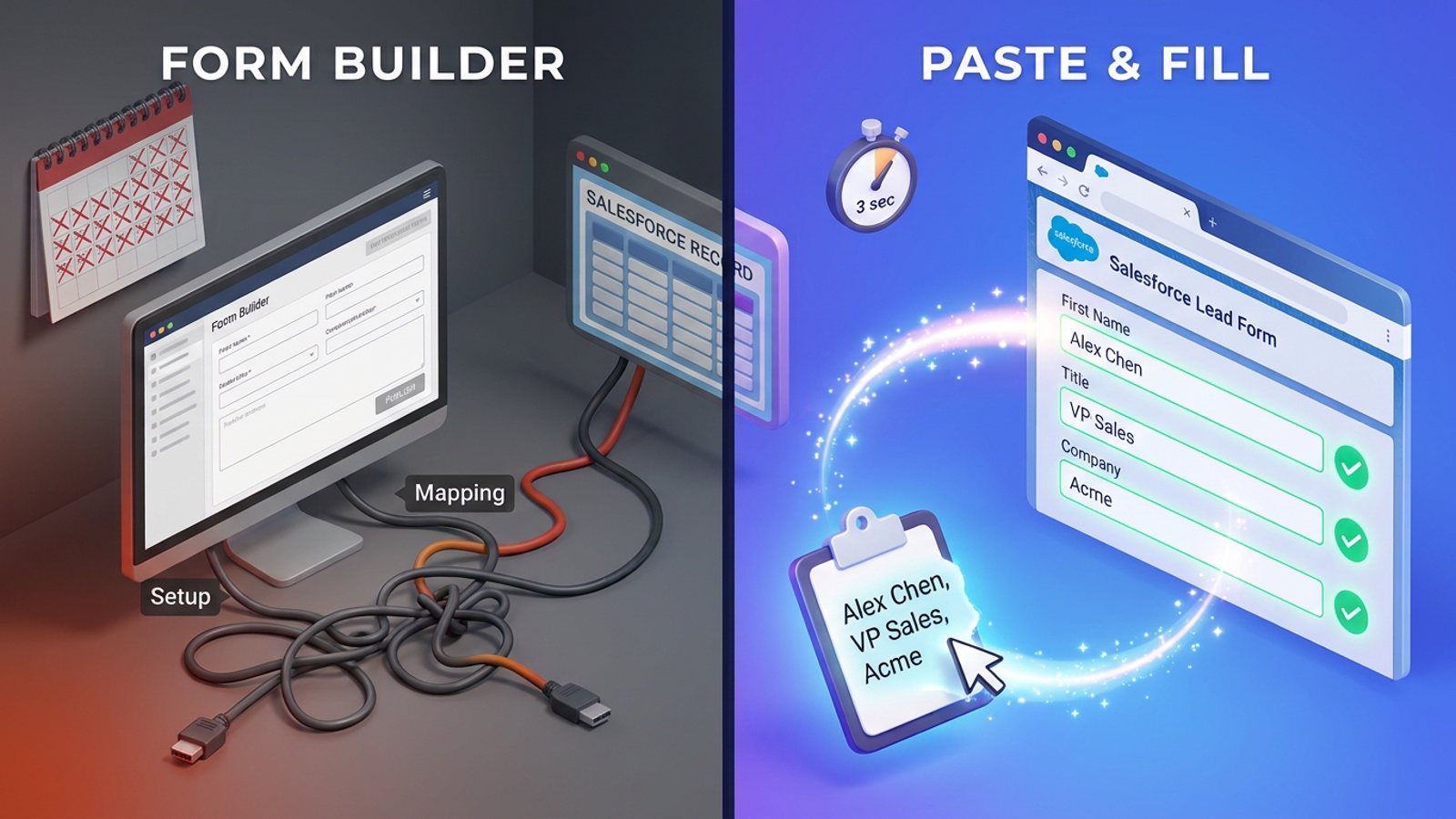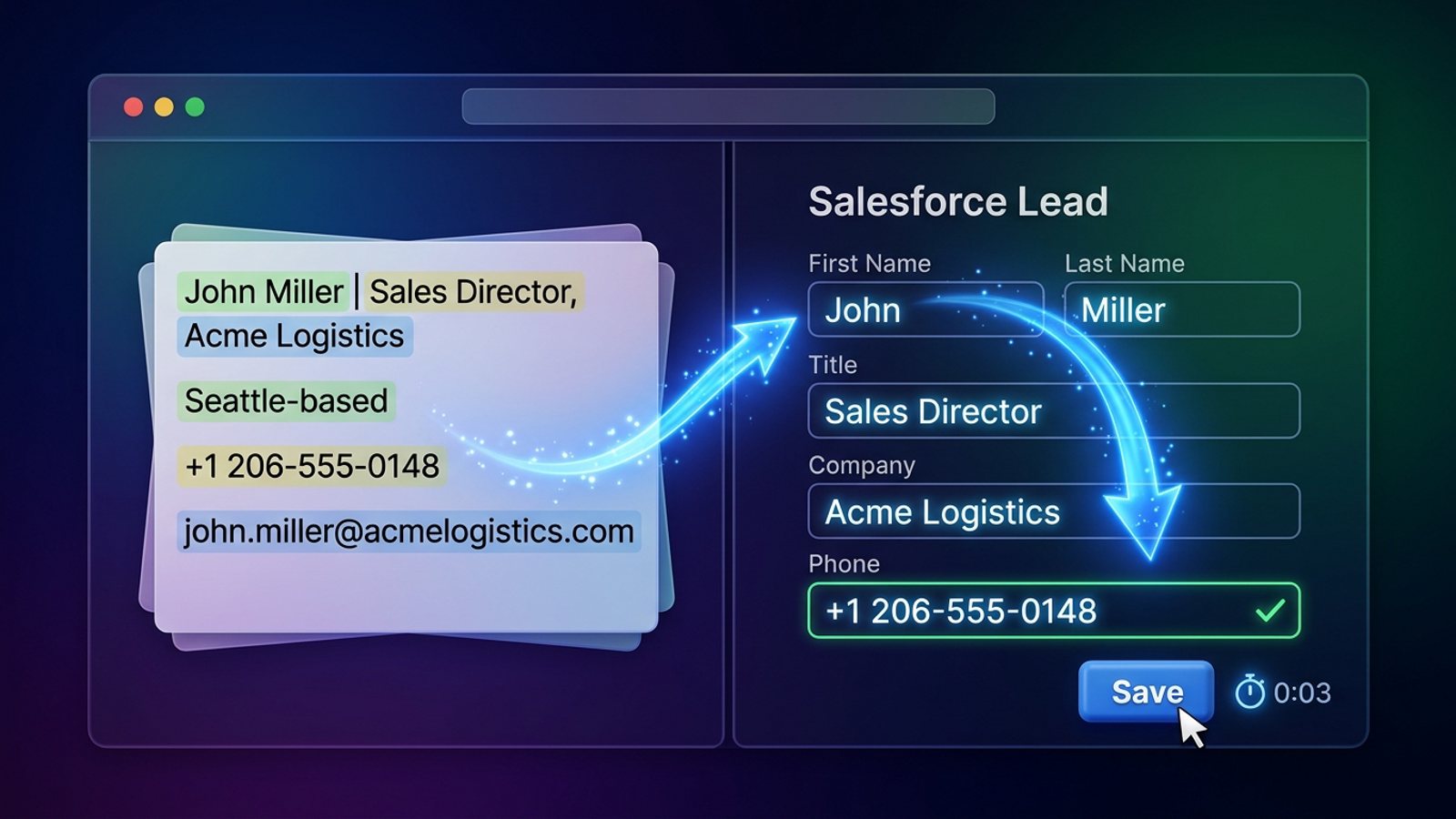
If you live in Chrome and work in Salesforce, the best FormAssembly alternative is not another form platform — it's a Chrome extension that fills the Salesforce record you already have open. SmartFill does that: paste any messy lead text, and it fills the form for you. Form builders like Jotform and Typeform handle public capture, a different job.
FormAssembly's Salesforce Connector maps form fields to Salesforce objects through a visual timeline, no code needed, and supports create, update and lookup with match rules (FormAssembly blog, 2025-07-27). That is genuinely powerful — for forms you send people to. It is not the same as filling the record in front of you.
If that record-filling job is yours, install SmartFill free and try it on the next lead you paste in.
What does a Chrome user actually need from a FormAssembly alternative?
Two different jobs get bundled under "form tool", and picking the right one decides your shortlist.
Job one: public capture. Someone outside your company fills in a form on a web page, and the submission creates or updates a Salesforce record. This is FormAssembly's home turf. Its Prefill Connector can even pull existing Salesforce record data into a form when it opens (FormAssembly Help, 2025-06-16).
Job two: in-tab entry. A rep has a Salesforce Lead, Contact or Account open in Chrome and a pile of raw lead data — an email signature, a LinkedIn bio, meeting notes — to get into it. No form is sent to anyone. The work is typing, and the tool that removes it has to live in the browser tab.
If job two is yours, the shortlist below is built for you. If job one is yours, stay for the comparison — you will still need a form builder, and the table shows which one fits.
What is the best FormAssembly alternative for Chrome users?
For filling Salesforce records inside Chrome, SmartFill is our pick of the tools we compared: it is a Chrome extension that uses AI to fill Salesforce forms from any pasted text, with no setup and no sign-up. For public form capture, Jotform is the most practical alternative to FormAssembly on price, and FormAssembly itself remains the strongest choice for regulated intake.
That is the honest split. The rest of this article explains it.
How SmartFill works, in four steps
- Install the extension — one click, about 10 seconds, no sign-up.
- Open two tabs — the Salesforce record you want to fill, and the source text.
- Copy the lead text — email signature, LinkedIn bio, call notes, whatever you have. Messy is fine.
- Click the SmartFill icon — the Salesforce form fills automatically. Review and save.
The extension handles messy, unstructured data without you parsing it first, and it works on all types of Salesforce forms and objects — leads, contacts, accounts, everything. Fields are not capped: unlimited fields at once.
What about privacy?
SmartFill processes text in real time and does not store it — no lead database is built. That matters because a security scanner flagged a similar AI form-filler, FillApp, for broad host permissions and an unverified publisher, rated medium risk (Koidex report, 2025-06-04).
SmartFill's honest limit: it is desktop only, because it is a Chrome extension. No mobile app.
How do the options compare?
| Option | Best for | Key features | Price / free option | Watch-outs |
|---|---|---|---|---|
| SmartFill — Our pick | Filling an open Salesforce record from pasted text | AI fills any Salesforce object, messy text, no setup | Free: 5 fills then 3/day; Pro $9.99/mo | Desktop Chrome only |
| FormAssembly | Regulated public intake at volume | Salesforce connector, prefill, match rules | No free plan; $59/mo quoted, 14-day trial | Separate platform; needs Salesforce add-on |
| Jotform | A real free tier for public forms | AI form builder, 150+ integrations, e-signatures | Free Starter; Bronze $39/mo | Submission caps; separate platform |
| Typeform | One-question-at-a-time public forms | Strong form experience, wide certifications | Free: 10 responses/mo; Basic $39/mo | Tiny free allowance |
| Google Forms | Zero-budget simple capture | Free, simple, exports to Sheets | Free with Google account | No e-signatures; limited native integrations |
| Salesforce Web-to-Lead | Native, no extra tool | Included in most editions, creates a Lead | No extra cost beyond licence | Always creates a new Lead; no duplicate handling |
Prices above are as of November 2026 and can change. Sources: Paperform, 2026-09-21, Paperform, 2026-06-03, FormAssembly blog, 2026-05-31.
SmartFill is made by the team behind this blog.
Why is SmartFill our pick?
Because the buyer in the title — a Chrome user — is already sitting in the Salesforce tab. SmartFill turns a four-minute form fill into a three-second click without leaving that tab, and it needs zero setup or learning curve. It is not a form builder and does not try to be.
If you mainly need public-facing forms with compliance certifications, FormAssembly is the more direct choice. Its certifications include FedRAMP, GDPR, HIPAA, PCI DSS and TX-RAMP (FormAssembly site, accessed 2026-11-26), and Fillout, for all its strengths, cannot match that posture — no signed BAA or FedRAMP High per Paperform's comparison (Paperform, 2026-09-21).
Try the record-filling side for free: install SmartFill and run one lead through it.
What does FormAssembly cost, and who should keep it?
FormAssembly has no free plan; the cheapest plan is quoted at $59/month with a 14-day trial (Paperform, 2026-06-03). Third-party buyer data puts the median annual contract at $12,525, with tier estimates from roughly $99/month Basic to $1,200+/month Enterprise (Vendr).
Keep it if you run regulated, public-facing intake at volume and need the connectors and certifications. Leave it if your problem is reps typing lead data into Salesforce by hand.
Which free FormAssembly alternative is best?
Jotform has the most usable free tier for public forms: Starter is free with 5 forms and 100 submissions a month, and it includes an AI form builder and AI Agents (Paperform, 2026-09-21, Revolgy, 2026-06-22).
Typeform's free plan accepts only 10 responses a month (Paperform, 2026-11-20), and Fillout's free plan reportedly allows 1,000 responses a month (ToolRadar, 2026-11-09). Google Forms is free with a Google account but has no e-signatures and limited native integrations (Revolgy, 2026-06-22).
For in-tab filling, SmartFill's free plan is 5 fills to start, then 3 per day forever.
Can a Chrome extension really fill Salesforce forms from pasted text?
Yes. SmartFill fills Salesforce forms from any copied text using AI, including messy sources like email signatures and LinkedIn bios. Browser built-in autofill is the free baseline, but it only fills what it already knows about you — sites hint which fields it may fill using autocomplete attributes (KnowledgeOwl help, 2025-10-09) — and one vendor describes default browser autofill as "not accurate most of the time" (Chrome Web Store, 2025-06-11).
Say you run a bakery and a wholesale buyer emails you their details in a signature block with a phone number, a company name and a title buried in three lines. You paste it, click once, and the Lead is filled. That is the whole workflow.
Which alternative fits your job?
Match the tool to the job, not to the category label.
- Filling a Salesforce record you have open: SmartFill. Install it free and test it on your messiest lead text.
- Public intake with compliance needs: FormAssembly, or Titan and Formstack for deeper multi-object flows — FormAssembly's own comparison names both and suggests choosing based on whether you only capture leads or update existing records and trigger further processes (Ranktracker blog, 2026-07-27).
- Free public forms: Jotform for features, Fillout for volume, Google Forms for zero budget.
- No extra tool at all: Salesforce Web-to-Lead, included in most editions, for simple top-of-funnel capture.
For a deeper comparison of the form-builder side, see the best alternatives to FormAssembly for Salesforce forms. If you are an SDR logging leads fast, the SDR-focused comparison covers that job directly.
The tool that wins is the one that removes the typing from the tab you are already in — everything else is a different job.
Sources
- How to Connect Forms to Salesforce with FormAssembly (FormAssembly, 2025-07-27)
- Form-native Salesforce Prefill Connector (FormAssembly Help, 2025-06-16)
- Connecting to Salesforce (FormAssembly Help)
- FormAssembly Software Pricing & Plans 2026 (Vendr)
- 123FormBuilder vs FormAssembly (Paperform, 2026-06-03)
- Best FormAssembly Alternatives for 2026 (Paperform, 2026-09-21)
- Fillout vs FormAssembly (Paperform, 2026-09-21)
- Google Forms vs Jotform vs Typeform (Paperform, 2026-09-21)
- Best Free Form Builders for 2026 (Paperform, 2026-11-20)
- FormAssembly vs. Salesforce Web-to-Lead (FormAssembly blog, 2026-05-31)
- Google Forms vs Jotform vs Typeform vs SurveyMonkey (Revolgy, 2026-06-22)
- Best Form Builders 2026 (ToolRadar, 2026-11-09)
- Best form builders for Salesforce integration (Ranktracker, 2026-07-27)
- Autocomplete (KnowledgeOwl help, 2025-10-09)
- SimpleFill - Autofill Forms (Chrome Web Store, 2025-06-11)
- FillApp security report (Koidex, 2025-06-04)