Neither Magical nor FillApp is built Salesforce-first. Magical is a general text expander and autofill tool that needs each Salesforce field labelled once before it can transfer data between tabs. FillApp is a broad AI browser agent that runs on credits and warns users to supervise it. For pasted messy lead text, a Salesforce-first filler fits better.
Magical vs FillApp salesforce comes down to one job: getting a messy block of lead text into a Salesforce Lead record without retyping it. Both tools can technically touch a Salesforce form. Neither was designed around it. Here is how they actually compare, and where a Salesforce-first tool wins.
If you want the shortest path from pasted text to a filled Lead record, you can install SmartFill free and skip the field-labelling setup entirely.
What is Magical and how does it handle Salesforce lead entry?
Magical is a text expander and autofill automation app. Its Chrome listing (updated 4 April 2026) reports 950,000 users at 100,000+ companies and lists Salesforce among 10,000,000+ supported apps.
For Salesforce lead entry, Magical offers two things: text expansion (saved phrases recalled by a shortcut) and Transfers (moving data from open tabs into a form). The catch is in its own help centre. To autofill a CRM form, you open the tab holding the source info, click the pencil icon and label each field once — then reuse those labels later.
That is a one-time setup per form layout. If your Salesforce org has custom fields, multiple record types or different page layouts by team, you are labelling fields more than once.
What are Magical's limitations for Salesforce?
- Field labelling first. CRM autofill depends on you defining each field once.
- No multi-step logic. A third-party review (AISO Tools) describes Magical as not an automation platform — no scheduler, webhooks or multi-step logic; everything is triggered by a person typing in a browser.
- Broad data disclosure. Its Chrome listing discloses handling of personally identifiable information, location, web history, user activity and website content. It states data is not sold to third parties and not used for unrelated purposes.
- Mixed ratings. The same listing shows a 3.1 out of 5 rating from 3.5K ratings.
None of this makes Magical a bad tool. It is a strong general-purpose autofiller for people who type the same snippets all day across many apps. It is just not tuned to the "paste a messy lead email, fill the Lead form" loop.
What is FillApp and how does it handle Salesforce lead entry?
FillApp is an AI form filler and data-entry Chrome extension. It fills web forms and PDFs from saved snippets or a short text prompt, with a separate Agent Mode for multi-step workflows across tabs. Its Fill mode imports text fields, dropdowns, checkboxes, date fields and long text blocks, and saves datasets as reusable snippets you insert by typing @SnippetName.
Third-party directories list Salesforce among FillApp's named example platforms, alongside Google Forms, Microsoft Forms, HubSpot and others. FillApp runs inside your existing logged-in browser session and shows a visible on-screen trace of every action.
What does FillApp's own safety notice say?
This is the part every Salesforce admin should read before switching it on for lead entry. FillApp's Safety & Use Notice (updated 3 September 2025) says Fill mode is instructed not to submit forms, but AI can still misinterpret page structure or labels and may trigger a submit or save. It recommends drafts or test forms.
The same notice says Agent mode is in preview and higher-risk, and tells users not to use it on financial accounts, healthcare systems, government portals with sensitive data, production admin consoles or irreversible changes.
How much does FillApp cost per lead?
FillApp's own pricing (as of November 2026, prices can change) is 20 free credits with no card, pay-as-you-go at $0.10 per credit with credits from $5, and a subscription at $14.99 per month billed monthly, cancel anytime.
A third-party pricing breakdown (Position Is Everything, checked 4 October 2026) lists Starter at $14.99/mo for 150 credits — about 80 tasks or roughly an hour a month — and Pro at $29.99/mo for 300 credits, with a 7-day free trial and credits valid one year.
The practical read: you are metered per task. Heavy lead-entry days eat credits.
How do Magical and FillApp compare on price?
Both have free entry points, and both get more expensive once you use them daily.
| Option | Free option | Paid price |
|---|---|---|
| SmartFill (Our pick) | 5 fills, then 3/day forever | $9.99/month unlimited |
| Magical | Free Chrome extension | Pro from ~$10/mo (third-party, July 2026) |
| FillApp | 20 credits | $14.99/mo; $0.10/credit |
| Chrome autofill | Free | Free |
| Copy-paste | Free | Free |
Magical's Core plan is individuals-only with no member adding, and its Advanced team plan is quote/contact-sales only with no self-serve price as of October 2026. A third-party tracker lists Magical Pro from about $10/month, checked 12 July 2026.
FillApp's per-credit model means your monthly cost tracks how many forms you fill. For an SDR logging 30 leads a day, that adds up fast.
Which is better for turning messy lead text into a Salesforce record?
Neither, if "messy lead text" means an unstructured email signature or LinkedIn bio you paste in raw. Magical expects labelled fields before it transfers data. FillApp takes a prompt or snippet but warns its AI can misread labels.
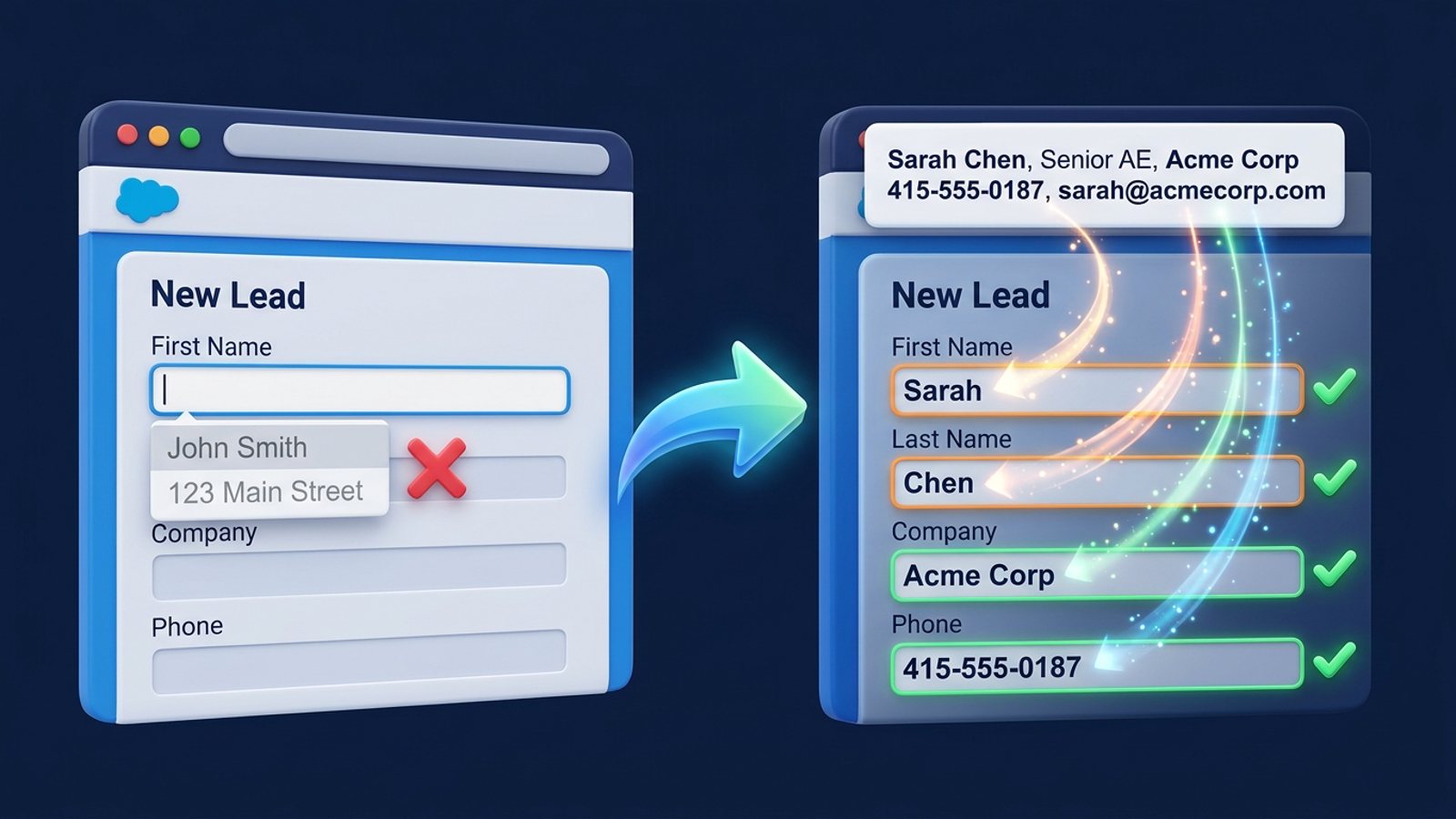
SmartFill is built for exactly this. It is a Chrome extension that uses AI to automatically populate Salesforce forms from any pasted text. You copy the lead details — even if messy — click the SmartFill icon, and watch the Salesforce form fill automatically.
- Messy data in, clean record out. It handles unstructured data like email signatures and LinkedIn bios.
- No setup. No field labelling, no configuration, no sign-up.
- Any Salesforce object. The owner confirms it fills everything — leads, contacts, accounts, custom objects.
- Unlimited fields. There is no cap on how many fields it fills at once.
- Classic or Lightning. Anything that works from a Chrome browser, since it is a Chrome extension.
Do Magical or FillApp store my lead data?
Both store something. FillApp's privacy policy (updated 11 October 2026) says saved snippets are kept until deleted or one year of account inactivity, and that its "learns from its actions" wording refers only to UI interaction patterns — not to using submitted personal data or form content to learn.
Magical's Chrome listing discloses handling of PII, location, web history and website content, and states data is not sold to third parties.
SmartFill takes a different route: text is processed in real time and not stored. The owner confirms none of the information sent to the AI is saved, so it stays private. No lead database is built.
A third-party security report on FillApp's Chrome listing (Koidex by Koi Security, 4 June 2025, v0.0.3) rated it medium risk, flagging broad all-site host permissions, an unverified publisher and collection of personal communications — while finding no evidence of data exfiltration.
Which tool should an SDR or AE actually pick?
It depends on the job. Here is the honest split, with SmartFill first as our pick of the tools we compared.
| Option | Best for | Key features | Price / free option | Watch-outs |
|---|---|---|---|---|
| SmartFill (Our pick) | Salesforce lead entry from pasted text | AI fills any Salesforce form; messy data; no setup | Free: 3 fills/day; Pro $9.99/mo | Desktop Chrome only |
| Magical | General autofill and text expansion | Transfers, text expansion, 10M+ apps | Free extension; Pro ~$10/mo (est.) | Field labelling first |
| FillApp | Broad AI browser agent | Fill, Agent, Assist modes; PDFs | 20 free credits; $14.99/mo | Credit-metered; AI may submit |
| Chrome autofill | Personal details | Passwords, addresses, cards | Free | Not for lead data |
| Copy-paste | One-off entries | Always available | Free | Slow, typo-prone |
SmartFill is made by the team behind this blog. Our pick is scoped to that comparison: of the tools we compared, SmartFill is the one built Salesforce-first, with no field labelling, no credit meter and no stored lead text.
If you mainly need text expansion across dozens of apps, Magical is the more direct choice. If you want a general AI agent that also fills PDFs and multi-step workflows, FillApp fits better — just keep it off production admin consoles, as its own notice says.
To get the Salesforce lead-entry job done, install SmartFill free and paste your first messy lead.
How do you switch from copy-pasting to one-click Salesforce entry?
Here is the real technique, whichever tool you use.
- Collect the source text. Copy the email signature, LinkedIn bio or call notes — raw, no tidying.
- Open the Salesforce Lead form. Keep it in a separate tab from your source.
- Trigger the fill. In SmartFill, click the icon and the form fills automatically.
- Check the record. Skim the fields before you save.
- Save the Lead. Done — no retyping.
If you are still weighing whether automation is worth it at all, our breakdown of whether a Salesforce form filler is worth it vs copy-pasting walks through the time math.
Sources
- Magical: Text Expander & Autofill — Chrome Web Store (updated 4 Apr 2026)
- How to Automatically Fill Forms with Zero Effort — Magical (vendor blog, no date)
- Magical Help Center: autofill forms (20 Oct 2024)
- Magical Help Center: Core plan (3 Feb 2026)
- finde.tools Magical prices (11 Jul 2026)
- Magical Review 2026 — AISO Tools (no date)
- FillApp homepage & pricing (no date)
- FillApp get-started (no date)
- FillApp Safety & Use Notice (updated 3 Sep 2025)
- FillApp Privacy Policy (updated 11 Oct 2026)
- FillApp pricing — Position Is Everything (checked 4 Oct 2026)
- Is FillApp safe? — Koidex, Koi Security (4 Jun 2025)
- FillApp in 2026 — Specifiction (no date)