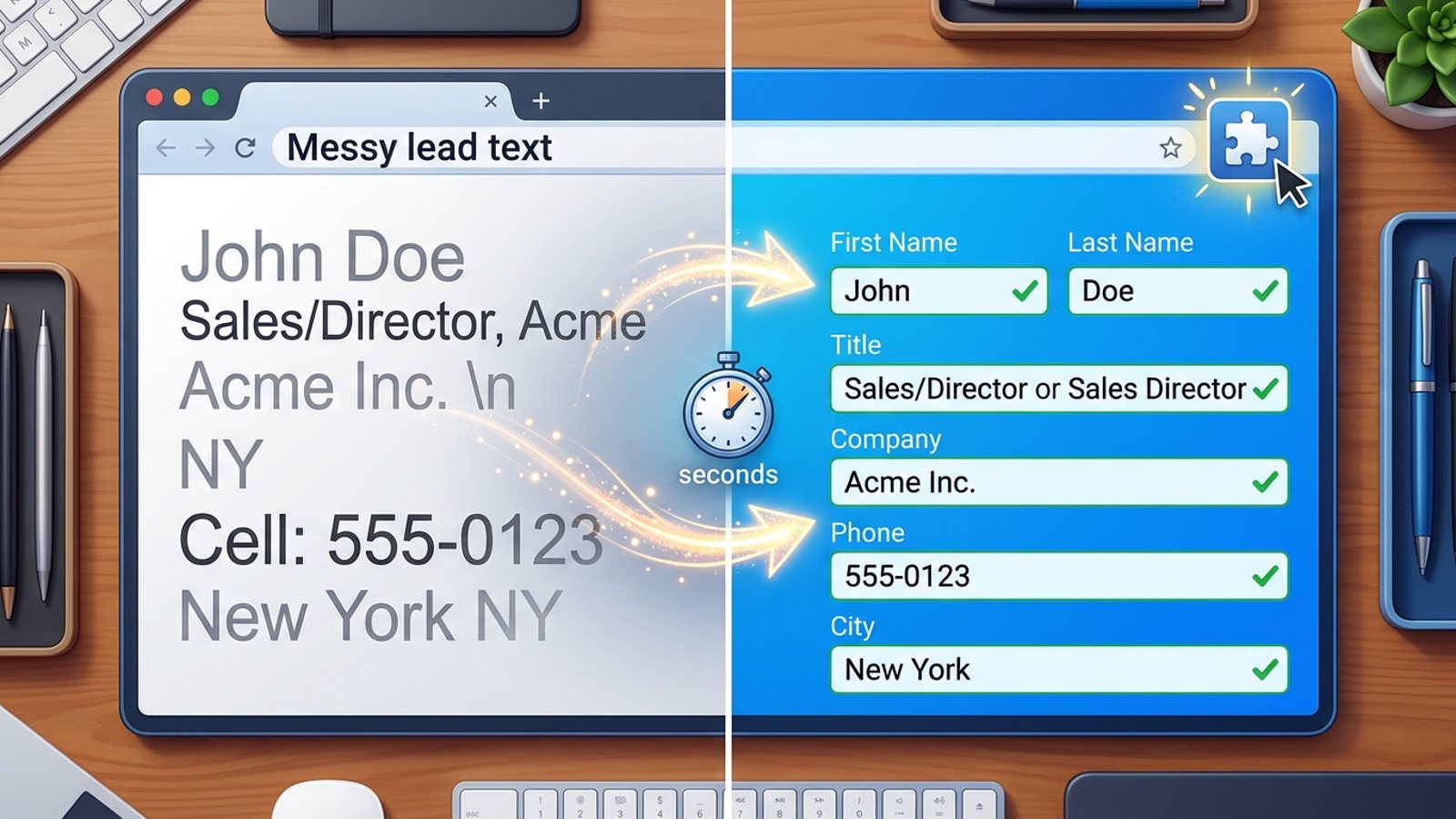
If you use FillApp for general form filling but now need Salesforce lead, contact or account forms filled from pasted text, the best fillapp alternatives salesforce buyers should compare are SmartFill (Salesforce-first AI filler), Magical (text expander plus autofill), Text Blaze (snippets) and Chrome's built-in autofill. SmartFill is the only one of these built specifically to turn messy pasted text into a filled Salesforce record.
Why look for FillApp alternatives for Salesforce in the first place?
Because FillApp is a general-purpose AI browser agent, not a Salesforce-first tool. FillApp describes itself as an "AI form filling & data entry" tool that fills web forms and PDFs, automates browser tasks, schedules repeat runs and continues in the cloud, according to its homepage. A third-party directory lists Salesforce among many example platforms it names, alongside Google Forms, HubSpot, Jotform, Airtable, Workday and others.
That breadth is the point — and also the friction. If your job is "paste this messy email signature into a Salesforce lead record, ten times before lunch," you want a tool that knows what a Salesforce form is. Our pick for that job is SmartFill, an AI form filler for Salesforce that works from any pasted text.
How do the alternatives compare side by side?
Here's the short version. SmartFill goes first because it's our product and the one built for this exact job.
| Option | Best for | Key features | Price / free option | Watch-outs |
|---|---|---|---|---|
| SmartFill (Our pick) | Pasted lead text into Salesforce | AI fills any Salesforce object; no setup; text not stored | Free: 5 fills, then 3/day; Pro $9.99/mo | Desktop Chrome only |
| FillApp | Broad browser and PDF tasks | Web + PDF forms; multi-step agent; scheduling | 20 free credits; from $0.10/credit; $14.99/mo plans | Credit-based; general-purpose |
| Magical | Repeating text and templates | Text expander + autofill across many apps | Free tier; Pro from ~$10/mo (third-party tracker) | Expands saved snippets; discloses PII collection |
| Text Blaze | Snippet templates | Text expansion, shared snippets | Free plan (5 active snippets); paid tiers | You pre-write the content |
| Chrome autofill | Your own name and address | Free, no install | Free | Built for static HTML forms |
The rest of this article explains what each row actually means for a sales rep filling Salesforce all day.
What is the best alternative to FillApp for filling Salesforce forms from pasted text?
SmartFill. It's a Chrome extension that uses AI to automatically populate Salesforce forms from any pasted text, eliminating manual copy-pasting. You copy a lead's details — even a messy email signature or LinkedIn bio — click the SmartFill icon, and the open Salesforce form fills itself.
The outcome is the point: the product facts describe turning 4-minute form fills into 3-second clicks. It works on any Salesforce object, not just leads, and it needs no setup or configuration. Install takes about 10 seconds with no sign-up.
On privacy: text is processed in real time and not stored, and no lead database is built. That matters when the text you're pasting is someone's phone number and email.
Ready to try the one built for this? Install SmartFill Free and paste your next lead.
Does FillApp work with Salesforce Lightning forms?
FillApp says it fills web forms, and a third-party directory lists Salesforce among its named example platforms — but the research doesn't confirm how it handles Salesforce Lightning specifically. What is confirmed is the general problem: Salesforce is built on Lightning Web Components, so fields are rendered and managed by JavaScript, according to a 2026 QuickForm blog post. Chrome's built-in autofill "was designed for static HTML forms," which is why generic fillers struggle there.
There's a second wrinkle. A ClosePlan guide notes that Salesforce Lightning's autocomplete attribute is ignored by lightning:input components, and using autocomplete may throw an error, likely due to LockerService. In plain terms: the browser's own autofill hooks don't behave normally inside Lightning.
So the honest answer is: test FillApp on your own Lightning org before rolling it out. If it works for your multi-step workflows, keep it. If your real need is pasted text into an open record, a Salesforce-first filler removes the guesswork.
Which alternative is cheapest for autofilling Salesforce lead and contact forms?
It depends what "cheap" means to you — free-but-manual or paid-but-automatic. Here's the price picture as of November 2026, with the caveat that prices can change.
- SmartFill: free plan with 5 fills to start, then 3 per day forever; Pro is unlimited fills for $9.99/month.
- FillApp: 20 free credits, no card required; then $0.10/credit, or $14.99/month for 500 or 1,000 credits.
- Magical: a free entry plan exists; a third-party tracker lists Pro from about $10/month (checked 12 July 2026), and the Advanced plan is quote-only with no published self-serve price as of October 2026.
- Text Blaze: a free plan launched in October 2026 with 5 active snippets; a vendor comparison page lists Individual at $3.33/month billed annually and Business at $8.33/month per user billed annually.
- Chrome autofill: free, because it's part of Chrome.
If you fill a handful of records a day, the free tiers cover you. If you're an SDR logging 40 leads before lunch, unlimited at $9.99/month is the simplest math.
Is there a free alternative to FillApp?
Yes — several, and they're free in different ways. SmartFill's free plan gives 5 fills to start and then 3 per day forever. FillApp gives 20 free credits with no card. Magical has a free entry tier. Text Blaze's free plan (launched October 2026) allows 5 active snippets, with one swap every two weeks according to MacMagazine. Chrome's autofill costs nothing at all.
The catch is what "free" buys you. Snippet tools are free because you do the thinking — you write the template, then expand it. Chrome autofill is free because it only knows your own saved details, not your prospect's. A free Salesforce-first filler is free because it's doing the parsing for you on a limited daily volume.
Do these tools store my lead data or build a database?
This is the question most buyers skip, and it's the one that matters most. The Chrome Web Store listing for Magical discloses that it handles personally identifiable information, location, web history, user activity and website content, per its listing updated 2026-04-04. That's a normal disclosure for a broad productivity tool — but it's worth reading before you paste prospect data into it.
For SmartFill, the confirmed position is that none of the information sent to the AI is saved, so it stays private, and no lead database is built. Text processed in real time, not stored.
Our recommendation: open each extension's Chrome Web Store "Privacy practices" section before installing. It takes 30 seconds and tells you more than any marketing page.
Can these tools fill custom Salesforce objects, not just leads?
For SmartFill, yes — it fills any Salesforce object, and there's no limit to how many fields it can fill at once. So a custom object with 30 fields behaves the same as a standard Lead with 12.
For the others, the research doesn't confirm custom-object behaviour. Magical works by expanding saved text into fields, so it can populate whatever field you click into, but it isn't mapping parsed data to object fields. Text Blaze is the same model. FillApp's handling of messy unstructured text into Salesforce custom objects isn't confirmed in the sources reviewed here.
If custom objects are your daily reality — and for many RevOps teams they are — that's the deciding factor.
Which tool is best for messy pasted text from LinkedIn or email?
SmartFill, because that's the specific input it was built for: messy, unstructured data like email signatures and LinkedIn bios. You don't clean the text first. You paste it as-is.
Say you run a small agency and a prospect emails: "Hi, I'm Dana from Northwind — dana@northwind.co, +1 555 0142, we're a 40-person logistics firm in Leeds." You copy that whole block, click SmartFill on an open Lead form, and the name, company, email, phone and description land in the right fields.
With snippet tools, you'd need to have pre-written a template — which doesn't help, because the content changes every time. With Chrome autofill, it fills your details, not Dana's.
The real test of a Salesforce filler isn't how it handles clean data — it's what it does with the messy paste you'd otherwise retype by hand.
How do I switch from FillApp without losing my workflow?
Switch in four steps, and keep FillApp until the new tool has proven itself.
- Audit what you actually fill. List whether your forms are public web forms, multi-step browser workflows, or existing Salesforce records. Only the third one needs a Salesforce-first filler.
- Install SmartFill and test on a real record. Open Salesforce and your source text in separate tabs, copy the lead details, click the SmartFill icon. Watch the form fill.
- Compare privacy disclosures. Read both extensions' Chrome Web Store privacy sections side by side.
- Run a week in parallel. Keep FillApp for your cross-site workflows if you still need them; use SmartFill for Salesforce records. Then decide.
If you mainly need multi-step automation across many websites and PDFs, FillApp is the more direct choice — its Agent Mode and MCP connection for ChatGPT and Claude are genuinely broader than a single-purpose filler. If you mainly need Salesforce records filled from pasted text, SmartFill is the tighter fit.
SmartFill is made by the team behind this blog. It's desktop Chrome only, so if your team works on mobile or another browser, plan around that.
Sources
- FillApp homepage
- FillApp Chrome Web Store listing
- Magical Chrome Web Store listing (updated 2026-04-04)
- Magical auto form filler page
- QuickForm — How to autofill Salesforce records in Chrome (2026-06-09)
- ClosePlan — Browser Autocomplete / AutoFill Issue
- TextExpander free plan coverage (9to5Mac, 2026-10-07)
- MacMagazine — TextExpander free plan (2026-10-08)
- Text-expander Chrome comparison (blaze.today vendor page)
- Magical pricing tracker (finde.tools, 2026-07-11)
- Magical vs Text Blaze vs Clipboard History Pro (Clipboard History Pro)
- FillApp review (Position Is Everything)
- FillApp overview (Specifiction)
- FillApp alternatives (aitoolcompass.net)