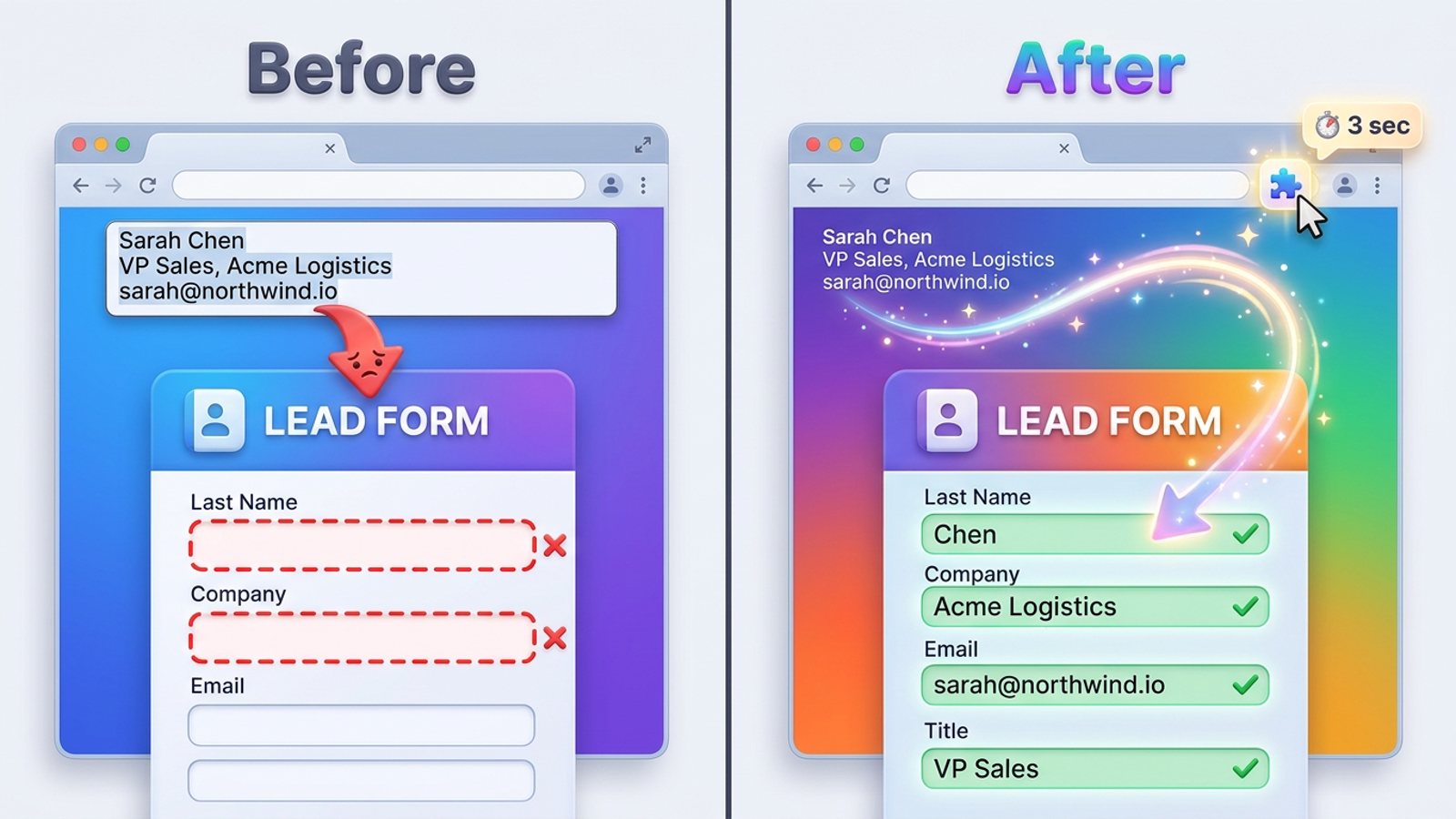
There isn't one best AI Salesforce lead field filler — there are five tool categories worth weighing, and they do different jobs. For pasting messy lead text straight into an open Salesforce form, SmartFill is the narrowest and fastest fit: any Salesforce form, unlimited fields, nothing stored. The other four — native Flow, enrichment platforms, Zapier/Make, and sales engagement suites — route, enrich or sequence data rather than fill the form in front of you.
If you're staring at an open Lead record with an email signature in the other tab, the fastest route is an AI form filler for Salesforce that reads the text and populates the fields for you.
What are the top 5 AI tools for filling Salesforce lead fields?
Ranked by the job a RevOps lead actually needs done, the five categories are: SmartFill (browser form filler), native Salesforce Flow and Web-to-Lead, AI enrichment platforms like Clay and ZoomInfo, automation builders Zapier and Make, and sales engagement suites Outreach and Salesloft. Each wins on a different bottleneck — pick by the problem in front of you, not by feature count.
Here's the comparison, with SmartFill first because it's the tool this blog is built around.
| Option | Best for | Key features | Price / free option | Watch-outs |
|---|---|---|---|---|
| SmartFill (Our pick) | Pasting messy text into an open form | Any Salesforce form, unlimited fields, no setup | Free: 5 fills, then 3/day; Pro $9.99/mo | Desktop Chrome only |
| Salesforce Flow & Web-to-Lead | Keeping everything inside Salesforce | Declarative automation, website lead capture | Included with Salesforce editions | Setup work; duplicate rules can block submissions |
| Clay, ZoomInfo, Lusha | Filling gaps in your data | Enrichment, org charts, intent signals | Clearbit via HubSpot credits from ~$45/mo; Lusha from $49.90/mo | Fills from a database, not your text |
| Zapier & Make | Moving leads between apps | 7,000+ integrations (Zapier), visual builder (Make) | Zapier free 100 tasks/mo; Make free 1,000 ops/mo | Billed per task/operation |
| Outreach & Salesloft | Sequencing and engagement at scale | Cadences, dialers, deep Salesforce sync | Quote-based, roughly $100–$165/user/mo | 10-seat minimums typical |
SmartFill is made by the team behind this blog.
Our pick, of the tools we compared, is SmartFill for the narrow job this article is about: a rep with lead details in hand and a Salesforce form open. It fills any Salesforce form — Leads, Contacts, Cases, custom objects — from text as messy as an email signature or a LinkedIn blurb, with no configuration. It does not enrich, sync or sequence anything, and it doesn't pretend to.
Which tool actually fills the Salesforce form you're looking at?
Only a browser form filler does. Enrichment platforms, automation builders and engagement suites all operate on data behind the scenes; they don't sit in an open Salesforce record and populate the fields on screen. If your bottleneck is "the lead details are in this paragraph and the form is blank," you need the form-filler category.
That distinction matters more than any feature list. A RevOps lead comparing an AI Salesforce lead field filler against Zapier is comparing a pen to a conveyor belt — both move data, but only one works on the page in front of you.
How does SmartFill fill Salesforce lead fields from messy text?
SmartFill reads any pasted text and maps it to the Salesforce fields on your screen. You copy the messy source — a signature block, a bio, a dashed-off paragraph — click the extension icon, and the form fills. There's no field mapping to configure and no template to build.
The technique underneath is worth learning even if you never install anything: give the tool the raw text, not a cleaned-up version. Signatures, email footers and LinkedIn blurbs carry name, title, company, email and phone in inconsistent order — that inconsistency is exactly what trips up manual copy-pasting and what AI parsing handles well.
- Install the extension — one click, no sign-up.
- Open Salesforce and your source text in separate tabs.
- Copy the lead text, messy is fine.
- Click the SmartFill icon and watch the form populate.
- Review the values before saving — the same review step established tools like Bullhorn's Amplify require.
- Confirm Last Name and Company are present, since Salesforce requires both.
You can install SmartFill free and test it on one real lead before deciding anything.
What do AI enrichment platforms do that a form filler doesn't?
They fill gaps in data you don't have — firmographics, direct dials, org charts, funding signals — rather than populating a form from text you already possess. That's a different job, and a valuable one, but it isn't form filling.
Clay's own 2026 data-enrichment guide notes that Clearbit is now sold only as HubSpot Breeze Intelligence credit packs on top of a paid HubSpot plan, with credits from around $45/month annual for 100 credits. The same guide lists Hunter as affordable email finding from $34/month annual. Lusha's plans, per a Salesmotion vendor comparison (2026), run from a free tier of 40 credits/month up to $399.90/month on annual billing. ZoomInfo is positioned for enterprise sales intelligence — org charts, direct dials, buyer-intent signals — in vendor content from Feedly (2026).
If you mainly need to enrich a list of accounts before a campaign, Clay or ZoomInfo is the more direct choice. If you need the form in front of you filled from a paragraph, they aren't built for that.
Are Zapier and Make good for filling Salesforce lead fields?
They're excellent at moving a lead from one system to another, and poor at filling a form a human is looking at. Zapier's free plan allows 100 tasks/month with two-step Zaps and Professional runs from US$19.99/month billed annually; Make's free plan allows 1,000 operations/month with Core from US$9/month (third-party comparisons, 2026).
The cost trap is volume. Make counts each module execution as an operation, so a seven-step scenario processing 1,000 leads counts as 7,000 operations — and on Zapier the same workflow counts as 7,000 tasks, per 4Spot Consulting (2026). Budget that before you commit.
If you mainly need to connect a web form or another app to Salesforce automatically, Zapier is the more direct choice — its app library is its strongest point.
Do sales engagement suites fill lead fields?
No — they sequence outreach and log activity, and they do it well at scale. Outreach runs four custom-quoted Amplify packages with no public prices (The AI Agent Index, 2026). One comparison reports both Outreach and Salesloft as quote-based with annual contracts, roughly $100–$165/user/month for Outreach and $125–$165/user/month for Salesloft, with 10-seat minimums typical and minimum annual spend around $12K–$15K for small teams (BounceZero, 2026).
Salesloft is rated best-in-class for Salesforce integration in one comparison (Salesmotion, 2026) and now bundles Clari forecasting after the 2025 merger. If you mainly need cadences and engagement tracking, Salesloft or Outreach is the more direct choice.
What about native Salesforce Flow and Web-to-Lead?
They keep everything inside Salesforce, which is their whole appeal. Web-to-Lead creates leads from website forms and supports custom fields added via Setup (Salesforce Help, 2026). Record-Triggered Flow is described as Salesforce's recommended declarative automation tool, configured by trigger object, timing and conditions (Volcengine, 2026).
The catches are real. Web-to-Lead submissions can be blocked by duplicate rules set to "Allow and Alert," returning an error to the submitter (Salesforce Help, 2026). And unmapped custom fields lose their data on lead conversion (Salesforce Dictionary, 2026). If you mainly need website lead capture without a third party, Web-to-Lead is the more direct choice.
Which is cheapest for a sales team?
For pure form filling, a browser extension wins by a wide margin. SmartFill's Pro plan is $9.99/month as of November 2026, and prices can change — against roughly $100+ per user per month for engagement suites and per-task billing for automation builders. The free tiers make the comparison easy to test.
Our recommendation: run one week with the free tier of whatever you're considering, count the leads you actually log, and price that against the per-task or per-seat math. The tool that fits your bottleneck usually turns out to be the cheapest one too.
Ready to stop copy-pasting? Install SmartFill Free and fill your next Salesforce lead in seconds.
Sources
- The Salesforce Trainers, Launchpad Lesson 11 Lead Setup (2026-09-20)
- Salesforce Developers, Lead field reference
- Salesforce Help 000385435 (2026-09-21)
- Salesforce Help 000387310 (2026-06-19)
- Formstack, Generate Forms for Salesforce Prefill URLs using Flow (2026-02-26)
- 火山引擎 (Volcengine), 2026-09-24
- Salesforce Dictionary, How to Convert (2026-05-19)
- Clay, The Best Data Enrichment Tools in 2026 (2026-05-23)
- Salesmotion, Best Data Enrichment Tools for B2B Sales in 2026 (2026-02-18)
- The AI Agent Index, Outreach vs Salesloft (2026-03-20)
- needaiforthis.com, Make vs Zapier (2026-06-09)
- saaskool.com, How to Connect Wix to Salesforce (2026-07-27)
- 4Spot Consulting, Make.com vs. Zapier (2026-05-25)
- mrjcarrazco.github.io, Best Automation Tool for Lead Generation (2026-09-12)
- BounceZero, Outreach vs Salesloft 2026 (2026-07-12)
- Salesmotion, Outreach vs Salesloft vs Salesmotion Compared (2026-02-16)
- SmartReach.io, Outreach vs Salesloft (2026-08-12)
- Bullhorn Knowledge Base, Amplify Enrich From Notes
- Chrome for Developers, Chrome Web Store user-data FAQ
- Feedly AI discovery page, vendor content (2026-09-26)