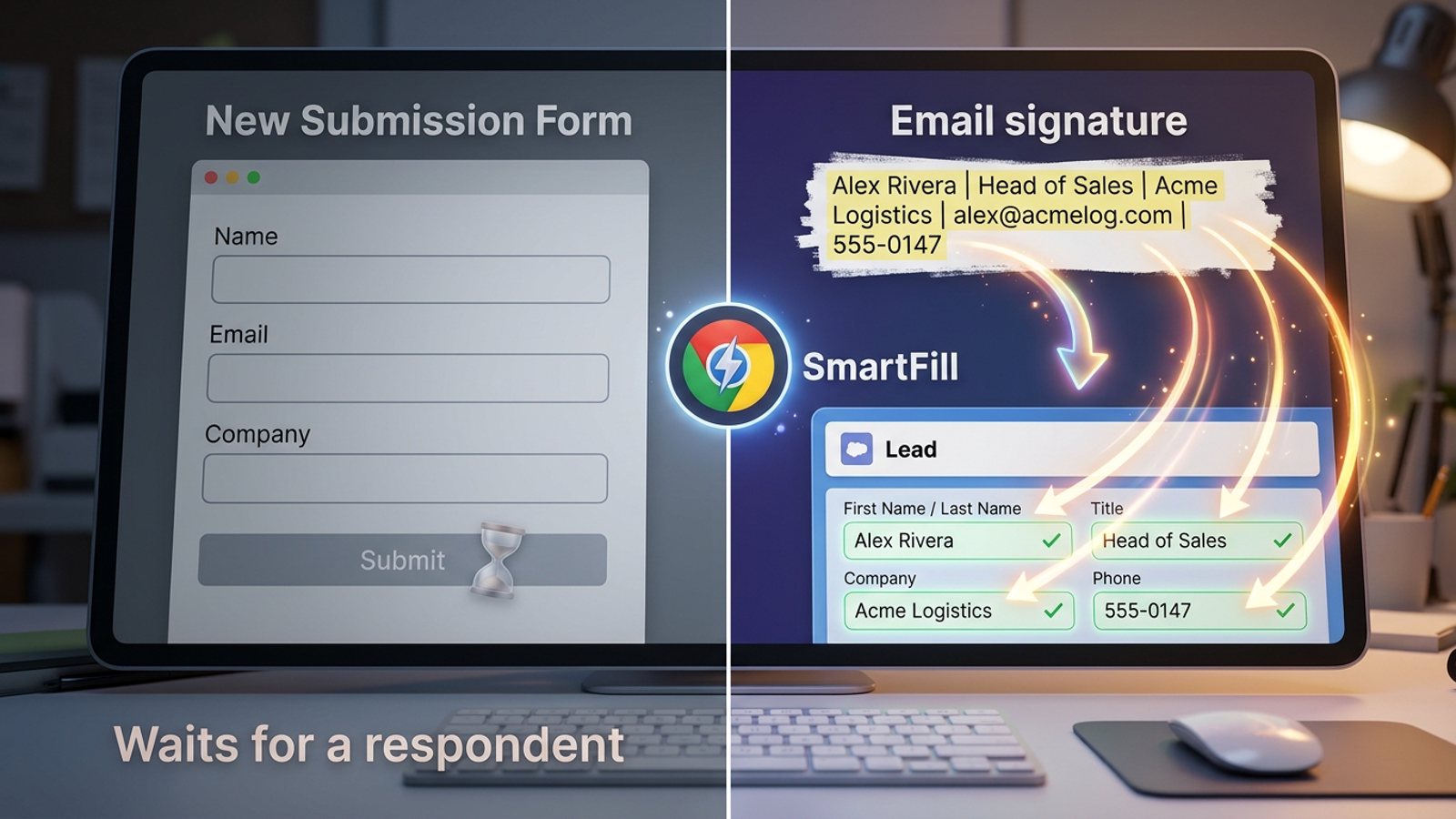
If you already have the lead data as text — an email signature, a LinkedIn bio, call notes — the best Salesforce data entry tool for account executives is an AI form filler that types it into the record you have open. SmartFill does that in your browser: paste the text, the form fills. Manual entry, Web-to-Lead, Formstack and Data Loader each solve a different job.
Install SmartFill Free and turn your next four-minute form fill into a three-second click.
How much time do account executives actually lose to Salesforce data entry?
Salesforce's own 2026 State of Sales report, a survey of 4,050 sales professionals in 22 countries, puts data entry and admin at about 13% of the workweek — roughly 5.2 hours of a 40-hour week — while reps spend 22% of the week meeting customers, as reported by Spiich in September 2026.
Other sources put the number higher. A secondary aggregator states Salesforce's 2025 figure as about 5.5–6 hours per rep per week (Lighthouse, October 2026). A vendor blog quoting survey data claims 71% of reps spend 5+ hours a week on manual CRM entry, with 19% losing 8–10 hours (Granola, April 2026), and another vendor blog puts admin and data entry at around 14 hours a week per rep (dassi, April 2026). Those second-hand figures conflict with Salesforce's own reported share, so treat the range as roughly 5 to 14 hours a week depending on who you ask.
The same Spiich piece cites a 2026 Gartner survey of 210 sales leaders finding AI was saving sellers 4.8 hours a week — but 72% of organisations reported low reinvestment of that time into higher-value work.
The cost of a Salesforce data entry tool isn't the licence fee — it's the repeat. Every lead you type by hand is a call you didn't make.
What makes a Salesforce data entry tool good for an account executive?
The first question is whether the tool types into the record you already have open. An AE's day is a lead from an email, a contact from a LinkedIn profile, a call note from a notebook — not a CSV of 5,000 rows. A tool built for bulk imports or website forms solves a different problem.
The second is how much it asks of you before it works. Anything that needs a mapping step, a template library or an admin ticket is time you don't get back.
The third is what happens to the data. Prospect data is sensitive, so it matters whether a tool builds its own lead database or processes text and moves on.
Our recommendation: judge every option against those three, not against a feature list.
What is the best Salesforce data entry tool for account executives?
Of the tools we compared, SmartFill is our pick for the record-in-front-of-you job. It's a Chrome extension that uses AI to fill Salesforce forms from any pasted text — you copy the messy source (email signature, LinkedIn blurb, call notes, business card scan), click the icon, and the form fills. No setup, no configuration, no learning curve.
It handles all types of Salesforce forms — Leads, Contacts, Accounts, Opportunities, Cases and custom objects, with no limit on how many fields it fills at once. Text is processed in real time and not stored, and no lead database is built, which is what makes it a secure and private option for prospect data. It works on other forms too, but Salesforce is the focus.
Pricing, as of November 2026 and subject to change: free gives you 5 fills to start, then 3 per day forever; Pro is unlimited fills at $9.99/month. It's desktop only, since it's a Chrome extension.
The honest limit: if your job is bulk-loading a spreadsheet or publishing a new intake form, this isn't the tool for that — the options below are.
Install SmartFill Free — the free plan needs no sign-up.
How do the other Salesforce data entry options compare?
Here's how the alternatives stack up for an AE's actual work, with the product first.
| Option | Best for | Key features | Price / free option | Watch-outs |
|---|---|---|---|---|
| SmartFill (Our pick) | Typing up the record you have open | Paste any text, AI fills the form | Free: 5 fills, then 3/day; Pro $9.99/mo | Desktop Chrome only |
| Manual copy-paste | One-off or judgement-heavy records | Full control, native UI | No licence cost | Slowest path; every field by hand |
| Formstack for Salesforce | Publishing new intake forms | Native forms, prefill, eSignature | From $83/mo billed annually | Form builder, not an open-record filler |
| Data Import Wizard / Data Loader | Bulk loads | Up to 50k / 150M records | Included with Salesforce | Needs a CSV and a mapping step |
| Web-to-Lead | New leads from a website | Native, automatic lead creation | Included with Salesforce | Only new form submissions |
Manual copy-paste entry
Free, and it's the default Salesforce UI. Salesforce admins can shorten the trip with Global Actions and Quick Actions, which let a rep create a record or log a call from wherever they're working, with field prefilling (SF Admin Guide, August 2026; 501 Commons, undated). But it's still the slowest path — the one the time figures above are measuring — and nothing parses messy text for you. If you mainly need zero cost and full control, this is the more direct choice.
Formstack for Salesforce
A form builder for teams that need to publish new forms and route submissions into Salesforce. The native Forms for Salesforce version builds forms inside the org from the Salesforce data model, with dynamic prefill, document generation and eSignature (Formstack Help Center, September 2025). Formstack's own sales claim is that Forms for Salesforce saves teams "an average of 20 hours per week" — that's vendor marketing, not measured data. Pricing as of November 2026: Forms from $83/month billed annually ($99 monthly), Suite $250/month annually, Salesforce Solutions custom-priced, 14-day free trial; prices can change. Third-party reviews cite cost at scale and a learning curve (Titan DXP, December 2025). If you mainly need new intake forms, Formstack is the more direct choice.
Data Import Wizard and Data Loader
Salesforce's own bulk tools. Data Import Wizard handles Account, Contact, Lead, Solution and custom objects up to 50,000 records per import with guided field mapping; Data Loader handles any object type up to 150 million records and can be scheduled via CLI (Salesforce Trailhead, undated). Both require a CSV and a mapping step (RavenApps, September 2026), and the wizard can't do multi-step relationship imports (GitHub study notes, October 2025). If your job is loading thousands of records, this is the right tool — it just isn't built for one lead from a messy email.
Web-to-Lead
Included with Salesforce and automatic for brand-new leads from a website form. It creates a new lead from a new submission — it doesn't type into a record you already have open, so it won't help with a lead that arrived by email, LinkedIn or a call.
SmartFill is made by the team behind this blog.
Can AI really fill Salesforce forms from messy data?
Yes — that's the specific problem AI form fillers solve. An email signature like "Priya Raman | Head of Ops, Northwind Logistics | +44 7700 900123 | priya@northwind.example" is not a spreadsheet row. It has no field labels, inconsistent punctuation and a phone format your Salesforce picklist may not expect.
An AI form filler reads that text and maps each piece to the right field: name, title, company, phone, email. You check the mapping against the source — especially picklists, phone formats and owner fields — and save. That's the whole technique, whether or not you use a tool.
For a deeper look at the AI route, see what the best AI Salesforce form filler for account executives looks like.
How do you fill a Salesforce form from pasted text in under a minute?
- Copy the messy source text — the email signature, LinkedIn bio, call notes or business card scan.
- Open the Salesforce record (Lead, Contact, Opportunity, Case or custom object) and click New or Edit so the form is on screen.
- Paste the text into the filler — with SmartFill, click the extension icon and let the AI map it to fields.
- Check the mapped fields against the source, especially picklists, phone formats and owner fields.
- Save the record.
That's the loop that turns a four-minute form fill into a three-second click. For many records at once, switch to Data Import Wizard or Data Loader; for brand-new leads from a website, use Web-to-Lead or a form builder.
What about text expanders and other browser autofill tools?
Text expanders like Magical work across a huge range of apps and sites — its listing claims 950,000 users and 100,000+ companies, and it markets "zero technical skills or training" with a free Chrome extension and a "Fill Form" box that pulls from a form on another tab (Microsoft Edge Add-ons, April 2026; Magical vendor page, undated). If you mainly need shortcuts and snippets across many apps, Magical is the more direct choice. It isn't built Salesforce-first.
FillGenius is an AI Chrome extension that stores your data once and fills any web form in one click, aimed at CRMs, listings and support tickets (Chrome Web Store, undated). AutoFormAI fills forms from a personal information library built from resumes, emails or notes, stores data on-device and needs no setup (Chrome Web Store, November 2025) — a third-party security scan flags broad host permissions and identity permissions as medium-severity risks (Koidex, November 2024). For a side-by-side of two of these, see Magical vs FillApp for Salesforce lead entry.
If you're weighing a filler against typing it all yourself, is a Salesforce form filler worth it vs copy-pasting lead data? breaks down the trade-off.
Install SmartFill Free and stop typing leads by hand.
Sources
- Why Sales Reps Don't Update the CRM (Spiich, 2026-09-26)
- Weekly CRM data entry hours for sales reps (Lighthouse, 2026-10-02)
- The true cost of manual sales notes (Granola, vendor blog, 2026-04-30)
- Your Reps Aren't Selling. They're Filling Out Salesforce. (dassi, vendor blog, 2026-04-25)
- Salesforce Trailhead — Data Import module (undated)
- Salesforce Administrator study notes 03 – Data Management (GitHub, 2025-10-13)
- How to Import Data into Salesforce from Excel Without Data Loader (RavenApps, vendor blog, 2026-09-24)
- Uploading (Salesforce Dictionary, 2026-05-18)
- Streamlining Work with Global Actions and Quick Actions (SF Admin Guide, 2026-08-01)
- Setting Up & Using Salesforce Lightning for Outlook (501 Commons, undated)
- Valorx Wave for Salesforce (Chrome Web Store, updated 2026-11-21)
- Magical: Text Expander & Autofill (Microsoft Edge Add-ons, 2026-04-07)
- Auto Form Filler (Magical vendor page, undated)
- FillGenius (Chrome Web Store, undated)
- AutoFormAI (Chrome Web Store, 2025-11-15)
- AutoFormAI security report (Koidex, 2024-11-13)
- Formstack Pricing (undated)
- Formstack and Forms for Salesforce Comparative Guide (Formstack Help Center, 2025-09-09)
- Formstack for Salesforce product page (undated)
- Titan DXP review of Formstack (2025-12-16)