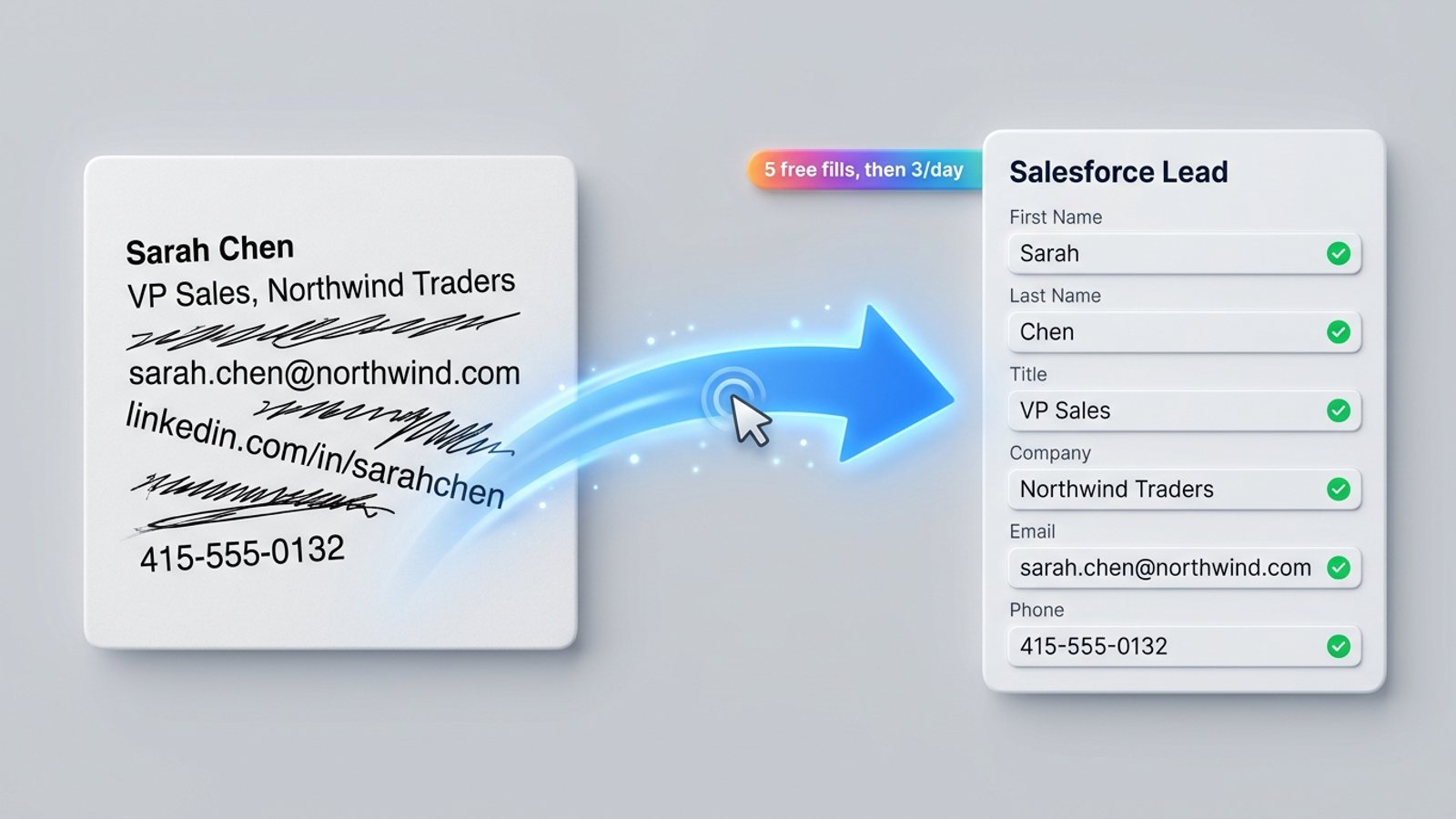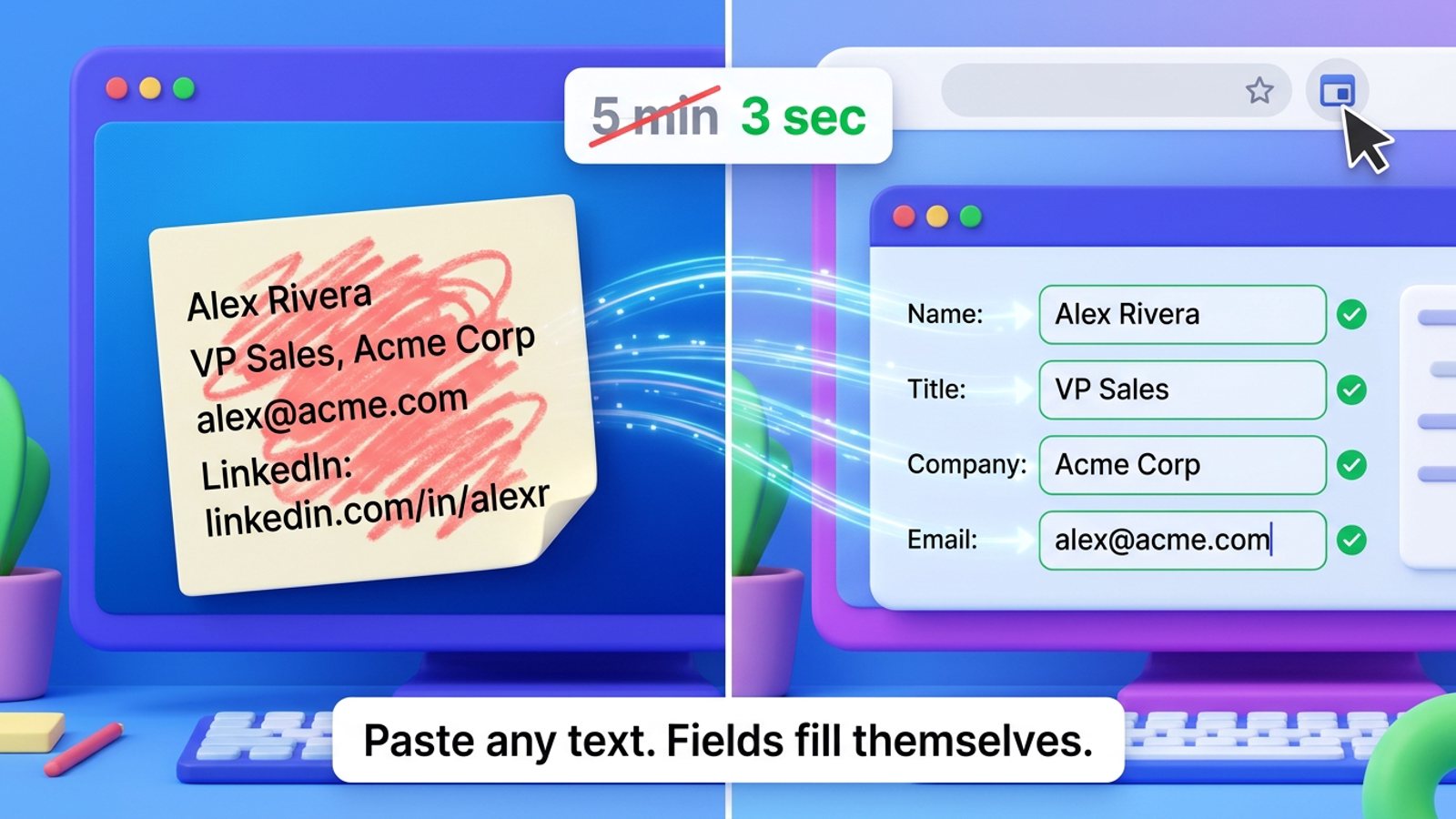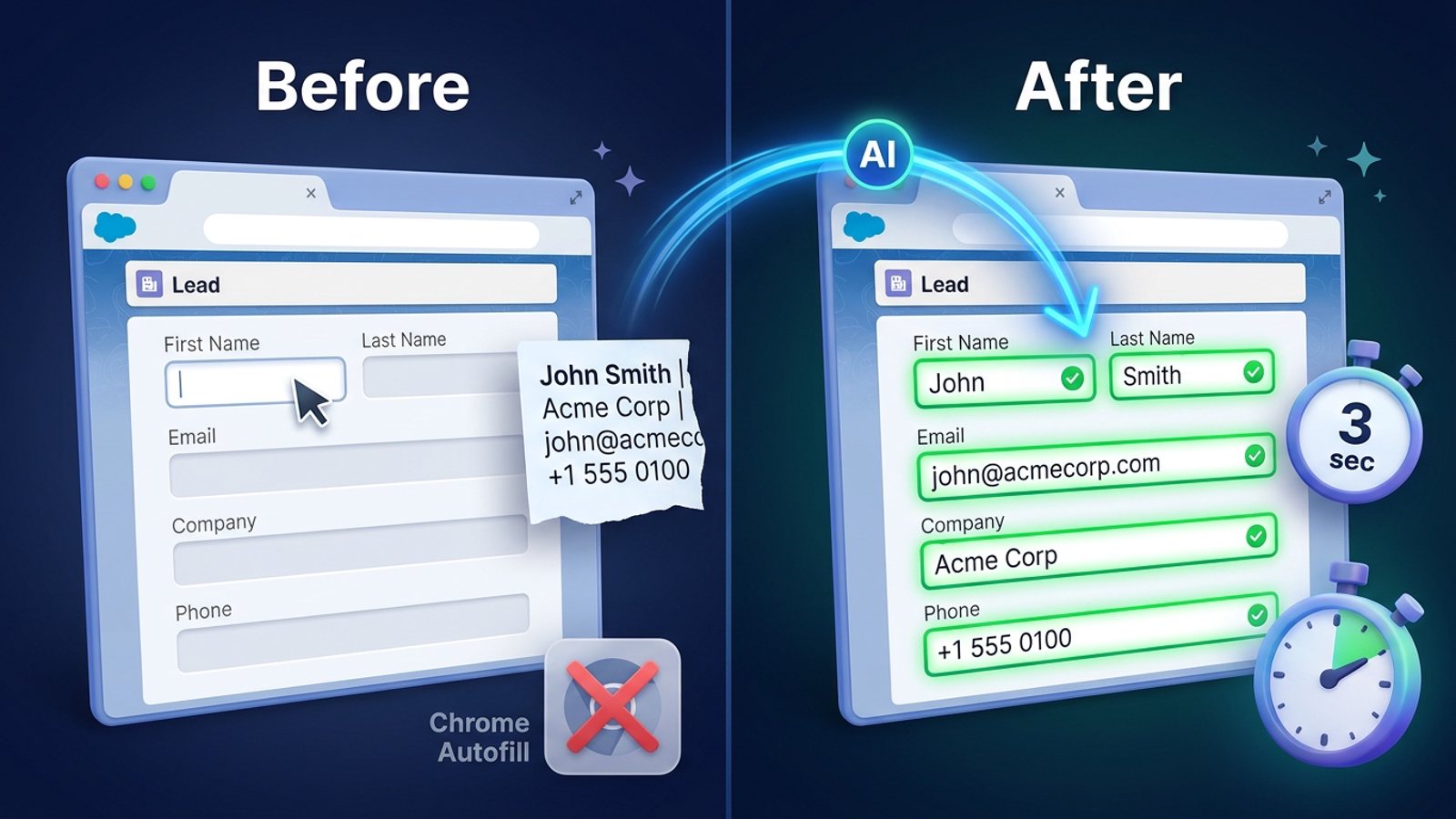
There is no single best Salesforce autofill extension in 2026 — the right pick depends on where your lead data lives. If leads arrive as messy text (email signatures, LinkedIn bios, call notes) and you want them typed straight into the Salesforce form already open on screen, an AI filler built for Salesforce is the shortest path. If your data is already saved as snippets, a text expander replays it.
Install SmartFill Free and turn your next pasted email signature into a filled Salesforce record in seconds.
Why doesn't Chrome autofill work properly in Salesforce?
Because Chrome's autofill was designed for static HTML forms, while Salesforce Lightning renders its fields through JavaScript that Chrome's autofill scanner was never built to handle. A QuickForm vendor blog post from June 2026 puts the cost plainly: a 10–30-field workflow still takes 5–10 minutes even with saved data.
Salesforce's own documentation confirms the browser controls this behaviour, not Salesforce. A Salesforce Help article published in November 2024 says browser autofill can appear in any field type, including text, email and phone. A later Salesforce Help article, published in January 2026, says Salesforce generally suppresses standard browser autocomplete on text input fields in internal record layouts — a deliberate choice for data-integrity reasons.
So the field stays empty and the rep types it. That's the gap every extension on this list is trying to close, in a different way.
What are the top 5 Salesforce autofill extensions for sales teams in 2026?
Here they are, with our pick first because it targets the most common source of lead data in 2026: unstructured text.
1. SmartFill — Our pick for messy, unstructured lead text
SmartFill is a Chrome extension that uses AI to populate Salesforce forms from any pasted text. You copy a lead's details — an email signature, a LinkedIn bio, a block of call notes — click the SmartFill icon, and the open Salesforce form fills itself.
It handles the messy part without manual parsing, needs no setup or configuration, and installs in about 10 seconds with no sign-up. Text is processed in real time and not stored, and no lead database is built. It fills any Salesforce object — leads, contacts, accounts, custom objects — and any field count. Its honest limit: it's desktop only, as a Chrome extension.
Pricing: free plan gives 5 fills to start, then 3 per day forever; Pro is unlimited fills for $9.99/month as of November 2026, and prices can change.
2. Magical — best for saved snippets and templates
Magical is a text expander and autofill app. Its Chrome Web Store listing (updated April 2026) says it works on "10,000,000+ apps" including Salesforce, doesn't rely on integrations, APIs or workflow builders, and positions itself for sales prospecting — autofilling lead contact info, tags and records into the CRM. The same listing shows a 3.1 average from about 3.5K ratings.
Watch-outs: it replays saved snippets and templates rather than parsing a block of unstructured text, and its privacy disclosure lists handling of personally identifiable information, location, web history, user activity and website content. Its plans and prices weren't verifiable from a Magical-owned page in this material — check the current price on Magical's site.
3. Lightning Autofill — best for identical, repeatable form fills
Lightning Autofill is rule-based. Its own documentation (September 2026) says plainly that it "does not magically autofill form fields for you" — you define rules using regex, CSS selectors or XPath, plus JavaScript automation and text snippets.
The free plan allows 10 profile executions per day, reset daily at local midnight; Plus adds unlimited executions and Google Sheets cloud sync; Pro adds JavaScript rules and variables. The vendor moved from free to freemium with its Manifest V3 migration after 14 years free, citing running costs. Exact paid prices need checking on its own pricing page.
4. Text Blaze — best for sales messaging and template-heavy teams
Text Blaze saves reusable text as snippets, assigns each a shortcut, and inserts them in Chrome; it lists Salesforce among supported sites. Its plans page lists Free $0 (limited snippets), Pro $2.99/month billed yearly ($3.49 monthly), Business $6.99/user/month billed yearly ($8.39 monthly) and Enterprise custom. Its sales page cites 700,000+ users.
Watch-outs: the snippet model means someone has to write and maintain the templates first, there's no mobile app, and the free tier is deliberately limited — a third-party review describes it as up to 20 basic snippets.
5. Chrome built-in autofill — best for nothing Salesforce-specific, but free
Chrome's own autofill is free and needs no install, and it's fine for personal details on simple static forms. For Salesforce it's the weakest option on this list, for the reasons in the first section: Lightning's JavaScript-rendered fields and Salesforce's suppression of browser autocomplete on record layouts.
How do the 5 options compare?
| Option | Best for | Key features | Price / free option | Watch-outs |
|---|---|---|---|---|
| SmartFill (Our pick) | Messy pasted text | AI fills any Salesforce form | Free: 3 fills/day; Pro $9.99/mo | Desktop Chrome only |
| Magical | Saved snippets | Text expansion + CRM autofill | Check vendor site | Replays templates, not parsing |
| Lightning Autofill | Fixed, repeatable forms | Rule-based, JS automation | Free: 10 runs/day | Needs rules set up |
| Text Blaze | Sales templates | Snippets with shortcuts | Free tier; Pro $2.99/mo yearly | Templates must be written |
| Chrome autofill | Simple static forms | Built into Chrome | Free | Weak on Lightning fields |
Prices as of November 2026 and can change. SmartFill is made by the team behind this blog.
If you mainly need to replay the same saved values into the same form every day, Lightning Autofill or Text Blaze is the more direct choice. If you mainly need to turn a pasted block of lead text into a filled record, AI form filler for Salesforce is what SmartFill was built for.
Can you create Salesforce leads without any extension at all?
Yes — Salesforce offers several native routes. Leads can be created by manual entry in the UI, Web-to-Lead forms, the Data Import Wizard or Data Loader, or API integrations, according to a 2025 Prezi presentation transcript on lead management in Sales Cloud.
Web-to-Lead turns website visitors into leads: a visitor fills a form on your site and Salesforce creates the lead. Flow Builder's sample library includes "create a record using an online form", a screen flow that collects details and then creates the record, and its screen components support repeated input rows.
The catch is that neither types into a record already open on screen. And a FormAssembly vendor blog post from 2023 notes Web-to-Lead caps at 500 submissions per 24 hours, has no field validation and no deduplication, and only writes to the Lead object. Microsoft's May 2025 setup note adds that the Marketplace Web-to-Lead route doesn't support prepopulated picklists such as Country/Region.
How do you vet a Salesforce autofill extension before installing it?
Start with the privacy disclosure and the permission request, before anything else. A Valo.ai vendor blog post from March 2025 warns that browser extensions can read all data on a Salesforce page and can interact with the Salesforce UI on the user's behalf — possibly invisibly — and that some connect to the org via a Connected App and acquire an OAuth token to call the Salesforce API as the user.
The same post notes that many Salesforce-related Chrome extensions come from individual community developers with little public evidence of security testing, vulnerability management, privacy policies or certification, and that extensions can be bought and have code injected, or re-uploaded as trojanized copies. Chrome Web Store policy requires extensions to collect and use only the data needed for their disclosed single purpose.
Our recommendation: pilot with two or three reps on Lead and one custom object, measure time per record before and after, then roll out. Use the 5–10 minute multi-field baseline from QuickForm as your starting point.
"The right Salesforce autofill extension is the one that matches where your lead data already lives — not the one with the longest feature list."
Which of these works on custom objects and every Salesforce form type?
For SmartFill, the owner confirms it fills every Salesforce object — leads, contacts, accounts, custom objects — with no limit on how many fields it fills at once, and it works from any Chrome browser, whether your org runs Salesforce Classic or Lightning.
For the other tools, check each vendor's own documentation — this material doesn't confirm custom-object coverage for Magical, Lightning Autofill or Text Blaze, so don't assume it.
Sources
- Best Chrome Extension to Autofill Salesforce Forms (QuickForm, 2026-06-09)
- Disable Browser Autofill / Auto-Completion for Fields in Salesforce (Salesforce Help, 2024-11-13)
- Browser autocomplete suppressed on record layouts (Salesforce Help, 2026-01-28/29)
- Flow Builder sample library (Salesforce Help, 2026-11-05)
- Salesforce forms overview (FormAssembly, 2023-11-18)
- Lead management in Sales Cloud (Prezi, 2025-04-25)
- Web-to-Lead guide (Salesforce, undated)
- Configure Web-to-Lead (Microsoft Learn, 2025-05-27)
- The Hidden Security Risks of Salesforce Admin Chrome Extensions (Valo.ai, 2025-03-07)
- Chrome Web Store program policies (Chrome for Developers, undated)
- Magical: Text Expander & Autofill (Chrome Web Store, updated 2026-04-03/04)
- Lightning Autofill quickstart (Lightning Autofill Docs, 2026-09-17)
- Freemium notice (Lightning Autofill Docs, 2026-09-17)
- Lightning Autofill (Chrome Web Store, undated)
- Text Blaze plans (Text Blaze, undated)
- Sales outreach (Text Blaze, undated)
- Text Blaze review (MEFMobile, undated)
- Text Blaze review (ToolChase, 2026-04-15)