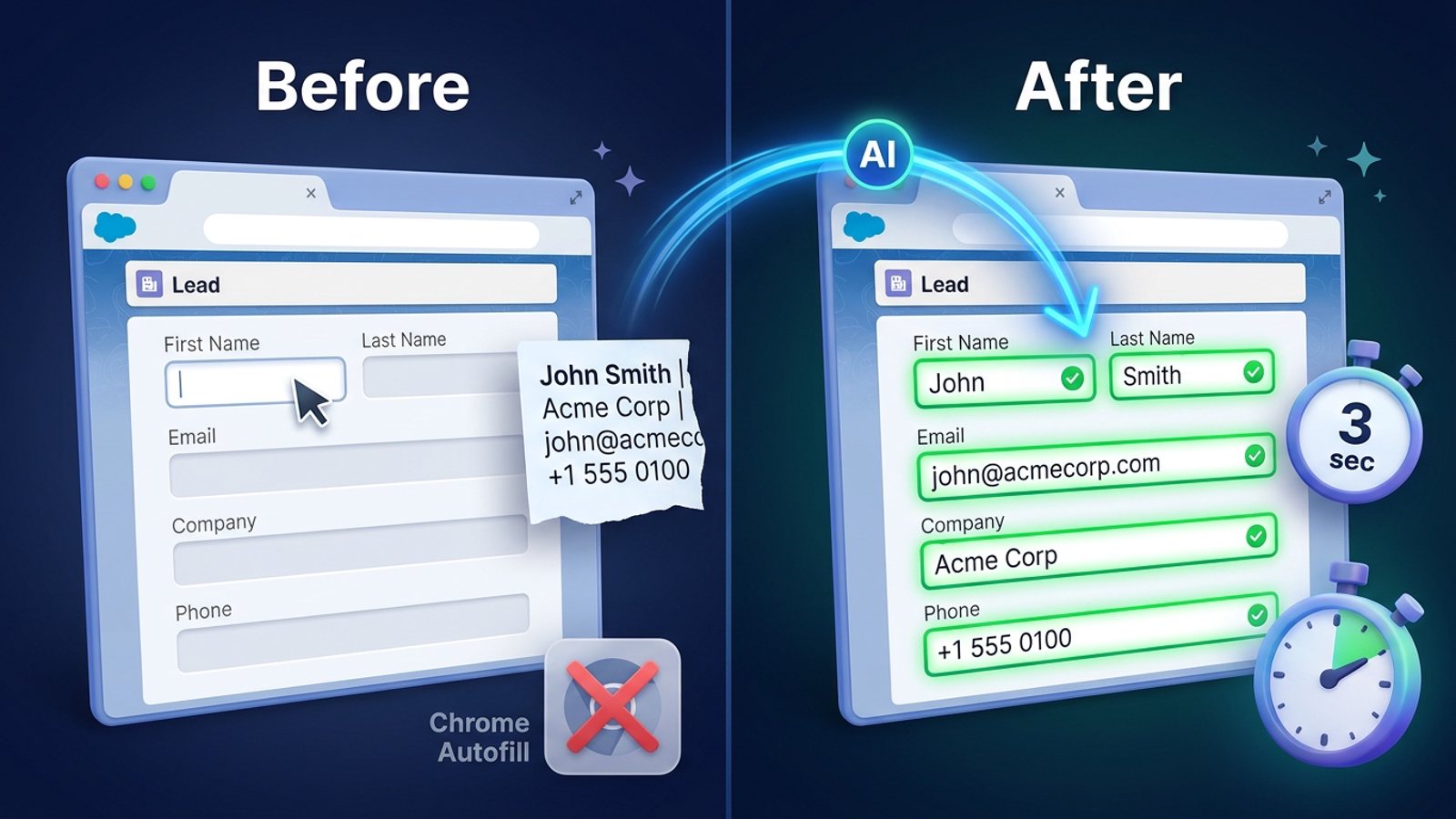
For account executives updating Account and Contact records, SmartFill is the strongest AI autofill Salesforce pick of the tools we compared: it reads pasted, messy text and fills any Salesforce object — accounts, contacts, cases, custom objects — with unlimited fields, no setup, in seconds. Magical and Text Blaze replay saved snippets, Lightning Autofill runs rules, and Salesforce Flow builds its own forms.
Ready to stop typing account data field by field? Install SmartFill Free and fill your next Account or Contact record from a single paste.
Why is filling Account and Contact records harder than filling Leads?
Because Salesforce's own bulk path for Accounts and Contacts is a CSV export-and-import job, not an in-form fill. Salesforce Help (published April 2026) describes the Data Import Wizard workflow as running a report, exporting to Excel, editing values, saving as CSV and launching the wizard from Setup — several manual steps per batch. The same guidance warns that same-named records can be updated incorrectly, and that fields including Account Name, Account Site, Contact First Name, Contact Last Name and Salutation can't be updated by that import.
Inline editing helps for one value across many rows: Salesforce Help release notes (August 2024) say Lightning list views let you select up to 200 records and edit multiple records to the same value. That's a bulk fix, not a way to build a fresh Account or Contact from a messy email thread.
And the browser's own autofill won't rescue you. Salesforce Help (January 2026) states that Salesforce generally suppresses standard browser autocomplete on text input fields in internal record layouts. A vendor blog from QuickForm (June 2026) estimates a 10–30-field workflow still takes 5–10 minutes even with saved data — a vendor claim, but it matches what most reps experience.
What should an AI autofill tool for accounts and contacts actually do?
It should take the messy text you already have — an email signature, a LinkedIn bio, a call recap — and populate the record page you have open, whatever object it is. That's the bar we ranked against.
Use this checklist before you install anything:
- List the objects you update. Accounts, Contacts, Cases and custom objects — not just Leads.
- Check whether it parses pasted text or only replays snippets and rules.
- Confirm free-tier limits and pricing on the vendor's official page, and note the date.
- Read the privacy disclosure and publisher record before installing.
- Test on a real Account and Contact with genuinely messy source text.
- Decide how duplicates get handled — see the warning below.
The top 5 AI autofill tools for Salesforce accounts and contacts in 2026
Here's how the five options compare for account and contact work specifically.
| Option | Best for | Key features | Price / free option | Watch-outs |
|---|---|---|---|---|
| SmartFill — Our pick | Any object, messy text | AI fills any Salesforce form from pasted text | Free: 5 fills, then 3/day; Pro $9.99/mo | Desktop Chrome only |
| Magical | Repeating saved text | Text expander, autofill across many apps | Free plan; paid from ~$6.50/user/mo | Replays snippets, not a parser |
| Text Blaze | Templated snippets | Shortcuts, forms, conditional logic | Free ~20 snippets; Pro $2.99/mo | Template-driven, capped free plan |
| Lightning Autofill | Rule-based form filling | Profiles, rules, AUTOFILL actions | Pricing not stated in our sources | Field-by-field setup per site |
| Salesforce Flow | Admin-built record creation | Screen flows that create records | Included with Salesforce editions | Builds its own forms, not yours |
1. SmartFill — Our pick for account and contact records
SmartFill is the only tool in this comparison built specifically to read unstructured text and populate whatever Salesforce form is open. Paste an email signature, a LinkedIn bio or a call recap, click the extension, and the Account or Contact fields fill in. It works on all Salesforce objects — the owner confirms Leads, Contacts, Accounts, Cases, custom objects, everything — with unlimited fields per fill.
The setup is genuinely nothing: a 10-second install, no sign-up, no URL patterns or regex. There's a free plan with 5 fills to start and 3 free fills every day after that, and Pro is $9.99/month for unlimited fills as of November 2026 (prices can change). Pasted text is processed in real time and not stored, and no lead database is built.
Honest limits: it's a desktop Chrome extension only, and duplicate detection is listed as "coming soon" on the Chrome Web Store listing (updated October 2026) — so check for an existing record before you save.
Our recommendation: if your job is updating Accounts and Contacts from whatever lands in your inbox, install SmartFill Free and run it on one real record before you decide anything else.
2. Magical — best for repeating text you type often
Magical is a text expander with autofill across what its Chrome Web Store listing (updated April 2026) describes as "10,000,000+ apps," Salesforce included, with no API or integrations needed. If you type the same follow-up paragraph or the same set of standard field values every day, it saves real time.
Third-party pricing pages checked in 2026 put the free plan at $0 with unlimited text expansion and limited AI, and paid plans anywhere from about $6.50 to $10 per user per month — sources disagree on plan names and exact figures, so treat those as approximate and check the vendor's own page. Most powerful features, including CRM autofill and team sharing, sit behind the paid tiers (AI Text Tools, February 2026), and the tool replays snippets rather than parsing arbitrary pasted text.
If you mainly need to fire off saved replies fast, Magical is the more direct choice.
3. Text Blaze — best for templated snippets with logic
Text Blaze gives you reusable snippets with shortcuts, forms and conditional logic, and works in Gmail, Google Docs, LinkedIn and Salesforce (MEFMobile, undated). Third-party reviews checked in 2026 list a free tier of around 20 basic snippets with unlimited expansions, Pro at $2.99/month billed yearly and Business at $6.99/user/month billed yearly.
The limit for account work is the same as Magical's: it's snippet- and template-driven, not an unstructured-text parser. It won't read a messy pasted bio and decide which field gets which value.
If you mainly need consistent written snippets across apps, Text Blaze is the more direct choice.
4. Lightning Autofill — best for rule-based, repeatable form filling
Lightning Autofill runs profiles and rules. Its documentation FAQ (September 2026) says that from v13 you can run one profile after another using an AUTOFILL action, and that it supports dispatchEvent() to satisfy JavaScript validation. That's useful when you fill the same predictable form the same way every time.
The trade-off is setup: sample rules show field-by-field configuration per site (a 2018 sample is publicly posted), so it is not a zero-setup AI parser, and some forms need manual event workarounds. Pricing and plans weren't stated in the material we reviewed, so check the vendor's site directly.
If you mainly need deterministic, rule-driven filling of a form you control, Lightning Autofill is the more direct choice.
5. Salesforce Flow — best when an admin builds the intake form
Flow Builder's sample library (Salesforce Help, November 2026) includes "create a record using an online form" — a screen flow that collects opportunity details and then creates the Opportunity — and screen components support repeated input rows. Record-triggered flows can also set field values on create or edit (Volcengine, September 2026).
The catch for a rep: Flow builds records from forms you design, not from text already on your screen, and record-triggered automation is admin-configured. It's a strong org-level tool; it isn't a personal autofill button.
If you mainly need a standardized intake process for the whole team, Flow is the more direct choice.
SmartFill is made by the team behind this blog.
Which tool handles messy, unstructured lead data best?
SmartFill, because parsing messy text is the whole job it was built for. An email signature like "Priya Raman | VP Ops, Northwind Logistics | +1 415 555 0134 | priya@northwind.example" contains a name, a title, a company, a phone and an email in five different formats — a snippet tool can't split that into fields, and a rule engine needs a rule written for it first.
A quick worked example. Say you run a bakery and a wholesale buyer emails you from a new address with their company details in the signature. With SmartFill you copy the signature, open the new Account record, click the icon, and the company name, phone and contact details land in the right fields — then you save and move on. That's the 4-minute form fill turned into a few clicks.
For more on this specific job, see our guide to the best AI tools to fill Salesforce leads from email signatures.
How do you avoid duplicates when autofilling accounts and contacts?
Check for an existing record before you save, because duplicate handling varies by tool. SmartFill's duplicate detection is listed as "coming soon" on its Chrome Web Store listing (October 2026), and Salesforce's own import guidance warns that same-named records can be updated incorrectly during bulk updates (Salesforce Help, April 2026).
Our recommendation: search the Account or Contact name in Salesforce first, then paste and fill into the existing record rather than creating a new one. It costs five seconds and saves a merge later.
For a deeper look at the record-update workflow, read what is the best AI Salesforce form filler for account executives.
Is it safe to let an extension fill your Salesforce forms?
Only if you've checked what the extension does with your data. Chrome Web Store policy requires extensions to use only the data needed for their disclosed single purpose (Chrome for Developers, undated), and the security risks noted by Valo.ai (March 2025) centre on extensions that can read page data and act as you.
SmartFill's position, from its own listing: pasted text is parsed in real time and not retained, and no lead database is built. That's the disclosure to compare against any other tool you shortlist. This is general guidance, not legal advice — your own company's security policy and local rules decide what you're allowed to install.
The fastest autofill tool is the one that reads the text you already have and fills the record you already opened — everything else is a snippet with extra steps.
Sources
- SmartFill Chrome Web Store listing (Chrome Web Store, updated 2026-10-19)
- Update Accounts and Contacts in bulk with Data Import Wizard (Salesforce Help, 2026-04-03)
- Intelligence views bulk actions (Salesforce Help, 2024-08-22)
- Autocomplete suppression (Salesforce Help, 2026-01-28/29)
- Flow Builder sample library (Salesforce Help, 2026-11-05)
- Data Integration Rules (Salesforce Dictionary, 2026-05-17)
- Record-triggered Flow (Volcengine, 2026-09-24)
- QuickForm autofill blog (QuickForm, 2026-06-09)
- Extension security risks (Valo.ai, 2025-03-07/08)
- Chrome Web Store limited-use policy (Chrome for Developers, undated)
- Magical Chrome listing (Chrome Web Store, 2026-04-03/04)
- Magical review (AI Text Tools, 2026-02-08)
- Magical pricing (MoreAI.tools, verified 2026-06-21)
- Text Blaze pricing (GeekChamp, 2026-09-20)
- Text Blaze (MEFMobile, undated)
- Text Blaze review (ToolChase, 2026-04-15)
- Lightning Autofill FAQ (Lightning Autofill Docs, 2026-09-17)
- Lightning Autofill sample rules (Pastebin, 2018-06-11)