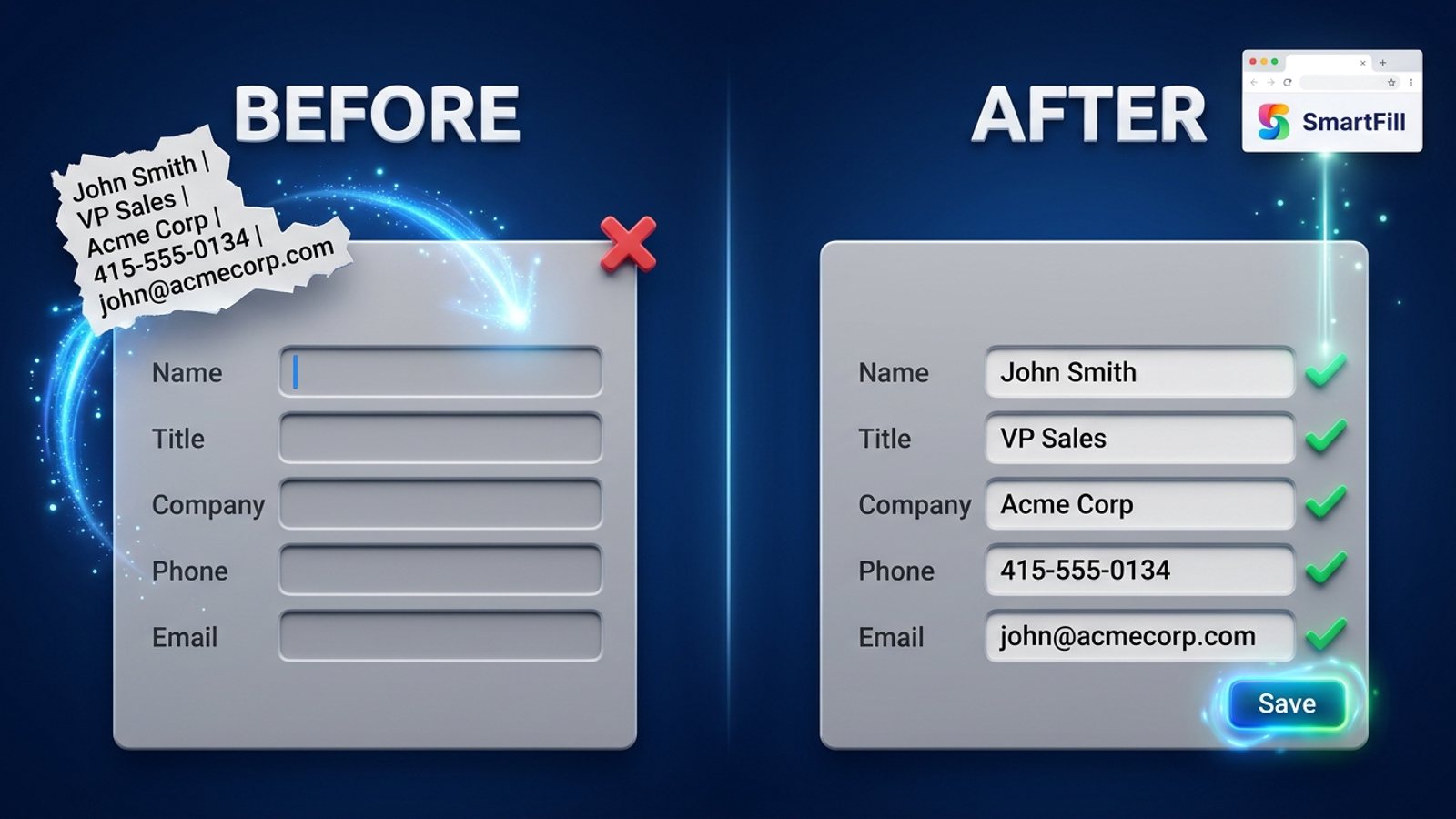
For RevOps teams fixing lead entry, the best fillapp alternatives revops are tools that stop the typing, not just move it. SmartFill fills Salesforce forms from pasted messy text with nothing stored. Magical suits daily text expansion, Web-to-Lead captures new website leads, and FillApp stays the broadest cross-platform filler.
Install SmartFill Free and paste your next messy lead into a Salesforce form instead of retyping it.
Why do RevOps teams need FillApp alternatives at all?
Because the cost they are trying to remove is created before the record is saved. Titan DXP (2026) makes the point plainly: validation rules and duplicate rules only judge what arrives, so the same errors come back after every cleanup unless you fix intake.
That is why a RevOps cleanup usually fails on the second pass. You dedupe, you standardise, you fill gaps — and three weeks later the same typos are back, because a rep retyped a signature into the wrong field.
Weflow's vendor blog (2026) adds the human side: reps skip entry when the page is cluttered and the payoff is unclear, and too many required fields pushes them to enter junk just to save. So "add more required fields" is not a fix. Lowering friction is.
The cheapest data quality programme is the one that stops a rep from typing the same lead twice.
What should a RevOps team actually compare?
Compare by job, not by feature list. Lead data reaches Salesforce through capture, transfer or fill-on-record, and each needs a different tool (Prezi, 2025, lists manual UI entry, Web-to-Lead, Data Import Wizard/Data Loader and API integrations as the four paths).
- Map your intake paths — note which one produces the most duplicates and missing fields.
- Decide the job per path — capture (Web-to-Lead, Typeform, Jotform), transfer (Magical, FillApp), or fill-on-record (SmartFill type tools).
- Pilot with one small group — then check duplicates, missing fields and validation save failures before rolling out.
- Fix intake before you clean again — otherwise the cleanup is a recurring cost, not a one-off.
What are the best FillApp alternatives for RevOps teams?
Here is how the options compare for lead entry specifically, with SmartFill first because this blog is its home.
| Option | Best for | Key features | Price / free option | Watch-outs |
|---|---|---|---|---|
| SmartFill (Our pick) | Salesforce lead entry from messy text | AI fills Salesforce forms from pasted text | Free: 5 fills, then 3/day; Pro $9.99/mo | Desktop Chrome only |
| FillApp | Broad browser form filling | AI browser agent, snippets, visible trace | 20 free credits; $0.10/credit; $14.99/mo | Credit-metered; AI can misread pages |
| Magical | Repetitive text expansion | Cross-tab transfer, Salesforce listed | Free tier; team plan contact-sales | Needs per-field labelling once |
| Web-to-Lead | New inbound website leads | Native, assignment rules, autoresponders | Built into Salesforce | 500/24h, no validation, no dedup |
| Manual entry | Occasional records | Full human judgement | Free in licence terms | Source of typos, gaps, duplicates |
Prices checked November 2026; third-party prices can change.
SmartFill — our pick for Salesforce lead entry
SmartFill is a Chrome extension that uses AI to fill Salesforce forms from any pasted text. You copy a messy email signature or LinkedIn bio, click the icon, and the Lead form fills — including every field, since there is no field limit.
Two things matter to a RevOps lead. First, text is processed in real time and not stored, so no lead database is built on the vendor side. Second, there is no setup: a 10-second install, no sign-up, no field mapping. It works on any Salesforce form you can open in Chrome, and on other forms too, though Salesforce is the focus.
Its honest limit: it is desktop-only, because it is a Chrome extension. If your team works from mobile browsers, this is not the tool.
Install SmartFill Free — 5 fills to start, then 3 per day forever.
FillApp — best for broad, cross-platform form filling
FillApp runs inside your logged-in browser session with a visible trace of its actions and needs no credential sharing (FillApp, undated). Its Fill mode imports text fields, dropdowns, checkboxes, dates and long text, and you can save datasets as snippets you insert by typing @SnippetName.
Pricing on its own site: 20 free credits with no card, pay-as-you-go at $0.10/credit from $5, and $14.99/month. A third-party check (Position Is Everything, October 2026) lists Starter at $14.99/month for 150 credits — roughly 80 tasks — and Pro at $29.99/month for 300 credits.
The watch-outs are real for a RevOps rollout. It is credit-metered, so cost scales with usage. FillApp's own Safety & Use Notice (updated September 2025) says AI can misread page structure or labels. And a third-party extension scan (Koidex, 2025) flags broad host permissions and an unverified publisher. If you mainly need one tool for many different web apps, FillApp is the more direct choice.
Magical — best for reps who type the same things daily
Magical's Chrome listing (updated April 2026) says it is used by 950,000 users at 100,000+ companies, automates "7+ hours" of repetitive work weekly and lists Salesforce among supported apps. Setup is a free Chrome extension with no integrations or APIs.
The catch for lead entry: Magical's documented CRM autofill flow requires opening the source tab, clicking the pencil icon and labelling each field once before reuse (Magical Help Center, 2024). That is fine for a form a rep fills every day; it is friction for one-off lead records. A third-party review also notes it is not an automation platform — no scheduler, webhooks or multi-step logic (AISO Tools, undated).
Pricing: a free tier exists, Core is individuals-only, and the Advanced team plan is contact-sales with no self-serve price as of October 2026 (Magical Help Center). A third-party tracker shows Pro from about $10/month (finde.tools, July 2026). Magical also discloses handling PII, location, web history and website content, and states data is not sold to third parties.
If you mainly need text expansion for one person doing the same forms all day, Magical is the more direct choice.
Salesforce Web-to-Lead — best for new inbound website leads
Web-to-Lead is built into Salesforce: you generate an HTML form in Setup, embed it, and each submission posts in as a new Lead that can trigger assignment rules and autoresponders (Thunderbit, 2026). It is native and needs no extra licence.
Its limits are documented by FormAssembly (2023): a 500-submission cap per 24 hours, no file uploads, no field validation, no deduplication, and it writes only to the Lead object. It also cannot help with a lead that arrived by email or a call — it only captures what a stranger submits on your site.
If you mainly need to capture new inbound leads from a public site, Web-to-Lead is the more direct choice.
SmartFill is made by the team behind this blog.
How does SmartFill keep lead data private?
It processes the text in real time and does not store it, so no lead database is built. That is the whole privacy story, and for RevOps it is the one that matters: your lead data passes through to your own Salesforce form and is not retained.
How do you reduce typos without adding more required fields?
Lower the friction of entry instead of raising the bar. Weflow (2026) recommends reducing entry friction before enforcing standards, precisely because clutter and unclear payoff push reps to skip or fake entry.
SmartFill does this by removing typing from the loop. Say a rep gets this in an email signature: "Priya Raman | Head of Ops, Northwind Logistics | priya@northwind.example | +44 20 7946 0000 | Manchester." Instead of retyping five fields and guessing at the company name format, the rep pastes the whole block and the form fills. The rep reviews and saves.
Fewer keystrokes means fewer transposed digits, fewer blank fields and fewer records that fail validation on save.
Do you lose data if a trial ends or you stop paying?
With SmartFill, no lead database is stored, so there is nothing to lose — the tool fills your form and the record lives in Salesforce, where it always did. On the free plan you get 5 fills to start and then 3 per day, indefinitely, so a lapsed trial does not lock you out.
For other tools, check the plan terms directly. FillApp's third-party pricing check notes credits valid for one year (Position Is Everything, October 2026), which tells you how long unused balance lasts but not what happens to saved snippets. Ask before you commit a team to it.
Which fill tool should a RevOps team pick?
Pick by intake path. If the job is turning messy lead text — signatures, bios, call notes — into a complete Salesforce record in the rep's own browser, choose a Salesforce-first filler like SmartFill: unlimited fields, no setup, nothing stored, $9.99/month on Pro as of November 2026, prices can change, and a free plan that never expires.
If the job is one tool across many web apps, FillApp is the more direct choice. If it is text expansion for individuals, Magical. If it is new inbound website leads, Web-to-Lead.
For a wider shortlist, see the best alternatives to FillApp for Salesforce and whether a browser autofill tool is worth it for Salesforce lead entry. If privacy is your deciding factor, read the best secure AI form filler for Salesforce lead data.
Start with the free plan: Install SmartFill Free.
Sources
- Salesforce Data Quality Problems Start at Intake (Titan DXP, 2026-11-02)
- Salesforce Data Hygiene guide (Weflow, vendor blog, 2026-11-10)
- CRM Data Entry Best Practices (Coffee, 2026-10-21)
- Salesforce Data Normalization Guide for SMBs (CleanSmart Labs, 2026-03-03)
- How to set up a Salesforce Web-to-Lead integration form (Thunderbit, vendor blog, 2026-06-08)
- Salesforce Forms Without Code (FormAssembly, 2023-11-18)
- Lead Management in Sales Cloud (Prezi, 2025-04-25)
- FillApp (vendor, undated)
- Get started with FillApp (vendor, undated)
- FillApp Safety & Use Notice (updated 2025-09-02)
- FillApp pricing (Position Is Everything, 2026-10-03)
- FillApp extension security report (Koidex, 2025-06-04)
- Magical listing (Chrome Web Store, updated 4 April 2026)
- Autofill forms, web apps and databases (Magical Help Center, 2024-10-20)
- Core plan (Magical Help Center, 2026-02-03)
- Magical prices (finde.tools, 2026-07-11)
- Magical review (AISO Tools, undated)
- FillApp vs Genspark AI Browser (Specifiction, undated)