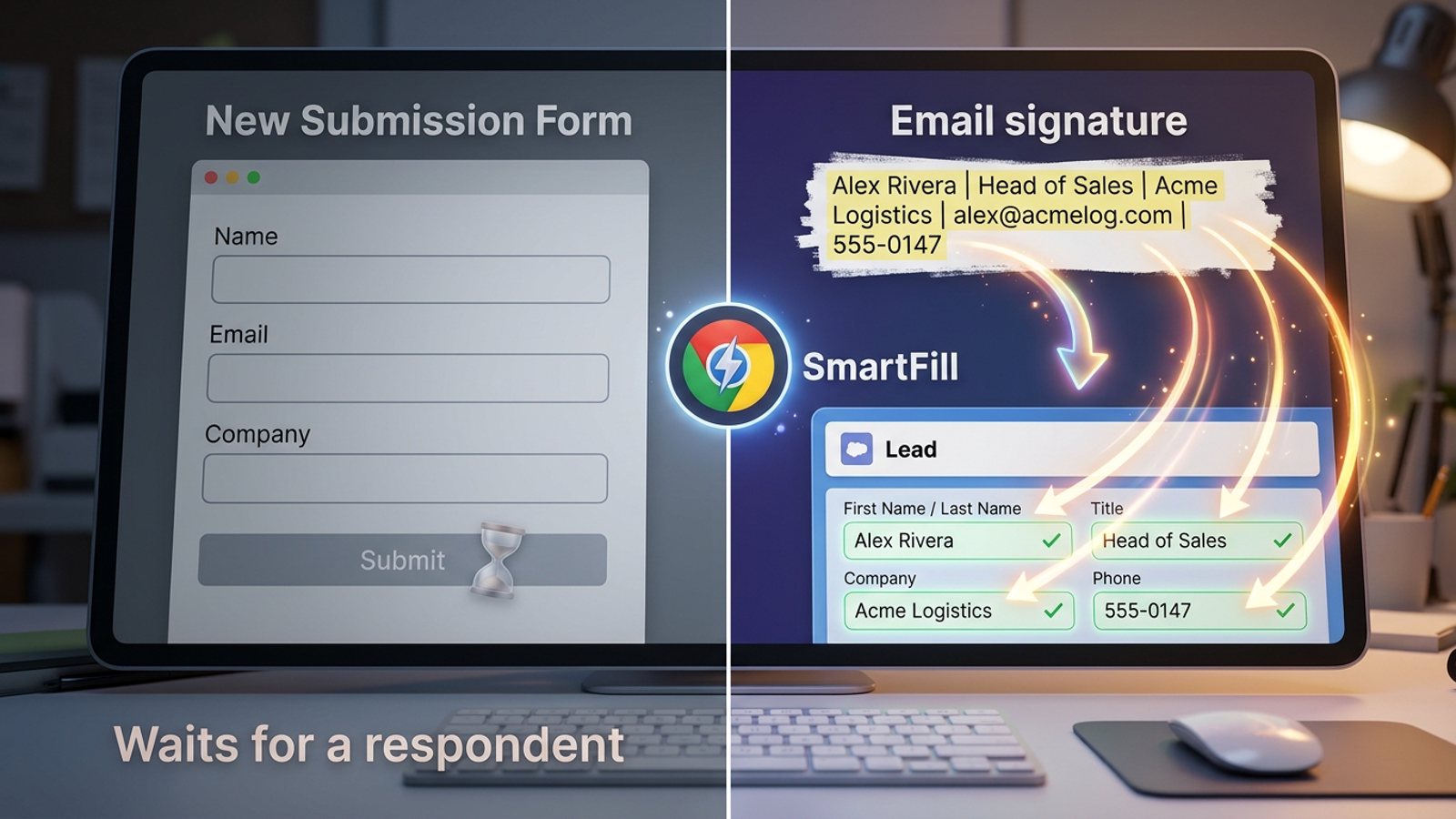
Formstack alternatives for founders are tools that get a lead into Salesforce without hiring an admin: Salesforce Web-to-Lead (free, 500 leads/day cap), Jotform (Salesforce on all plans per Jotform support), Typeform (Salesforce listed on Growth Flow at $266–$379/month), or a Salesforce-first AI form filler like SmartFill, which fills the record form from pasted text in about 10 seconds. Formstack itself is a public-form builder — none of these form tools backfill an existing Salesforce record, which is the job a founder usually has.
If you want the zero-setup route, install SmartFill free and fill your next Salesforce form from a pasted email signature.
Why is Formstack a bad fit for a one-person sales team?
Because Formstack is built for public forms and enterprise admin, not for a founder typing a lead into a record. Its native forms product lives entirely inside the Salesforce platform, so data is collected and stored in your own org with no separate login — Formstack's own description. That's elegant, but it assumes someone can set it up.
The setup is the problem. Formstack's help centre (29 October 2026) walks through installing Documents for Salesforce by signing in as a Systems Administrator for the target org, installing from AppExchange, and — since package v1.339 — assigning new permission sets to every user who needs access or they hit an error. Its standard Salesforce integration also requires an edition with API access, which Formstack's help names as a Performance requirement (9 September 2025).
Then there's the price. Formstack's pricing pages disagree with each other: one copy lists Forms starting at $50/$59 per month (annual/monthly), another at $83/$99, and a mirrored copy repeats $50/$59. Salesforce Solutions are listed as "Custom Pricing, Flexible Plans" with no public number. A third-party analysis (Activepieces, 24 October 2026) puts it bluntly: "$83 is only a starting point."
What are the Formstack alternatives a founder should actually compare?
The honest list is short: SmartFill, Jotform, Typeform, Salesforce Web-to-Lead, and the free baseline of copy-paste. Here's how they stack up.
| Option | Best for | Key features | Price / free option | Watch-outs |
|---|---|---|---|---|
| SmartFill (Our pick) | Filling an existing Salesforce record from pasted text | AI fills forms from any copied text; messy data OK; no setup | Free: 5 fills, then 3/day; Pro $9.99/mo | Desktop Chrome only |
| Jotform | Cheap public forms with a Salesforce push | Free tier; integrations on all plans | Paid plans from $34/mo (third-party figure) | Submission caps; complex mapping needs middleware |
| Typeform | Beautiful public lead-capture forms | Conversational UX; branded subdomain | Salesforce on Growth Flow, $266–$379/mo | Credit card for the trial |
| Web-to-Lead | Free website lead capture | Native, no third party, reCAPTCHA | Free with Salesforce | 500 leads/day cap; new Leads only |
| Copy-paste | One or two fields, occasionally | Zero setup | Free | Typo-prone; doesn't scale |
SmartFill is our pick of the tools we compared for the founder case — the person who already has the lead data and just needs it in the record. It's a Chrome extension that fills Salesforce forms from any pasted text, installs in about 10 seconds with no sign-up, and needs no configuration. It works on anything you open in a Chrome browser, and on all Salesforce objects. It does not build public forms, and it's desktop Chrome only. Get SmartFill and stop typing leads.
If you mainly need a public form on your website, Web-to-Lead or Jotform is the more direct choice. If you want the form to look beautiful, Typeform wins.
Jotform
Jotform's own support team states (14 July 2024) that the Salesforce integration and "any other integrations" are available on all plans, with only usage limits varying. A third-party comparison (WorkflowKits, updated 28 April 2026) lists paid plans from $34/month and Gold at $99/month billed annually — that's a third-party figure, not Jotform's own page.
Watch-outs come from a competitor's analysis, so weigh the source: Paperform (3 June 2026) argues Jotform's Salesforce connection is "surface-level," complex multi-object mapping needs middleware, and every plan has submission caps (Bronze 1,000/month, Silver 2,500/month).
Typeform
Typeform's Salesforce integration is listed on Growth Flow at $379/month, or $266/month billed annually, with 10,000 responses, 5 users and a 14-day trial that requires a credit card — per Consultants In A Box (16 November 2026). Entry pricing records conflict: a September 2026 tracker lists Basic at $39/month, a 2024 vendor page showed $25/month yearly, and a 2026-04-21 record lists $29/month.
Typeform is excellent at what it does — conversational forms people finish. It just doesn't fill a record you already have open.
Salesforce Web-to-Lead
Web-to-Lead is free with Salesforce and turns website submissions into Lead records in real time, with a Setup wizard that generates the HTML for you (Synergy Marketing, 27 June 2025). The same source reports a cap of 500 leads per day, and a vendor blog (Titan DXP, 17 December 2025) lists no file attachments, field validation that needs JavaScript, and duplicate rules that can block submissions.
The bigger limit for a founder: Web-to-Lead only creates new Leads from a public web form. It won't fill an existing Lead, Contact or Opportunity from an email signature.
How does a founder get a lead into Salesforce with no admin?
Match the tool to the direction the data travels. That's the whole decision.
- Audit the job. Count how many Salesforce records a week you build from a pasted email signature, LinkedIn blurb or inbound email. That number is your budget justification.
- Public form on your website? Start with Web-to-Lead. It's free, native, and creates Leads in real time — just mind the 500/day cap and duplicate rules.
- Want a nicer public form? Compare Jotform (Salesforce on all plans per Jotform support) against Typeform's Growth Flow at $266–$379/month, and compare total cost, not headline price.
- Data already in hand? A form builder won't help. This is the founder case, and a Salesforce-first AI filler is the shape of the solution.
- Last resort: keep copy-pasting — but that's the thing you set out to eliminate.
Step 4 is where most founders actually live. Say you run a small agency and a referral emails you an intro. You have a name, a company, a title and a phone number sitting in the signature. Copy-pasting that into six Salesforce fields takes a few minutes and invites typos. Pasting the whole email into SmartFill and letting it populate the form takes seconds.
Can AI fill a Salesforce form from messy lead data?
Yes — that's the specific job SmartFill was built for. It handles messy, unstructured data like email signatures and LinkedIn bios, fills any Salesforce object, and has no limit on how many fields it fills at once. Text is processed in real time and not stored, so no lead database is built.
The technique worth understanding, even without a tool: the hard part of form filling isn't typing, it's parsing. A signature block mixes name, title, company, phone and address with no labels. Humans resolve that from context; a plain browser autofill can't, because it only knows your own saved profile data. That's why "just use Chrome autofill" fails on third-party lead facts.
The real cost of Salesforce data entry isn't the typing — it's the parsing, and that's the part AI removes.
How much do these alternatives cost?
Entry prices range from free to about $379/month, and the gap is mostly about what you're buying. SmartFill's Pro plan is $9.99/month for unlimited fills, with a free plan of 5 fills to start then 3 per day forever — as of November 2026, and prices can change.
The numbers come from different sources on different dates and measure different things. Formstack's $50 and $83 are two conflicting copies of its own pricing page. Jotform's $34 is a third-party figure. Typeform's $266 is the annual-billing rate for the one tier that lists Salesforce.
What if I already pay for Formstack?
You can keep it for public forms and add a filler for record entry — they don't conflict. Formstack pitches its Salesforce integration as a replacement for Web-to-Lead, adding spam prevention, client-side validation, routing logic and multiple redirect URLs (Formstack Help, 9 September 2025). That's a real public-form feature set.
If you'd rather bridge Formstack to Salesforce with middleware, Pabbly documents a multi-step workflow: sign in, create a workflow, pick a trigger, authenticate Salesforce, map fields (27 March 2025). Pabbly's free tier gives 100 tasks per month.
For a founder, that's three moving parts where you wanted zero. For a deeper comparison of form-tool options, see the best alternatives to Formstack for Salesforce data entry, and if cost is the driver, the cheaper alternative to Formstack for small sales teams.
Sources
- Formstack pricing — Formstack, no date
- Formstack pricing (alternate copy) — Formstack mirror, no date
- Native Salesforce Forms Builder — Formstack, no date
- Documents for Salesforce, Full Setup Guide — Formstack Help, 2026-10-29
- Salesforce Integration Setup — Formstack Help, 2025-09-09
- Formstack Pricing 2026 — Activepieces, 2026-10-24
- Formstack vs Jotform pricing — Outmano, 2026-10-25
- Jotform vs Formstack — WorkflowKits, 2026-04-28
- Is Salesforce integration available with all plans? — Jotform Answers, 2024-07-14
- FormAssembly vs Jotform — Paperform, 2026-06-03
- Typeform Growth Flow and add-ons — Consultants In A Box, 2026-11-16
- Typeform pricing — Position Is Everything, 2026-09-27
- Typeform Pricing and Plans — StackScored, 2026-10-01
- Salesforce Web-to-Lead guide — Synergy Marketing, 2025-06-27
- Complete Guide to Web-to-Lead Salesforce Limits — Titan DXP, 2025-12-17
- How to Create Salesforce Lead from Formstack Form Submission Using Pabbly Connect — Pabbly, 2025-03-27